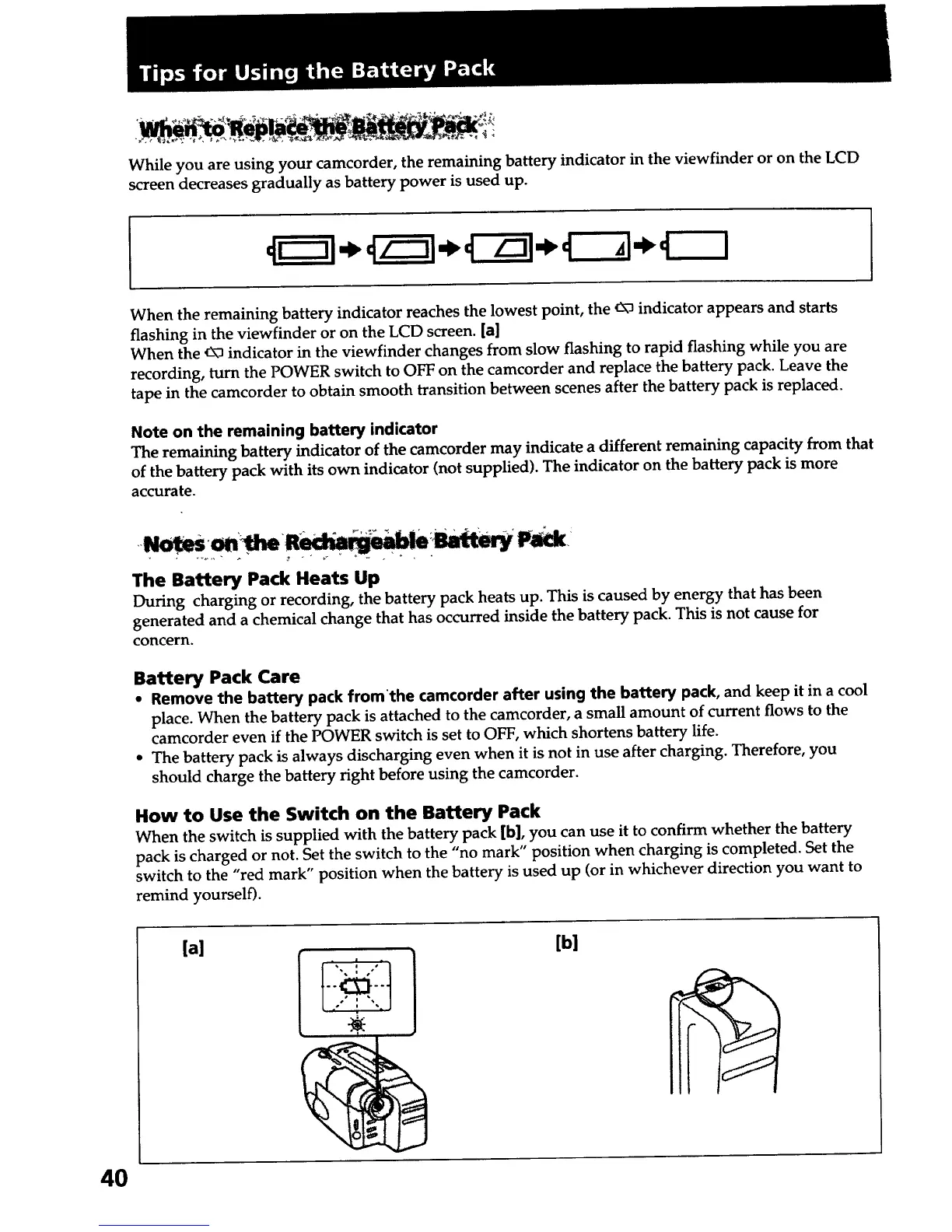
While you are using your camcorder, the remaining battery indicator in the viewfinder or on the LCD
screen decreases gradually as battery power is used up.
When the remaining battery indicator reaches the lowest point, the _ indicator appears and starts
flashing in the viewfinder or on the LCD screen. [a]
When the _ indicator in the viewfinder changes from slow flashing to rapid flashing while you are
recording, turn the POWER switch to OFF on the camcorder and replace the battery pack. Leave the
tape in the camcorder to obtain smooth transition between scenes after the battery pack is replaced.
Note on the remaining battery indicator
The remaining battery indicator of the camcorder may indicate a different remaining capacity from that
of the battery pack with its own indicator (not supplied). The indicator on the battery pack is more
accurate.
The Battery Pack Heats Up
During charging or recording, the battery pack heats up. This is caused by energy that has been
generated and a chemical change that has occurred inside the battery pack. This is not cause for
concern.
Battery Pack Care
• Remove the battery pack from'the camcorder after using the battery pack, and keep it in a cool
place. When the battery pack is attached to the camcorder, a small amount of current flows to the
camcorder even if the POWER switch is set to OFF, which shortens battery life.
• The battery pack is always discharging even when it is not in use after charging. Therefore, you
should charge the battery right before using the camcorder.
How to Use the Switch on the Battery Pack
When the switch is supplied with the battery pack [b], you can use it to confirm whether the battery
pack is charged or not. Set the switch to the "no mark" position when charging is completed. Set the
switch to the "red mark" position when the battery is used up (or in whichever direction you want to
remind yourself).
4O
[a] [b]
! •













 To Next Page