To Stop Playback
Press [] during playback.
To Rewind the Tape
Press _.
To Fast-forward the Tape
Press It_.
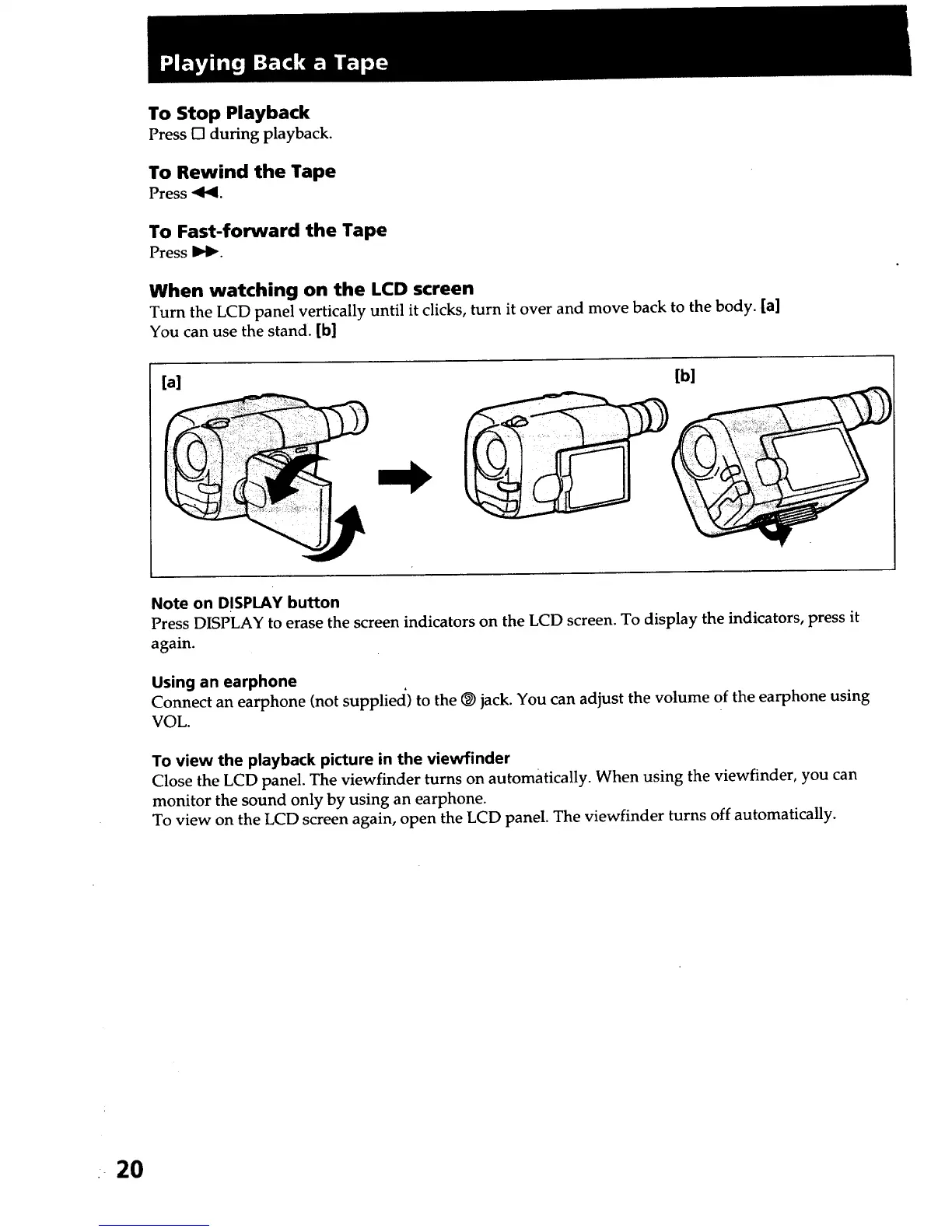
When watching on the LCD screen
Turn the LCD panel vertically until it clicks, turn it over and move back to the body. [a]
You can use the stand. [b]
[a] [b]
Note on DISPLAY button
Press DISPLAY to erase the screen indicators on the LCD screen. To display the indicators, press it
again.
Using an earphone
Connect an earphone (not suppliecl) to the _) jack. You can adjust the volume of the earphone using
VOL.
To view the playback picture in the viewfinder
Close the LCD panel. The viewfinder turns on automatically. When using the viewfinder, you can
monitor the sound only by using an earphone.
To view on the LCD screen again, open the LCD panel. The viewfinder turns off automatically.
: 2O













 To Next Page