You can create your own video programme by editing with any other 1_ 8 mm, HI[] Hi8, !_ VHS,
S-VHS, _ VHSC, _ S-VHSC, or Il! Betamax VCR that has video/audio inputs.
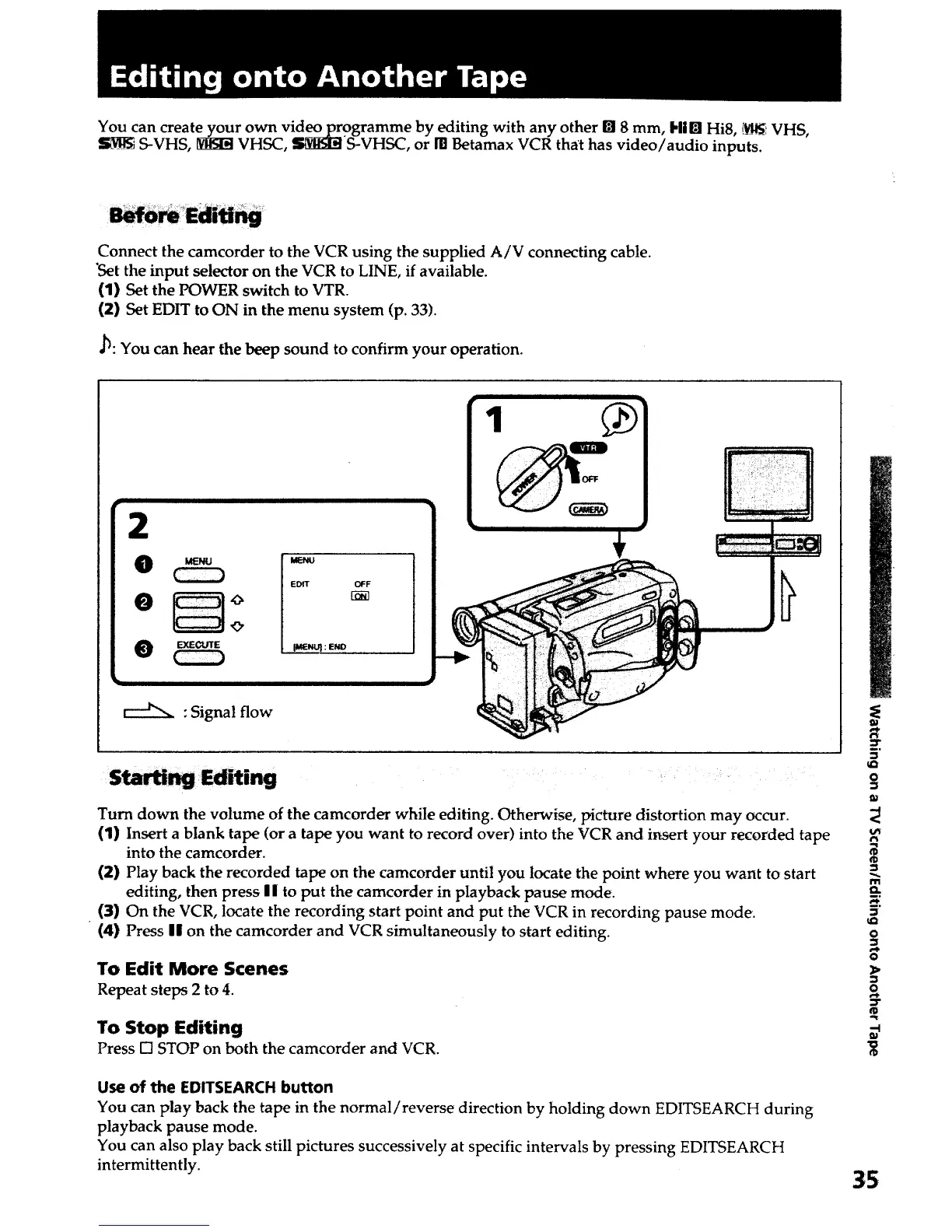
Connect the camcorder to the VCR using the supplied A/V connecting cable.
"Setthe input selector on the VCR to LINE, if available.
(1) Set the POWER switch to VTR.
(2} Set EDIT to ON in the menu system (p. 33).
J_: You can hear the beep sound to confirm your operation.
2
eE ]°
O EXECUTE
: Signal flow
EDIT OFF
1
Sta_ Editing
Turn down the volume of the camcorder while editing. Otherwise, picture distortion may occur.
(1) Insert a blank tape (or a tape you want to record over) into the VCR and insert your recorded tape
into the camcorder.
(2) Play back the recorded tape on the camcorder until you locate the point where you want to start
editing, then press I I to put the camcorder in playback pause mode.
(3) On the VCR, locate the recording start point and put the VCR in recording pause mode.
(4) Press II on the camcorder and VCR simultaneously to start editing.
To Edit More Scenes
Repeat steps 2 to 4.
To Stop Editing
Press [] STOP on both the camcorder and VCR.
Use of the EDITSEARCH button
You can play back the tape in the normal/reverse direction by holding down EDITSEARCH during
playback pause mode.
You can also play back still pictures successively at specific intervals by pressing EDITSEARCH
intermittently.
_r
D
0
D
D
m
D
o
D
D
D"
35













 To Next Page