Additional Information
Your camcorder is supplied with the lithium battery installed. When the battery becomes weak or
dead, _ indicator flashes in the viewfinder or on the LCD screen for about 5 seconds when you set the
POWER switch to CAMERA. In this case, replace the battery with the S(uW CR2025 or Duracell Db
2025 lithium battery. Use of any other battery may present a risk of fire or explosion.
The lithium battery for the camcorder lasts for about ] year under normal operation. However, the
lithium battery installed at the factory may not last ] year.
Note on Lithium Battery
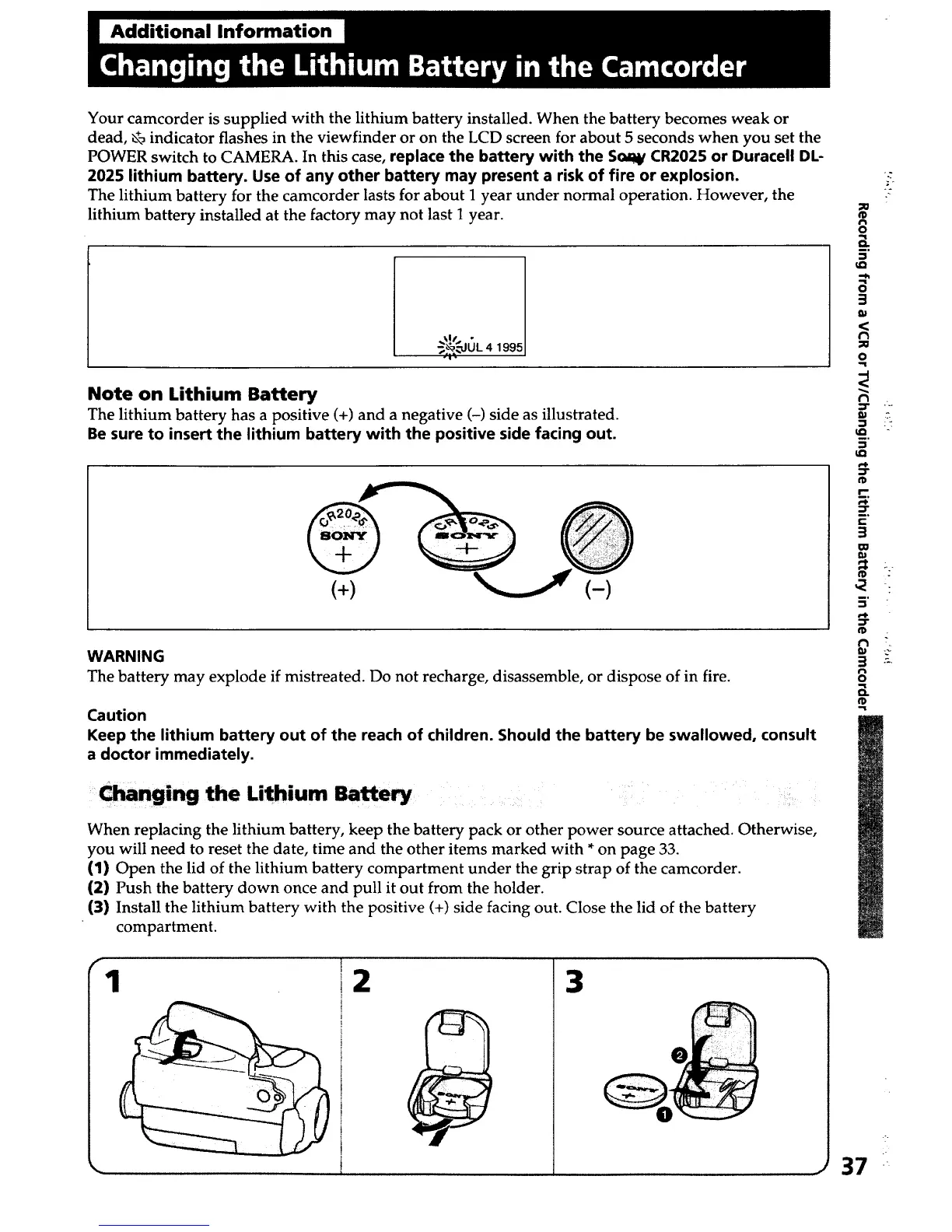
The lithium battery has a positive (+) and a negative (-) side as illustrated.
Be sure to insert the lithium battery with the positive side facing out.
(+) (-)
WARNING
The battery may explode if mistreated. Do not recharge, disassemble, or dispose of in fire.
Caution
Keep the lithium battery out of the reach of children. Should the battery be swallowed, consult
a doctor immediately.
Changing the Lithium Batte
When replacing the lithium battery, keep the battery pack or other power source attached. Otherwise,
you will need to reset the date, time and the other items marked with * on page 33.
(1) Open the lid of the lithium battery compartment under the grip strap of the camcorder.
(2) Push the battery down once and pull it out from the holder.
(3) Install the lithium battery with the positive (+) side facing out. Close the lid of the battery
compartment.
1 2 3
_o
¢D
o
3.
o
3
9t
(3
O
m
tQ
5"
¢D
r'-
_°
r-
3
CO
m
5"
3
rt
o
a.
37
k
.%.













 To Next Page