When you shoot a subject with the light source behind the subject or a subject with a light background,
use the BACK LIGHT function.
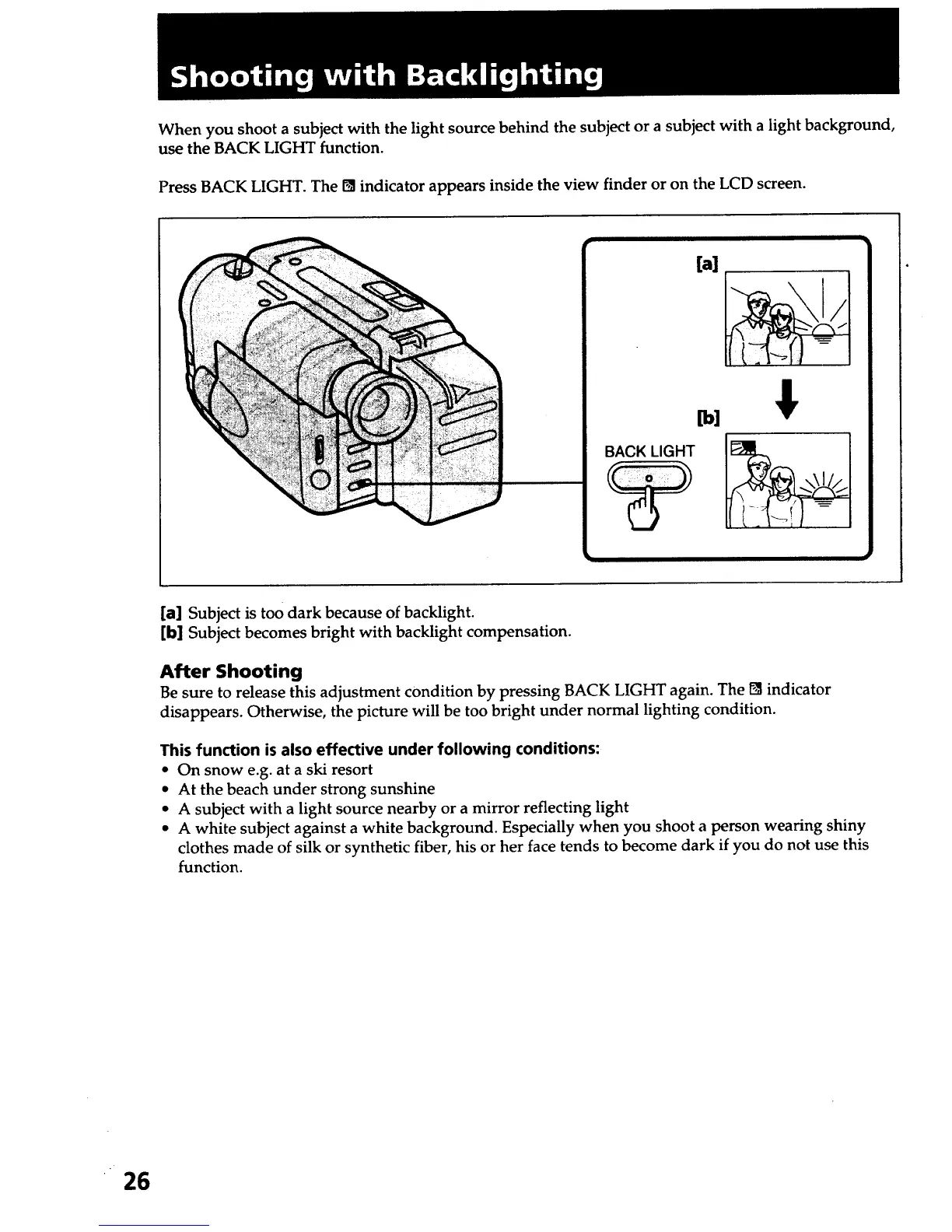
Press BACK LIGHT. The I_ indicator appears inside the view finder or on the LCD screen.
[a] Subject is too dark because of backlight.
[b] Subject becomes bright with backlight compensation.
After Shooting
Be sure to release this adjustment condition by pressing BACK LIGHT again. The [] indicator
disappears. Otherwise, the picture will be too bright under normal lighting condition.
This function is also effective under following conditions:
• C_ snow e.g. at a ski resort
• At the beach under strong sunshine
• A subject with a light source nearby or a mirror reflecting light
• A white subject against a white background. Especially when you shoot a person wearing shiny
clothes made of silk or synthetic fiber, his or her face tends to become dark if you do not use this
function.
26













 To Next Page