iFor the Model with the STEADY SHOT Switch (CCD-TRV40 only)
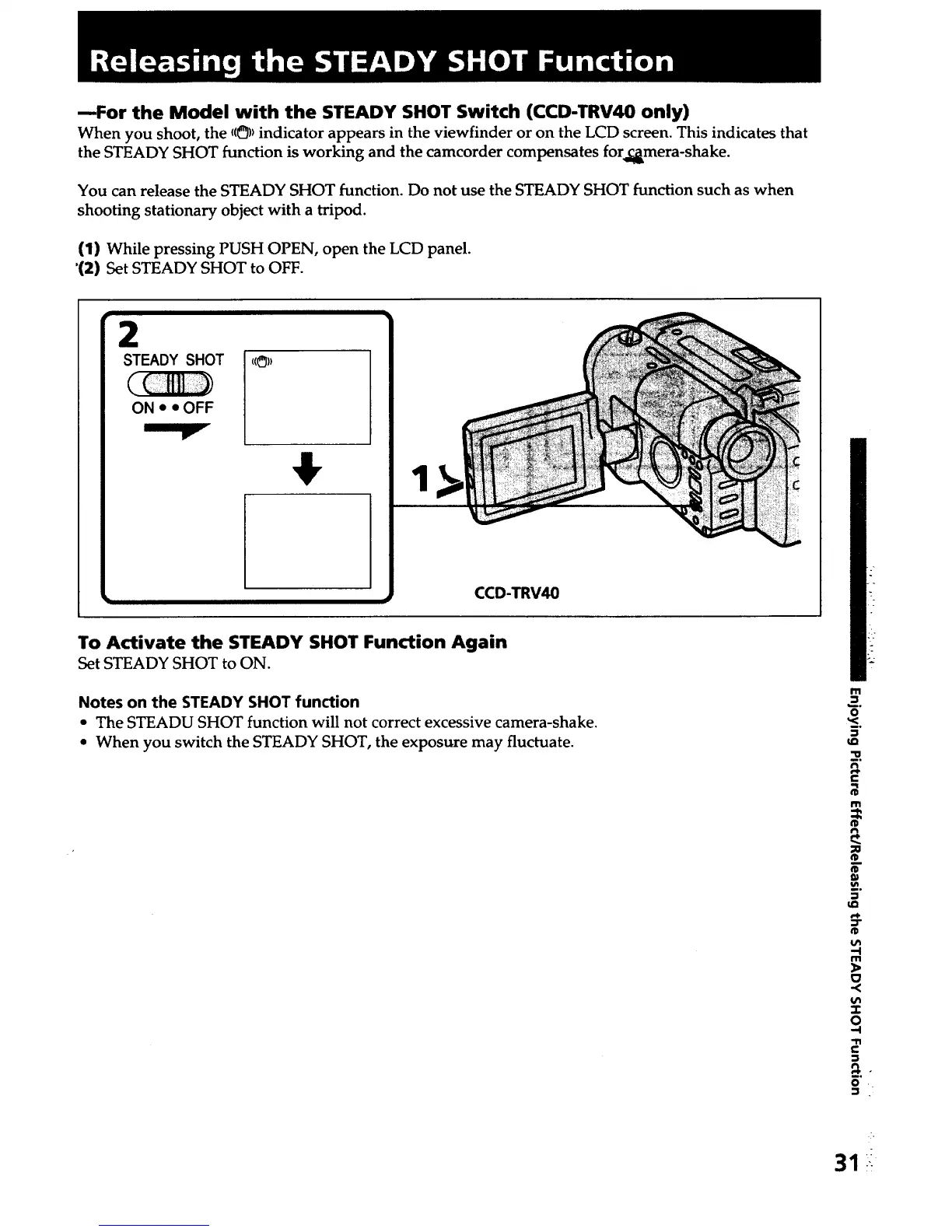
When you shoot, the ((_))indicator appears in the viewfinder or on the LCD screen. This indicates that
the STEADY SHOT function is working and the camcorder compensates for_mera-shake.
You can release the STEADY SHOT function. Do not use the STEADY SHOT function such as when
shooting stationary object with a tripod.
(1) While pressing PUSH OPEN, open the LCD panel.
'(2) Set STEADY SHOT to OFF.
2
STEADY SHOT
( C fill ))
ON • • OFF
1
CCD-TRV40
To Activate the STEADY SHOT Function Again
Set STEADY SHOT to ON.
Notes on the STEADY SHOT function
• The STEADU SHOT function will not correct excessive camera-shake.
• When you switch the STEADY SHOT, the exposure may fluctuate.
m
_=.
o
5"
u_
"O
e-
I"11
¢D
_D
"--I
m
-r
O
-,I
"1"1
e-
8°
o
31













 To Next Page