EasyManua.ls Logo

Sony STR-ZA2000ES - A-VIDEO Board Block-1

Sony STR-ZA2000ES
126 pages
Print Icon
To Next Page IconTo Next Page
To Previous Page IconTo Previous Page
Loading...
STR-ZA1000ES/ZA2000ES/ZA3000ES
18
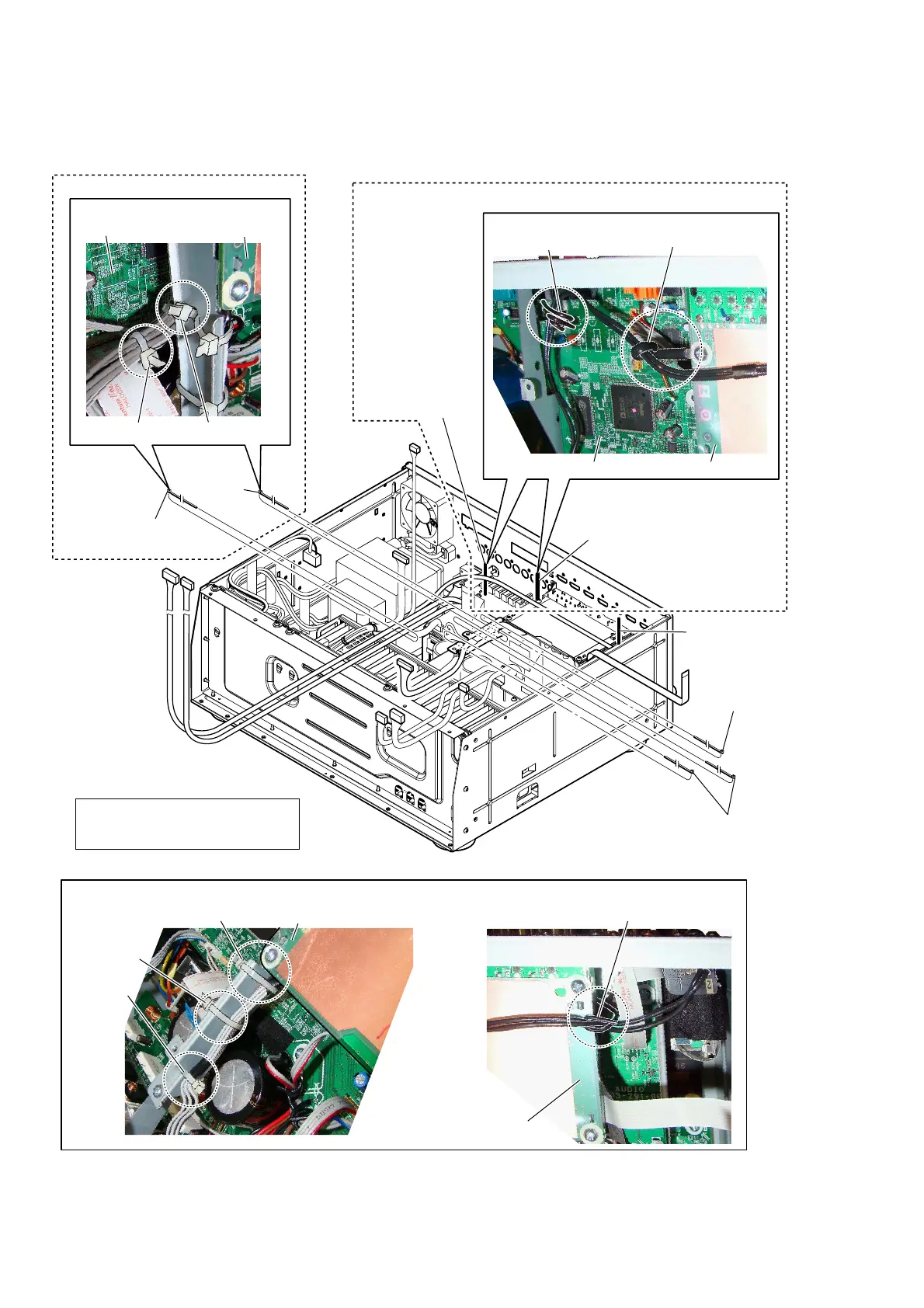
2-15. A-VIDEO BOARD BLOCK-1
:LUHVHWWLQJ
1 Remove the wire
from the lead pin.
2 Remove the wire
from the clamp.
3 Remove the wire
from the lead pin.
(See Fig. E)
4 Cut the cable tie.
4 Cut the
cable tie.
4 Cut the cable tie.
(See Fig. D)
4 Cut two cable ties.
(See Fig. D)
(ZA3000ES)
(ZA1000ES/ZA2000ES)
cable tie
cable tie
AUDIO board
:LUHVHWWLQJ
cable tie
cable tie
)LJ'! )LJ(!
cable tie
A-VIDEO board
lead pin
A-VIDEO board
clamp
A-VIDEO board
A-VIDEO board
:LUHVHWWLQJ
lead pin
AUDIO board
Note:
During reassembly, use new cable
ties to fasten the wires back in place
as they were before disassembly.
Ver. 1.1

Table of Contents

Other manuals for Sony STR-ZA2000ES

Related product manuals