STR-ZA1000ES/ZA2000ES/ZA3000ES
8
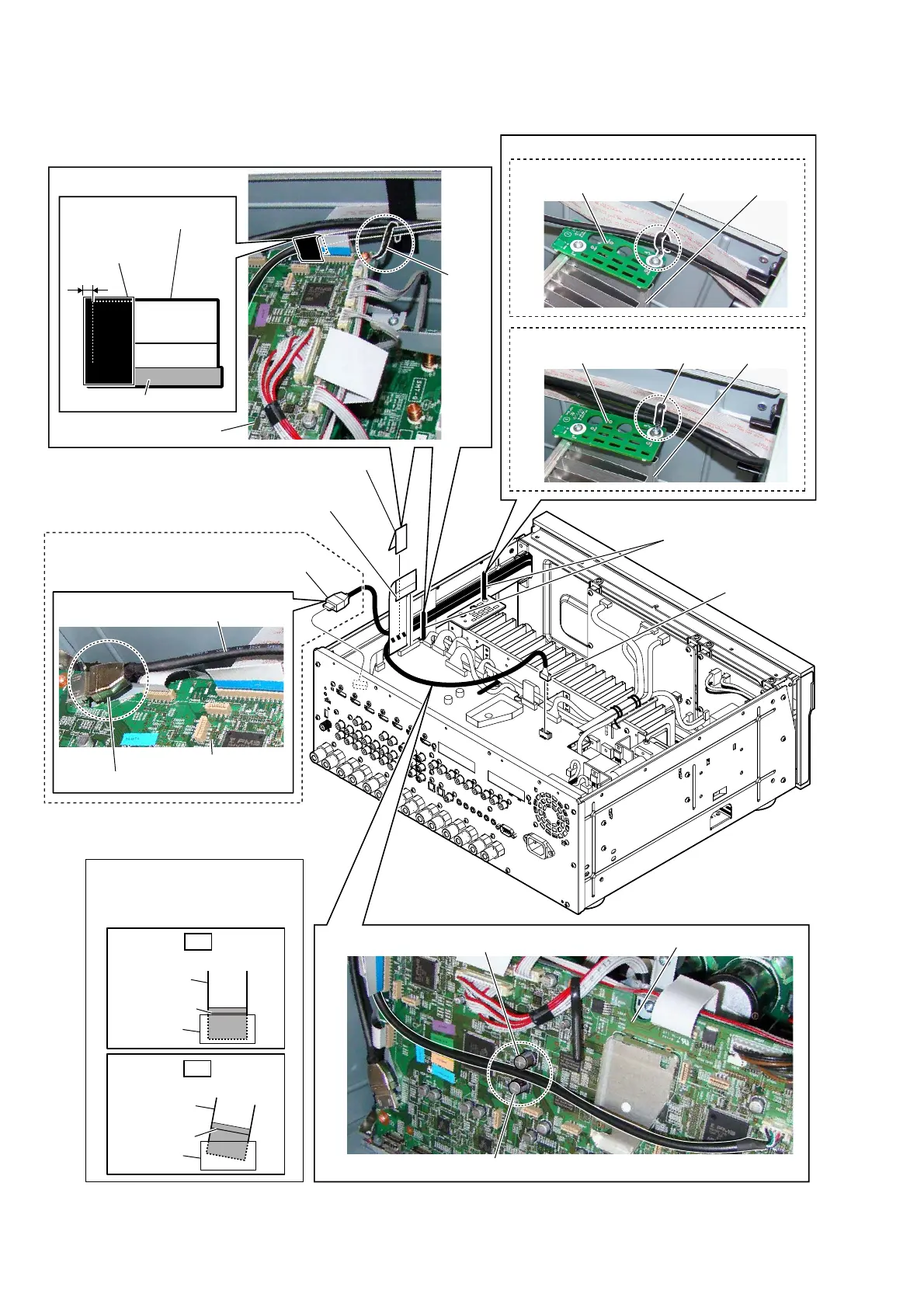
2-4. FRONT PANEL BLOCK-1
3
connector
(CN6602)
5
HDMI cable connector
(CN3505)
HDMI cable
4 flexible flat cable (FFC 29P (400))
(CN8000)
flexible flat cable
(FFC 29P (400))
:LUHVHWWLQJ
:LUHVHWWLQJ
:LUHVHWWLQJ
C3554
DIGITAL board
C3553
clamp
clamp
DIGITAL board
heat sink
–5HDUYLHZ–
2 Remove the wire
from two clamps.
HS_COVER-L board
colored line
Insert straight into the interior.
flexible flat
cable
connector
OK
colored line
Insert at a slant.
flexible flat
cable
connector
NG
DIGITAL board
+'0,FDEOHVHWWLQJ
Note 2:
When installing the flexible flat
cable, ensure that the colored
line is parallel to the connector
after insertion.
Note 1:
Do not touch the chassis.
1 saranet cushion
(LXWXT)
saranet cushion
(LXWXT)
1 to 3 mm
CN8000
(ZA2000ES/ZA3000ES)
(ZA1000ES)
clamp heat sink
HS_COVER-L board
(ZA2000ES/ZA3000ES)
Ver. 1.1



 To Next Page