Performance Verification
VX4792 User Manual
F-23
2. Set DMM controls:
Mode VDC
Range Auto
Inputs Front
3. Adjust function generator offset for +1.00 V:
a. Connect the function generator output to the DMM.
b. Adjust the function generator offset for a +1.00 V DMM display.
c. Disconnect the DMM from the function generator output.
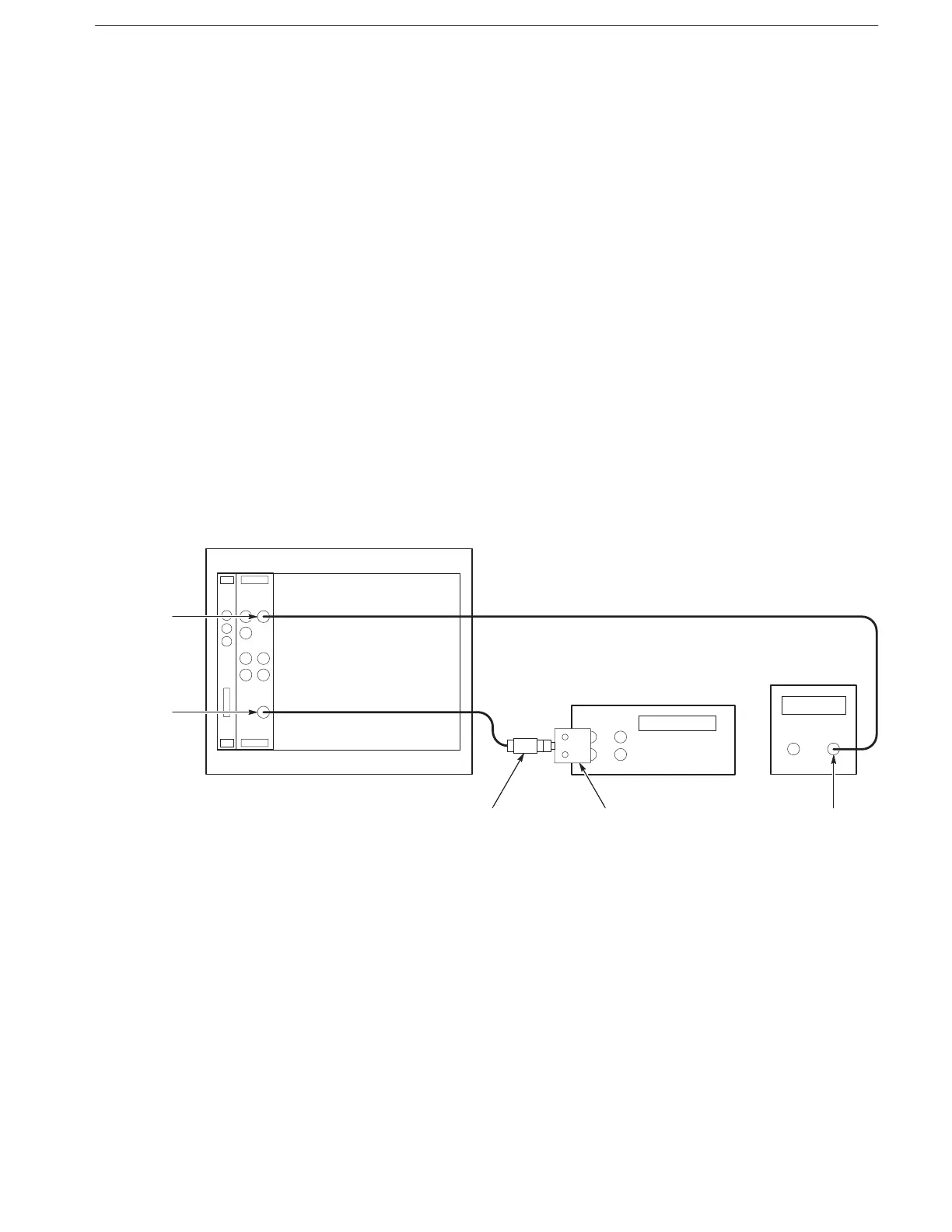
4. Install test setup (see Figure F–11):
a. Connect DMM: Connect the WAVEFORM OUTPUT through a coaxial
cable, the 50 terminator, and BNC-to-dual banana adapter to the
DMM INPUT connector.
b. Connect function generator: Connect the AM INPUT through a coaxial
cable to the function generator output.
VX4792
WAVEFORM
OUTPUT
Function
Generator
Output
Precision
Termination
–
+
Digital Multimeter
AM
INPUT
Dual Banana to
BNC Adapter
Figure F-11: External AM Operation Initial Test Setup
5. To set the VX4792 Arbitrary Waveform Generator controls and select the
waveform file, type:



 To Next Page