Functional Overview
VX4792 User Manual
2-5
Operating Modes
This section describes each of the operating modes used to produce waveforms at
the WAVEFORM OUTPUT connector. Use the command (page 3–57) to
select between the operating modes.
Use continuous mode to continuously output the specified waveform or
sequence. In continuous mode, the waveform generator does not require a trigger
signal.
Use triggered mode to output the specified waveform or sequence once each time
the waveform generator receives a trigger signal.
In triggered mode, the waveform generator outputs the specified waveform or
sequence once for each trigger it receives. The trigger signal can be an externally
applied signal or a command. If you send another trigger signal during
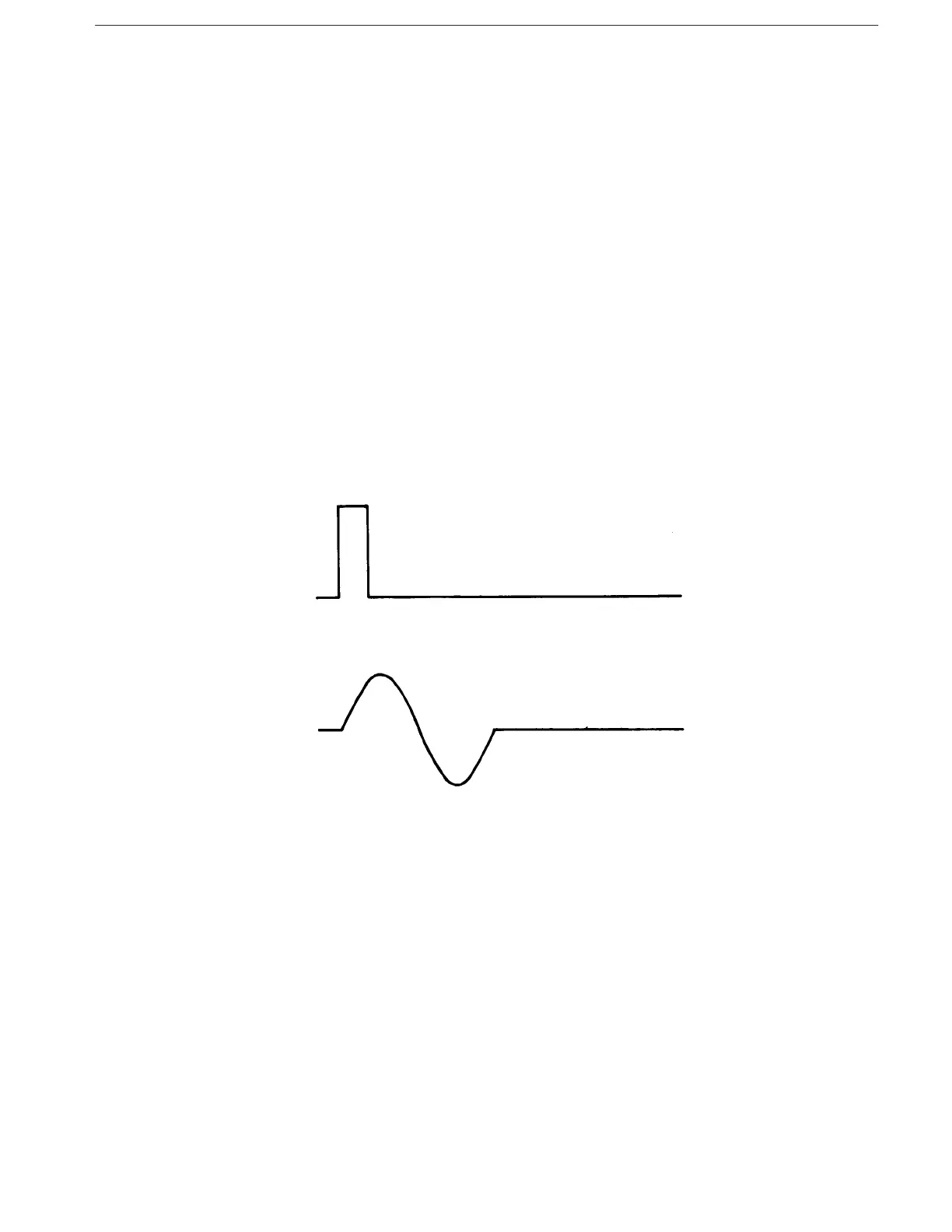
waveform output, the waveform generator ignores the trigger. Figure 2–2 shows
the relationship between an example output waveform and an external trigger
signal (positive slope) using triggered mode.
Figure 2-2: External Trigger Signal and Waveform Output in Triggered Mode
Use gated mode to control waveform or sequence output with a gate signal. You
can apply the gate signal to the TRIGGER INPUT connector or simulate a gate
signal with and commands.
When you send a command, the waveform generator begins to output the
waveform. A command stops waveform output. A second command
resumes waveform output from the level where it left off. Figure 2–3 shows the
relationship between an example output waveform and an external gate signal
(positive polarity) in gated mode.
Continuous Mode
Triggered Mode
Gated Mode



 To Next Page