Functional Overview
VX4792 User Manual
2-7
Use waveform advance mode to continuously output a series of specified
waveforms in a triggered order. In waveform advance mode, the waveform
generator ignores any repetition counts defined in a sequence file. Instead, the
waveform generator outputs each waveform within the sequence continuously
until it receives the next trigger signal. When the waveform generator reaches the
last waveform in the sequence, it returns to the first waveform.
As with all other modes, triggers can be external signals or commands.
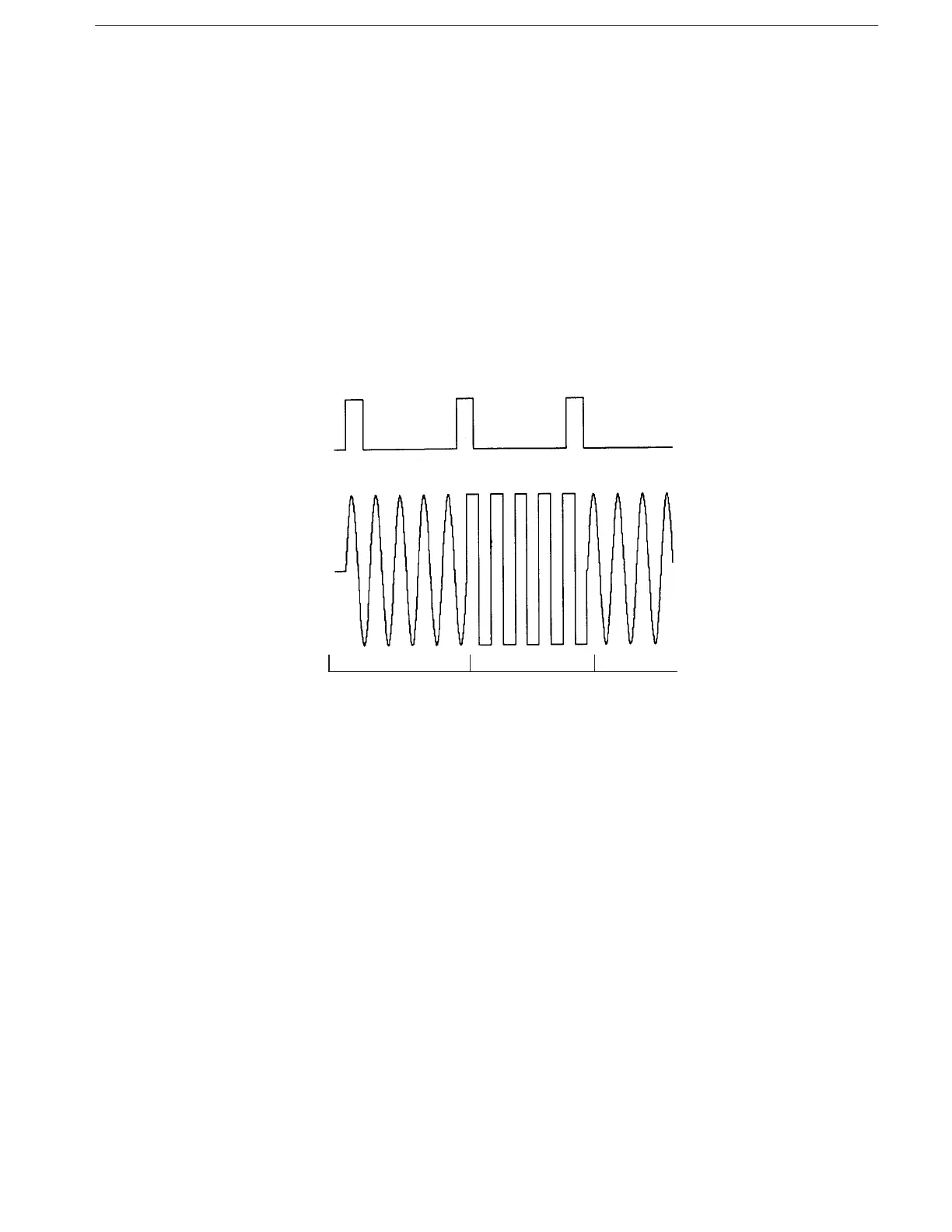
Figure 2–5 shows the relationship between trigger (positive slope) and output
signals of a two-waveform sequence in waveform advance mode. The waveform
file names within the example are Wave-1.WFM and Wave-2.WFM.
Waveform advance mode and continuous mode operate the same way when a
single waveform (and not a sequence) is specified.
Figure 2-5: Sequence Output in Waveform Mode
Use autostep mode to output a specified series of waveforms in a triggered order.
Autostep mode operation is similar to waveform advance mode, but autostep
mode outputs each waveform one time only. Autostep mode also reads the setup
data from the autostep file and then alters the output parameters.
An autostep file stores a program that specifies a waveform or sequence file
(including output parameters) for each step. Each time a trigger is received,
autostep mode advances to the next waveform or sequence. The waveform for
the step is output one time and then stops until the next trigger occurs. Triggers
can be external signals or commands.
Figure 2–6 shows the relationship between trigger (positive slope) and output
signals of a two-waveform sequence in autostep mode. The waveform file names
within the example are Wave-3.WFM and Wave-4.WFM.
Waveform Advance Mode
Autostep Mode



 To Next Page