- 56 -
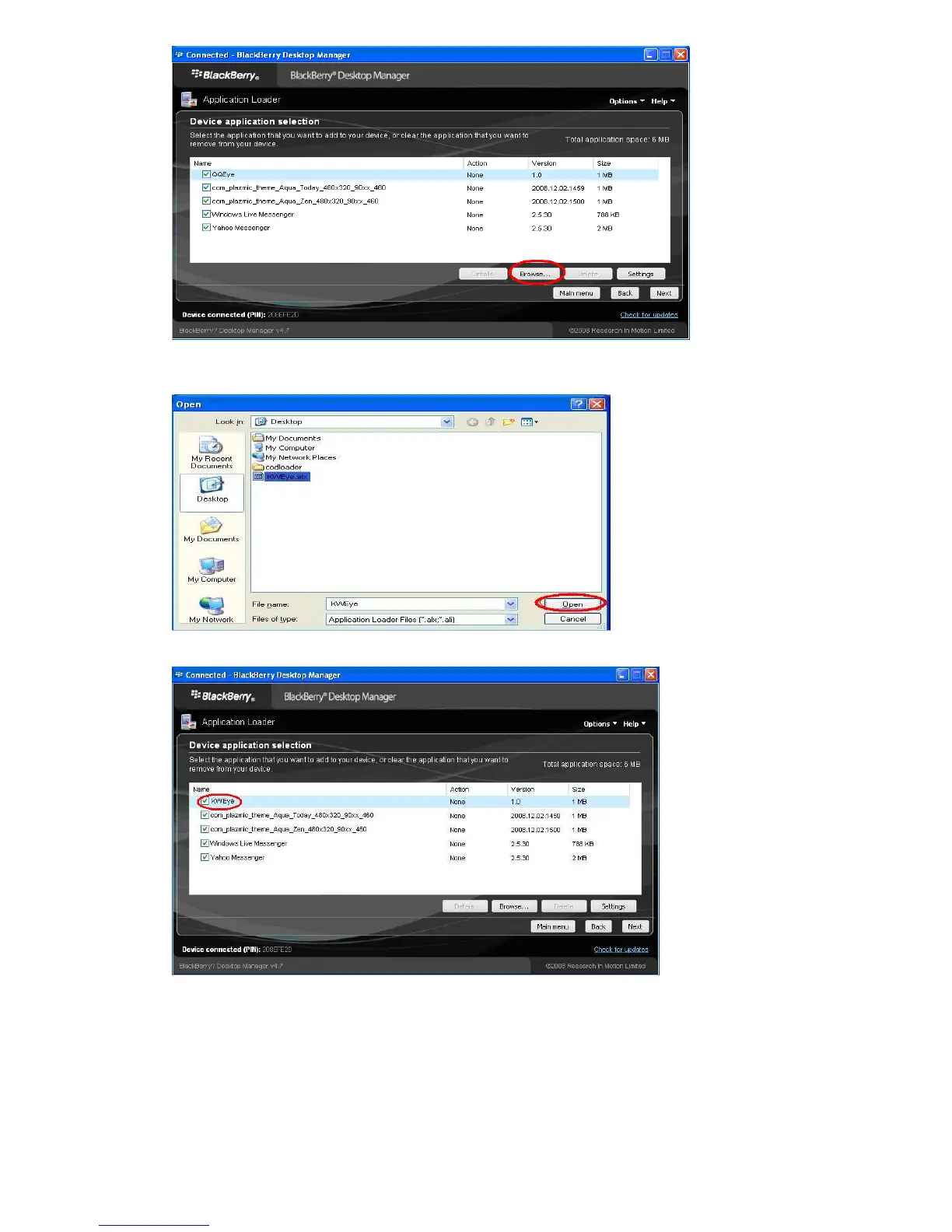
7. Once you click “Browse” you will see a file search screen like the one below. Go to and locate where
you saved the application files. Make sure you saved both the “.alx” file and “.cod” file in the same
folder. After finding the “KWeye.alx” file for the application, highlight it and click “open”.
8. You will now return to the Application Loader screen. From here you should see “KWeye” now listed
with Install under the Action column (shown as follows) if the installation is successful.
9. You can remove the program “KWeye” as the following method. To enter into Application Loader
screen, on “Device application selection” you can select the application that you want to clear from your
device. When the option “Action” is “Remove”, it means the program will be clear from your device.



 To Next Page