- 57 -
2) System explanations
KWeye phone port has the following capabilities and functions: live video surveillance, channel switch,
full screen display, PTZ control, including zoon/focus/iris, image capture, save as favorite and exit
function.
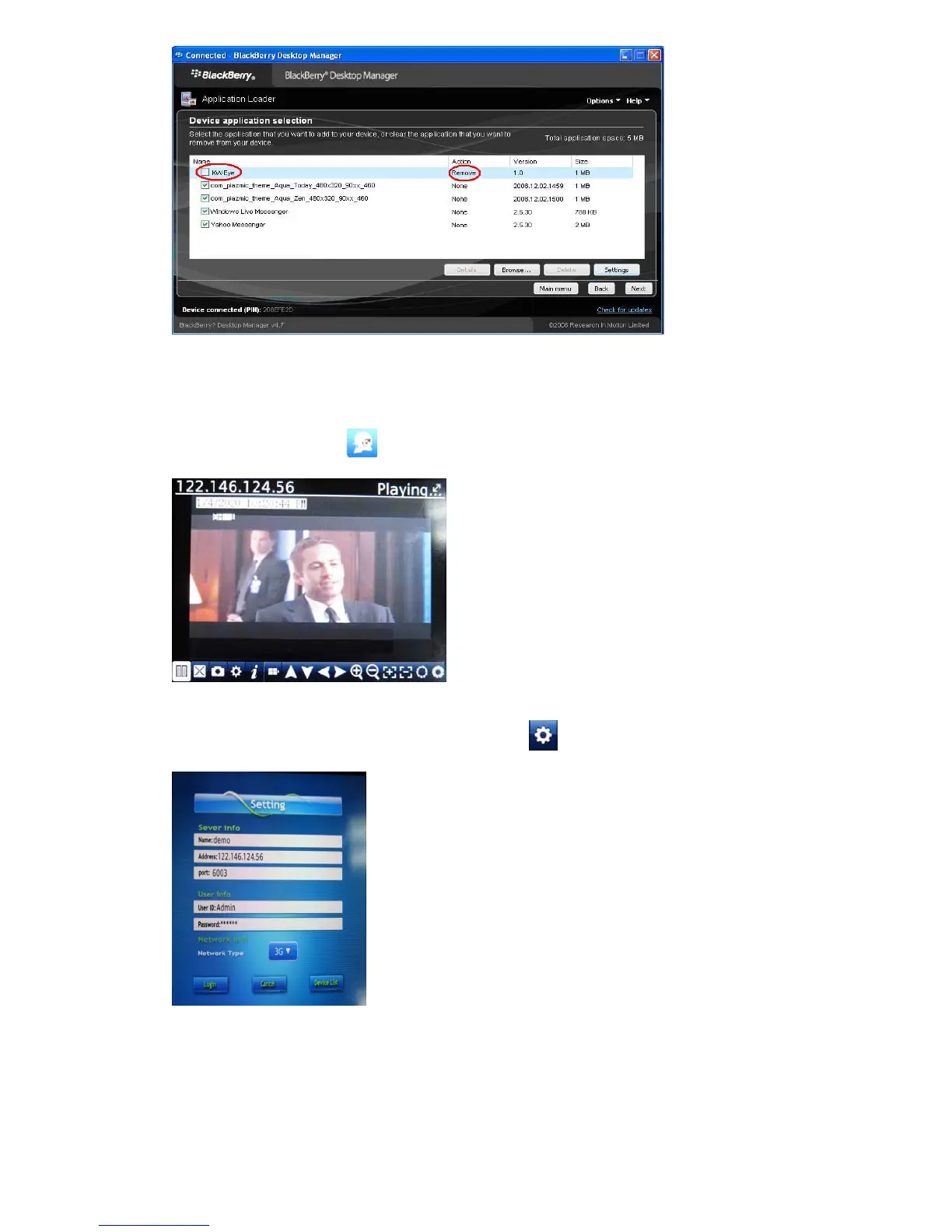
① System main interface
After the installation, press
“KWeye” icon in the application, it will appear the below picture(The
Main page)
② System setting
To set up the connection to the DVR, please first click
icon to enter settings menu as below right
screenshot:
Server Info.
Name: Description of this DVR
Address: DVR IP address or DDNS
Port : Mobile Port [6003 by default]
User Info.
User ID: Login User Name〖Admin〗by default
Password: Password [888888 by default]



 To Next Page