Transportation/Setting-up
— 20 SPECTRO XEPOS — 19.01.2017
4.3 Vacuum (option)
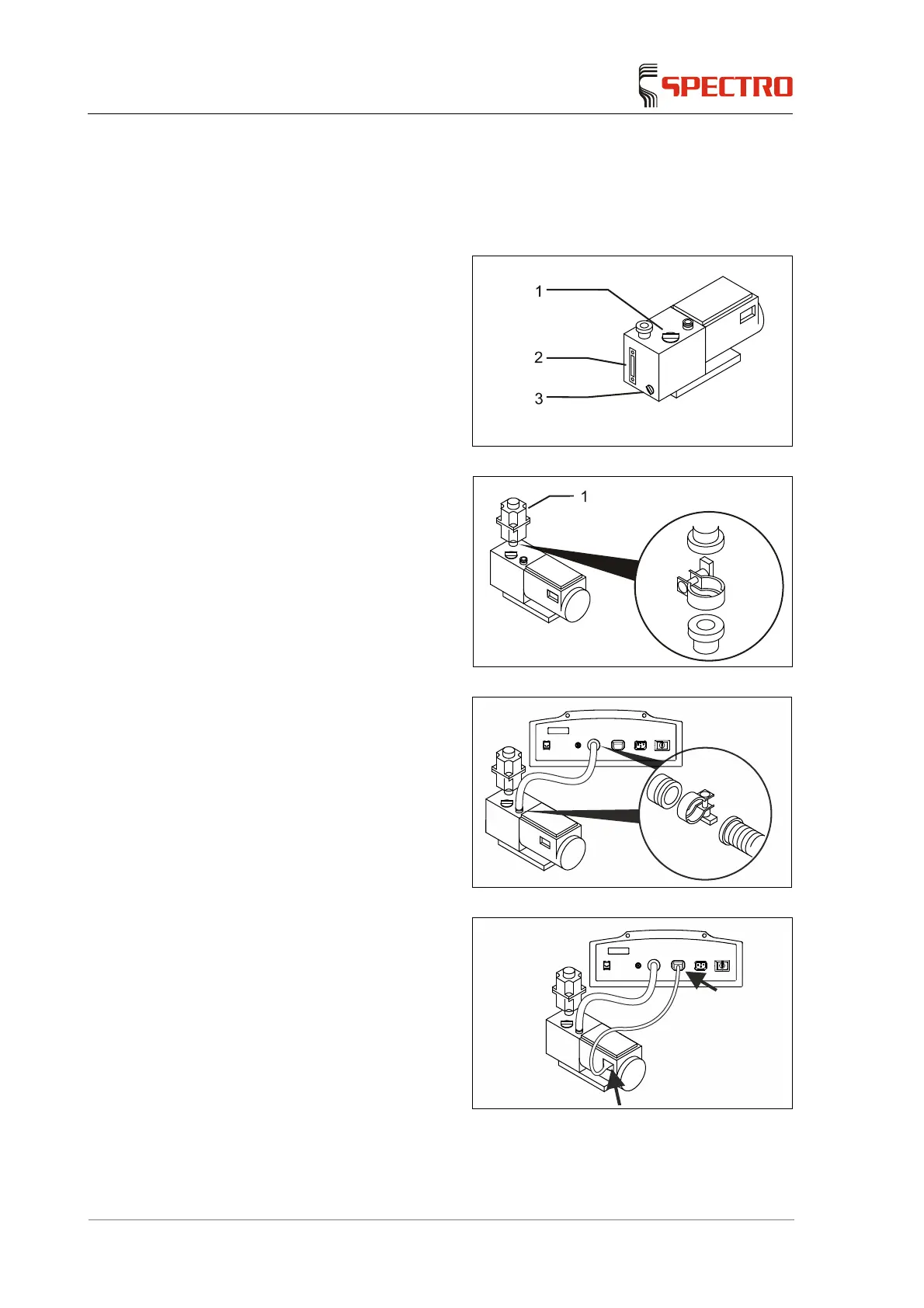
In order to connect the vacuum pump, follow the instructions below or refer to the
information provided by the manufacturer (applicable documentation):
1. Check the oil level in the viewing
tube (2).
2. Top up oil or change the oil as
required.
Oil filler plug (1)
Oil drain plug (3)
Fig. 6
3. Install the oil mist filter (1).
To do this, use the clamp to
fasten the oil mist filter.
Fig. 7
4. Use the vacuum hose to
connect the vacuum pump and
the instrument.
To do this, fasten the
vacuum hose with the
clamps at both connecting
points.
Fig. 8
5. Use the power cable to connect
the vacuum pump and the
instrument.
The vacuum pump is now
connected.
Fig. 9



 To Next Page