Maintenance by the operator
— 46 SPECTRO XEPOS — 19.01.2017
6.7 Replacing the tray pads
Replace the tray pads only if you are prompted by the software to do so or if one
or several tray pads have slipped or are visibly damaged.
The tray pads are included with each delivery. Additional pads can be ordered
from our SPECTRO Shop. The part number can be found on page 55.
To replace the tray pads, proceed as follows:
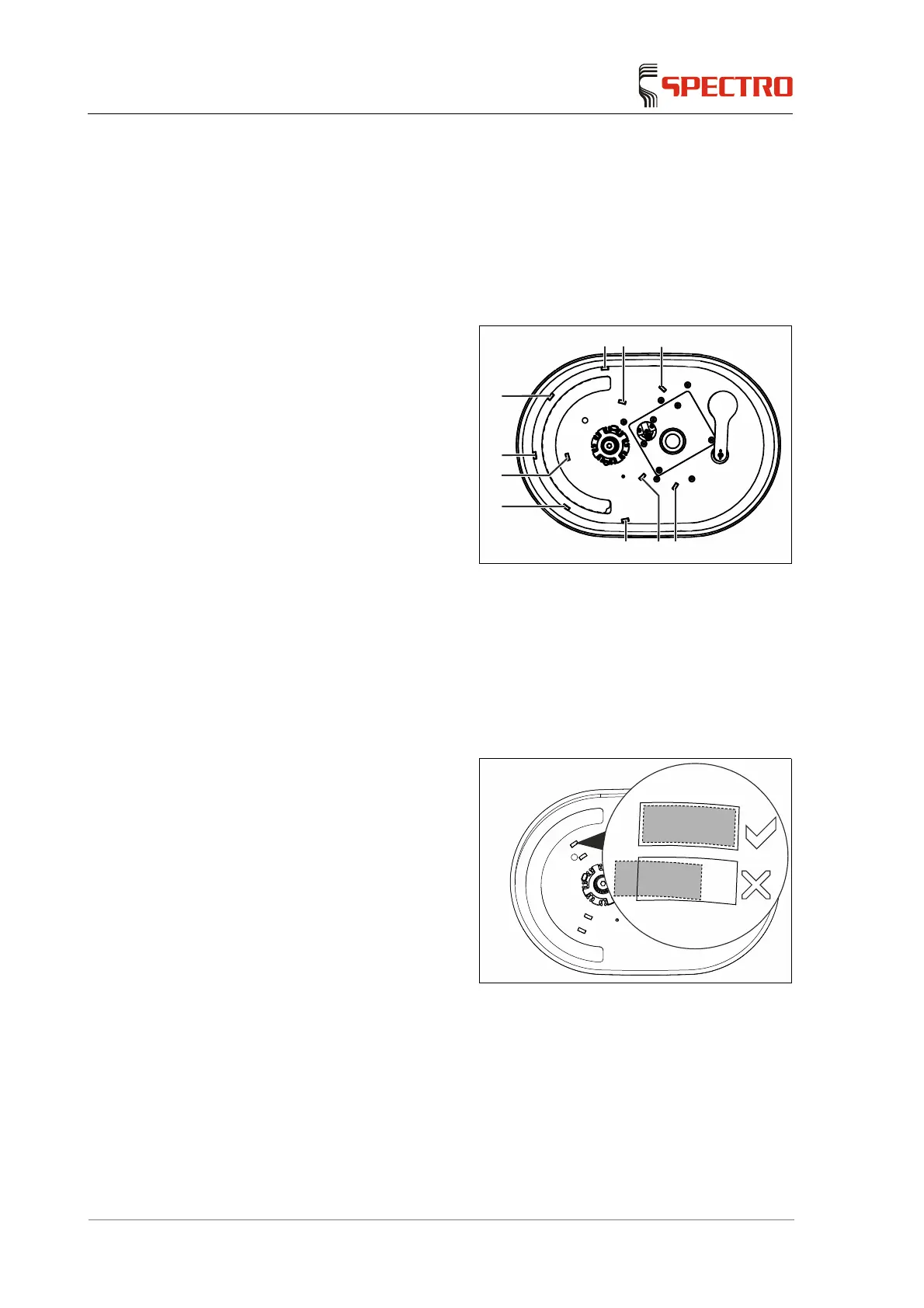
1. Replace the old tray pads (1, 2)
or the residue and clean the area
on the sample chamber surface
intended for the tray pads. To do
this use pure alcohol.
The tray pads for the rotation
drive (2) are only assembled
if the optional rotation drive
is available.
Fig. 18
2. Remove the new tray pads and
stick them carefully and
accurately onto the marked
surfaces.
3. Subsequently, push the tray pads
downward against the sample
chamber floor.
4. Ensure the tray pads are
positioned in the locations
intended for this purpose.
5. If a tray pad is not placed
accurately on its specified
location, it must be removed and
a new tray pad must be used.
Otherwise, it may not adhere
properly.
Fig. 19
Now, the tray pads are replaced.
1
2
2
2
1
2
2
221



 To Next Page