Operation
— 38 SPECTRO XEPOS — 19.01.2017
How to change/remove the sample tray
To change or remove the sample tray, proceed as follows:
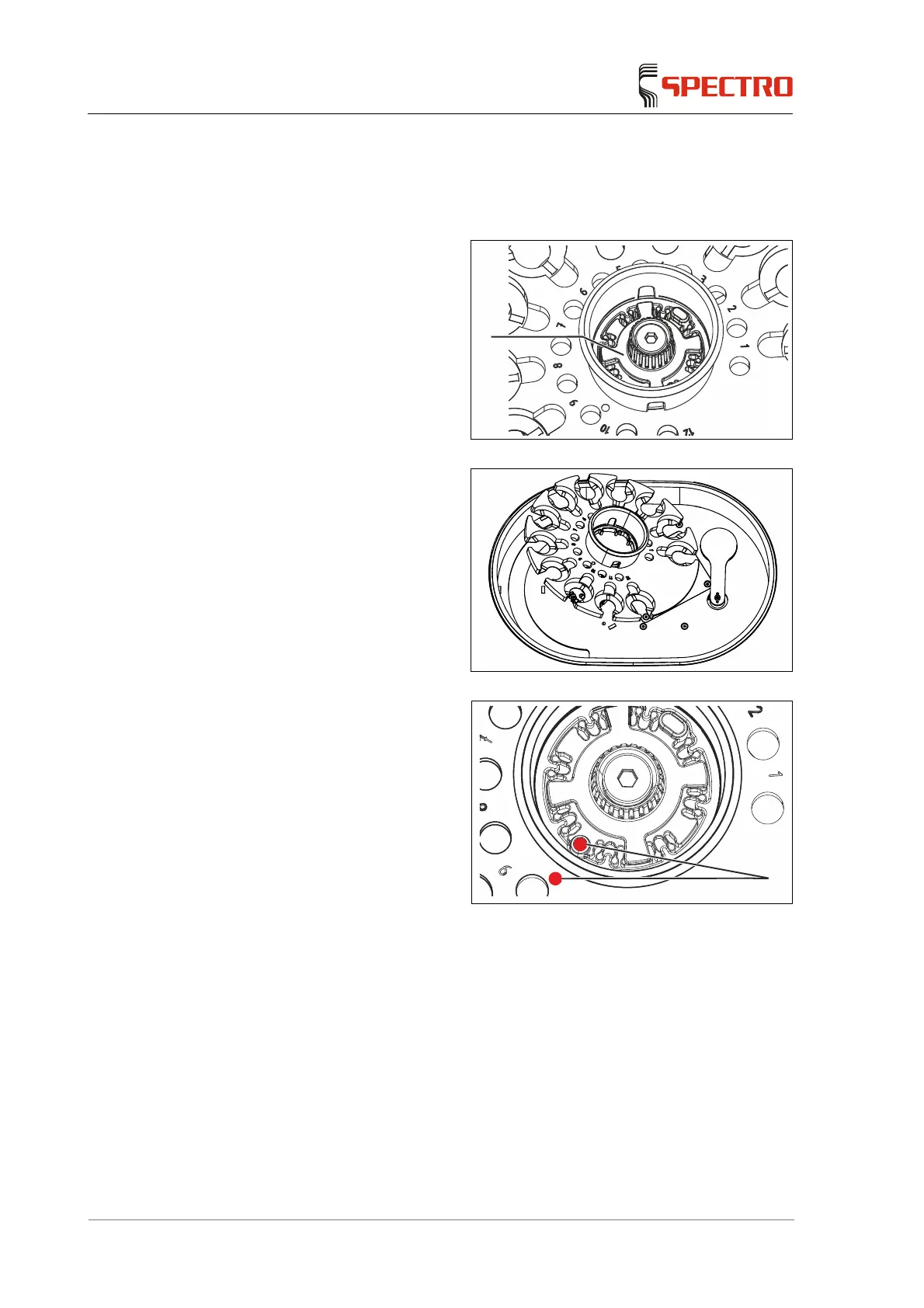
1. Loosen the locking device of the
sample tray (1) by turning it
clockwise.
Fig. 14
2. Carefully remove the sample
tray.
Fig. 15
3. Install the new sample tray.
Ensure the red dot of the
sample tray and the red dot
of the tray support are
aligned (2).
4. Close the locking device of the
sample tray by rotating it
clockwise and simultaneously
lifting the device slightly.
Fig. 16
The sample tray has been changed.
1
2



 To Next Page