15
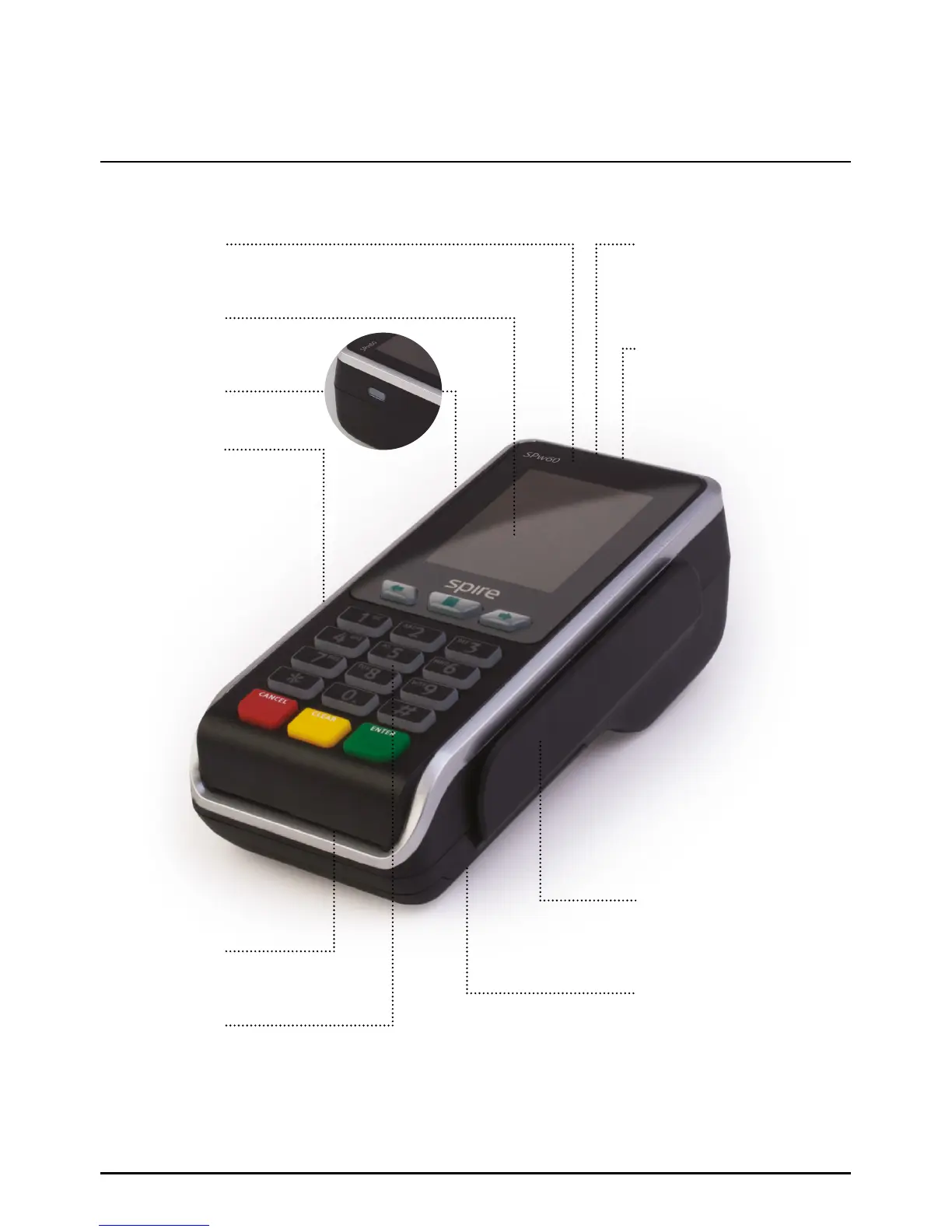
Portable Terminals SPw60 And SPw70 Overview
Colour display
Displays merchant menu system
and transaction progress
Swipe card reader
Use when the cardholder presents
a debit or credit card without a Chip
or when prompted by the terminal
Paper roll compartment
More information about your printer
and how to load a paper roll can be
found on page 22 in this User Manual
and in the Quick Reference Guide
Serrated paper cutter
Receipts will emerge from this slot
and can be removed by pulling across
the serrated cutter
Power button
Press button to turn the terminal on
USB Port
For connecting peripheral equipment
Battery compartment
Battery replacement is detailed on
page 19 in this User Manual and in
the Quick Reference Guide
Chip Card reader
Use when the cardholder presents
a Chip Card
Keypad
For merchant & cardholder data entry
Understanding Your Equipment SPw60 & SPw70
Page 15.
Four status LEDs
Refer to the contactless section on
page 43 in this User Manual for details



 To Next Page