25
Step 1
Step 3
Step 2
Step 4
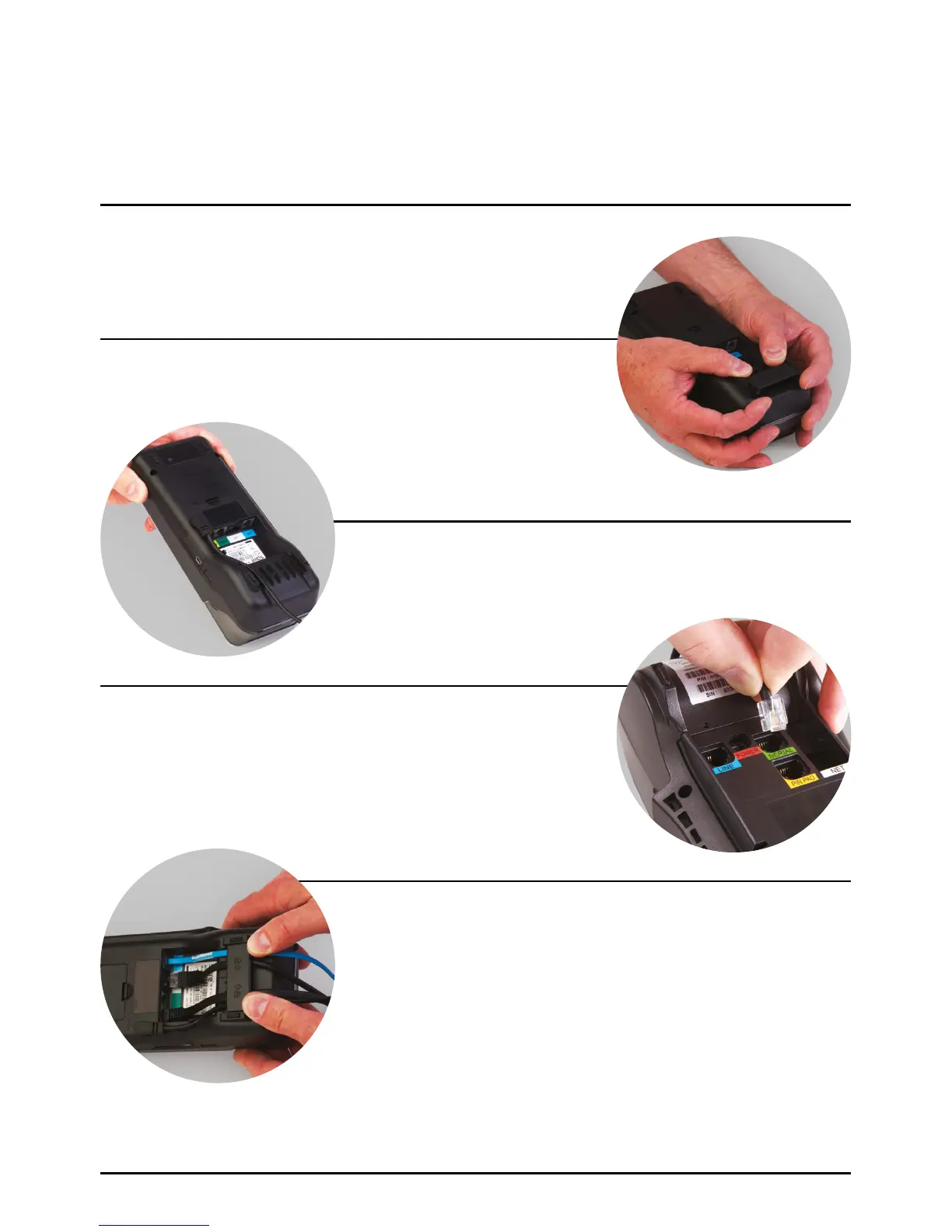
Place the terminal face down on the counter and use both thumbs
to slide the cable tidy upwards as indicated by the unlock arrow.
Plug the telephone cable into the socket identified with the
LINE label. If a PIN Pad has been supplied, plug its black curly
cable into the socket identified with the PIN PAD label. If you
are connecting the terminal to a routing device, connect the
cable to the socket identified with a LAN label.
Thread the black power supply cable as detailed in the picture.
Ensure all cables are sat in the recesses and re-fit the cable tidy
by sliding downwards until an audible ‘click’ is heard.
Analogue phone line: Connect the blue or black phone line
to a working telephone socket.
Internet connection: Connect the black or yellow Internet cable
to your Internet access point (for example, a router).
Power: finally, connect the power supply to a live mains socket.
Cable Connection SPc50 Countertop Terminal
With Optional SPp10 PIN Pad
Page 25.



 To Next Page