19
If you have a portable terminal it will use a removable, rechargeable lithium ion battery module.
The battery module will need to be charged when you receive a new terminal, a replacement battery,
and during day-to-day use. Charging instructions are detailed elsewhere in this User Manual and in
the Quick Reference Guide supplied with the terminal.
Battery Maintenance
The standby time for the battery fitted to the SPw60 and SPw70 is approximately 120 hours depending
on settings and operational environment. It is recommended to always return the terminal to the
charging base or connect to the power supply when not in use to maintain maximum charge. While
handling the battery module ensure you do not short the connections with metallic objects.
Battery Module Installation And Replacement
Step 1
Step 3
Step 2
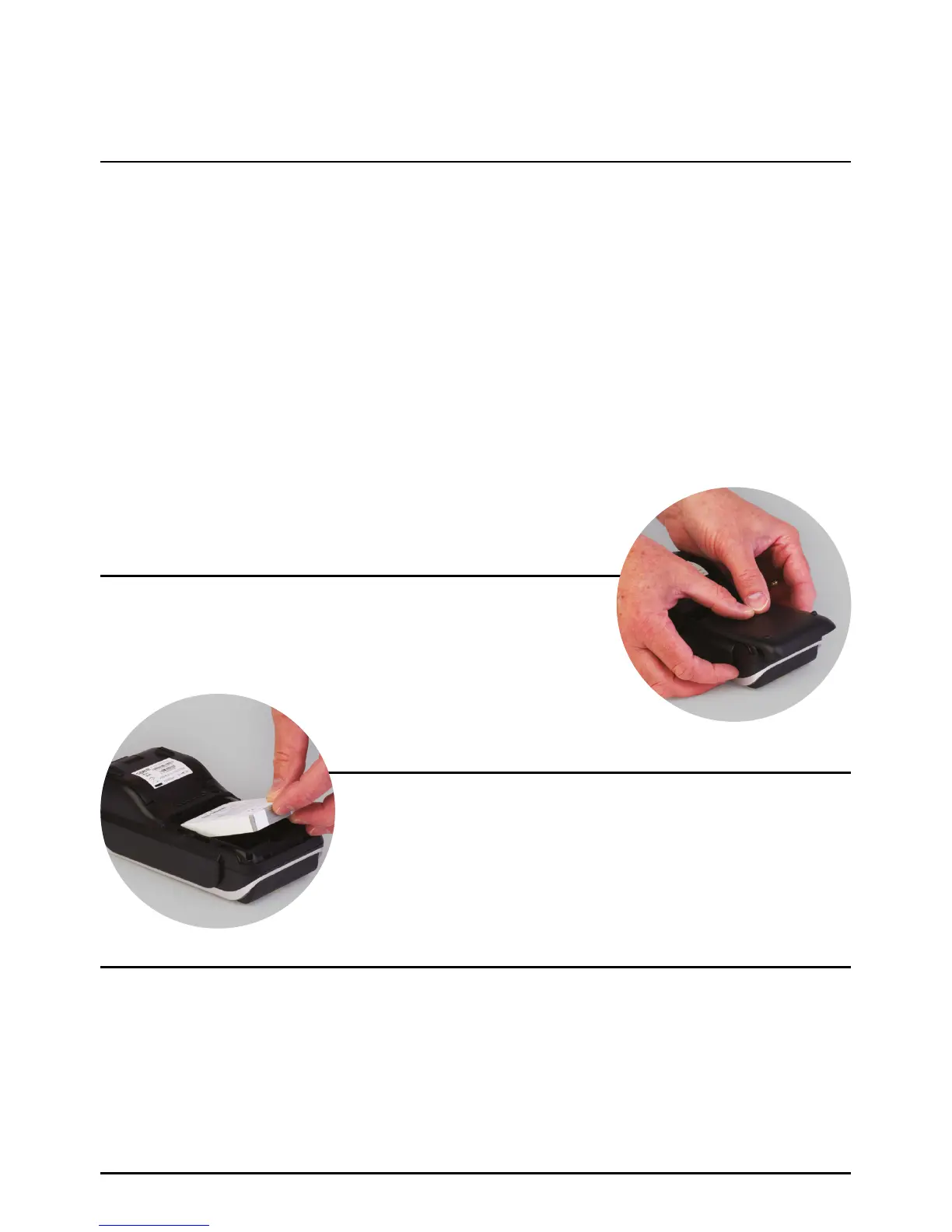
Place the terminal face down on the counter and remove the
battery cover by applying pressure with your finger on the ribbed
oval and sliding it backwards.
Remove the packaging from the new battery module and ensure the connections are aligned with
those in the battery compartment. The Spire Payments logo should be facing upwards.
Note: The battery module can only be fitted in one orientation.
If a battery module is already fitted, place your thumb nail into
the recess at the base and pull upwards. The battery module
will lift out of the compartment. See section ‘Safety Information
and Battery Guarantee’ in the introduction for battery module
disposal instructions.
Battery Module SPw60 & SPw70 Terminals
Page 19.



 To Next Page