44
Presenting A Contactless Card (Cont.)
Page 44.
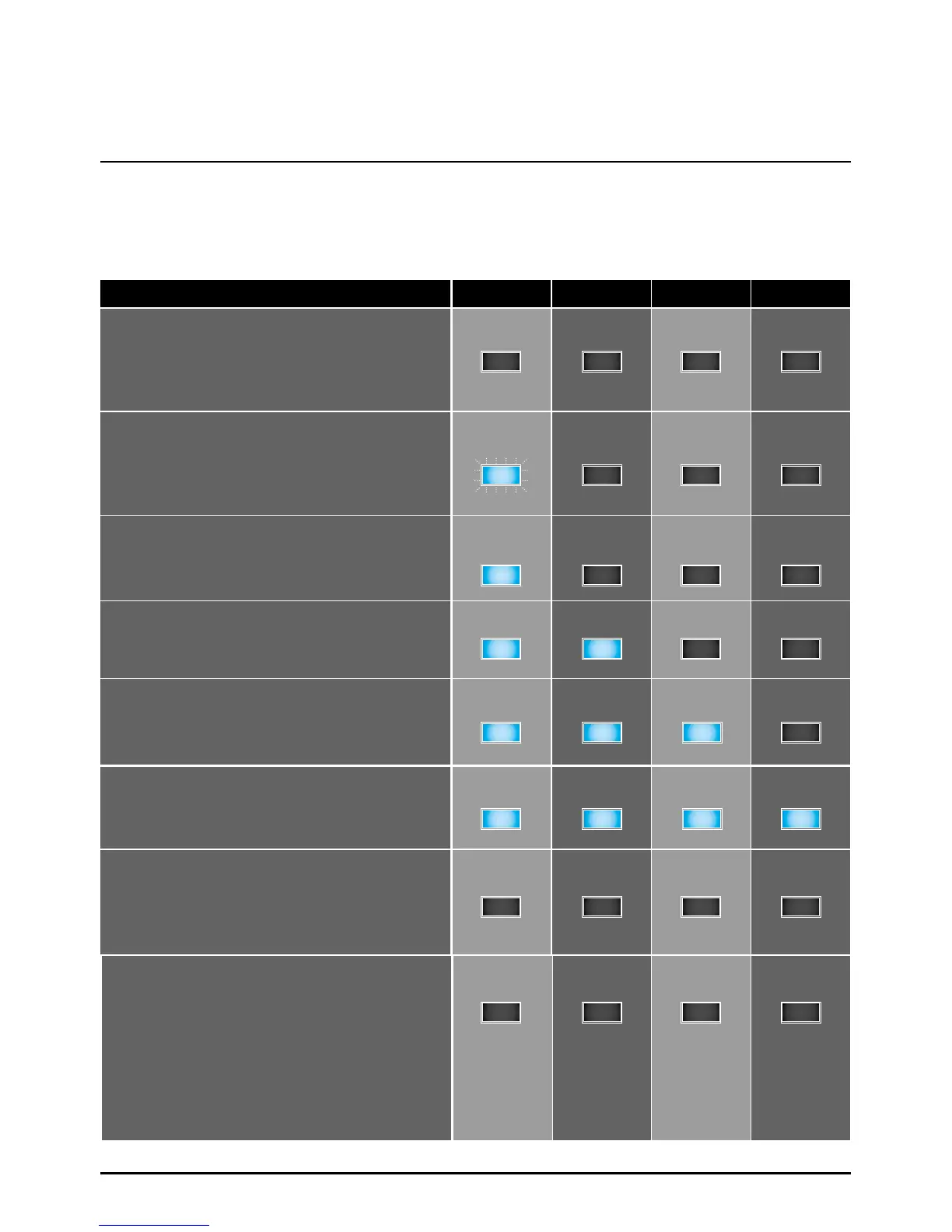
Four LEDs are present above the display, providing feedback on the success of the operation.
Card Reading Status
Contactless status
NOT READY
The reader is not ready to read a card. This
can be caused by lack of power or failure
in communicating with the terminal.
IDLE
The reader has power, but is waiting for
information from the terminal before being
able to read contactless cards.
READY TO READ CARD
The reader is ready to start the transaction
and can read contactless cards.
CARD READ SUCCESSFULLY STAGE 1
This indicates the first stage of card reading
has been successful.
CARD READ SUCCESSFULLY STAGE 2
This indicates the second stage of card reading
has been successful.
CARD READ SUCCESSFULLY STAGE 3
This indicates the third stage of card reading
has been successful.
CARD READ SUCCESSFULLY STAGE 4
All lights will turn off within a quarter of a
second. This means the cardholder may
remove their card.
CONTACTLESS CARD READING HAS NOT
BEEN SATISFIED POSSIBLY CAUSED BY
A problem with the contactless read process.
The reason for this error will be displayed.
The process has not satisfied all the criteria
and the cardholder will be asked to insert
the card in the chip reader to perform the
transaction.
LED 1
OFF
ON
ON
ON
ON
OFF
OFF
LED 2
OFF
OFF
ON
ON
ON
OFF
OFF
LED 3
OFF
OFF
OFF
ON
ON ON
OFF
OFF
OFF
OFF
LED 4
OFF
OFF
OFF
OFF
Please note: The five blue stages above represent a successful contactless card read process
BLINKING OFF OFF OFF



 To Next Page