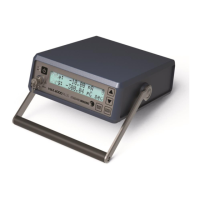
QA BEAMCHECKER™ PLUS 60
13 Appendix B: Developing TomoTherapy and Dynamic 5 Channel Plans
13.1 Introduction
To use the QA BeamChecker Plus for TomoTherapy and for tests of other rotational methods
such as IMAT using the Dynamic 5 Channel mode, a plan must be created to deliver to the
instrument. The initial exposure of the plan becomes the baseline for routine comparison. This
guide is designed to give an overview of the procedure for creating QA BeamChecker Plus
plans, but exact planning parameters will vary depending on site specific testing goals and
requirements.
In general, the first step is creating a CT reference image of the QA BeamChecker Plus.
Depending on planning capabilities, the instrument can be imaged with a either a
conventional CT scanner or the treatment unit. This reference image is used for the planning
process and also for comparison to the MVCT in routine TomoTherapy testing.
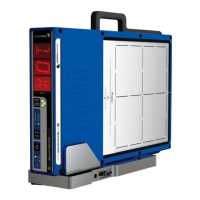
CAUTION: Do not irradiate past the 20 x 20 cm field label edge.
After the image is acquired, a treatment plan can be developed which targets the chambers
within the QA BeamChecker Plus with a specific dose. Finally, this plan can be delivered to the
QA BeamChecker Plus as a baseline and for routine measurement as explained in earlier
sections of this user manual.
Multiple plans can be developed to test multiple energies for IMAT configurations or multiple
jaw widths for TomoTherapy machines as desired. Since each QA BeamChecker Plus room
can support up to 25 different plans, many tests can be performed to exercise the system(s) on
a regular basis.
13.2 Acquiring a CT Reference Image
For a Dynamic 5 Channel or TomoTherapy Dynamic Mode tests, a CT planning image of the
QA BeamChecker Plus must first be taken and transferred into a treatment planning system.
NOTE: There are 1.5 mm BBs located at the center of the crosshairs on the top "Photon"
surface and side labels on the QA BeamChecker Plus.


 To Next Page