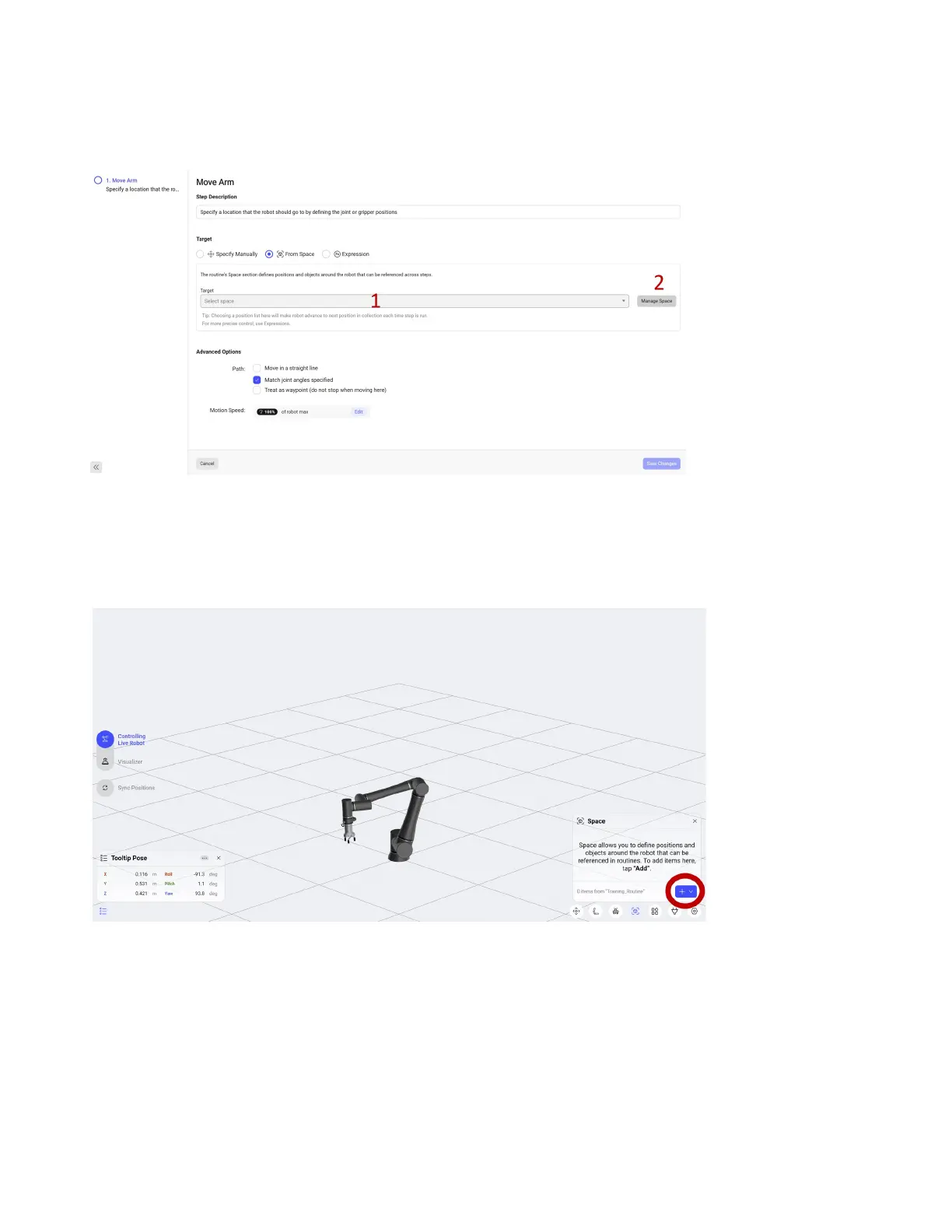
For our example we are going to select From Space. Dening a point in the Space allows you to use it in
multiple places in the routine. Dening a point in the Space also lets you more easily modify the point
in the future.
1. The indicated drop down will have all the positions from the Space listed. We have not dened
any yet.
2. Select the Manage Space button to go to the Move Robot view.
You will be brought back to the Move Robot view under the Space option in the lower right. Click the +
button to add a new variable position.
51



 To Next Page