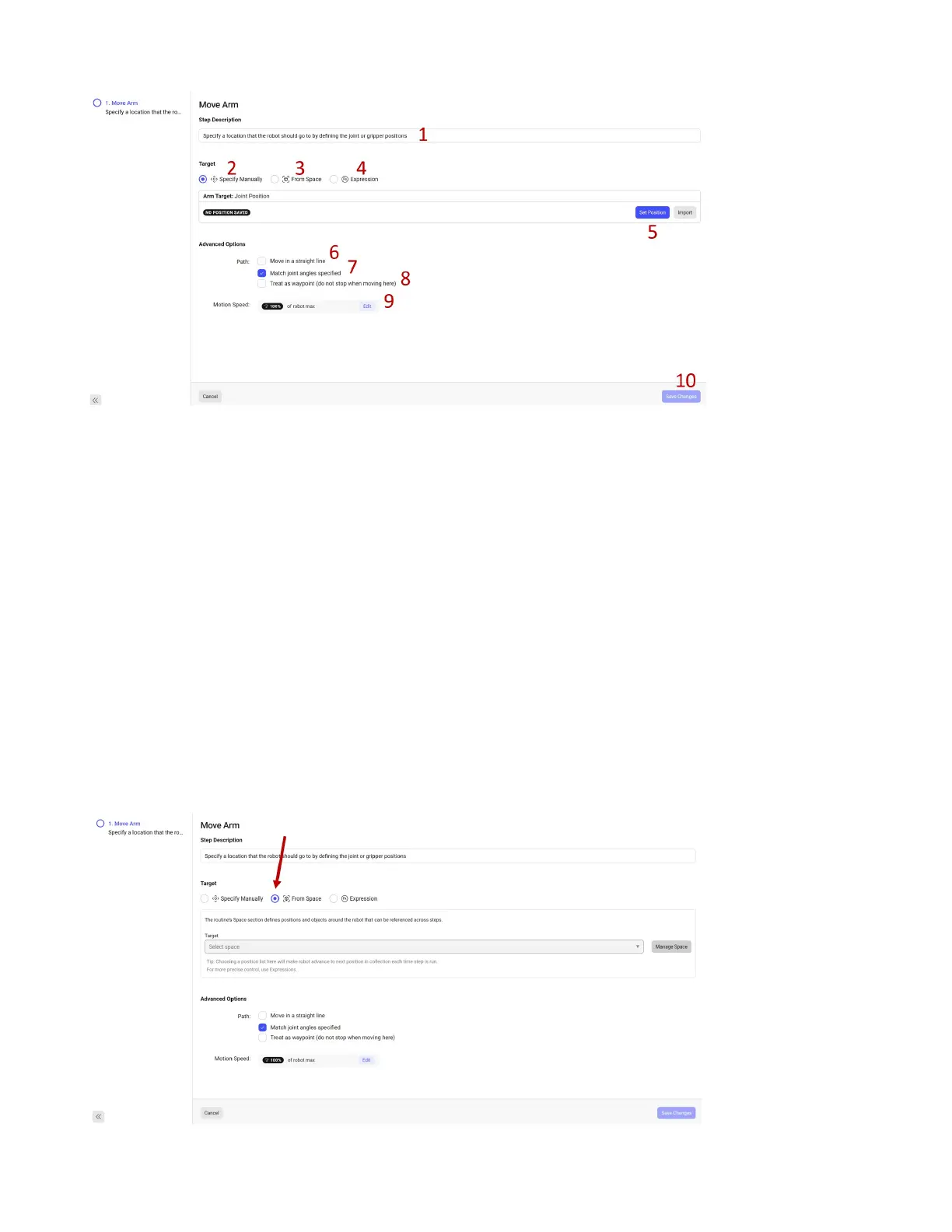
1. Editable description for this Step.
2. Specify the position for the robot to go to based on the current position.
3. Specify the position for the robot to go to based on a saved position from the Space.
4. Specify the position for the robot to go to based a math function and/or variables.
5. Set the position for the robot to go to based on the current robot position.
6. Go to this position in a straight line (from the Tooltip perspective),
7. The robot can sometimes reach a point in multiple ways, this tells the robot to use this exact ori-
entation when going to this point.
8. A Waypoint means go to this point but do not stop there.
9. Set the speed as a % of maximum dened in the Safety Settings.
10. Save this step conguration.
50



 To Next Page