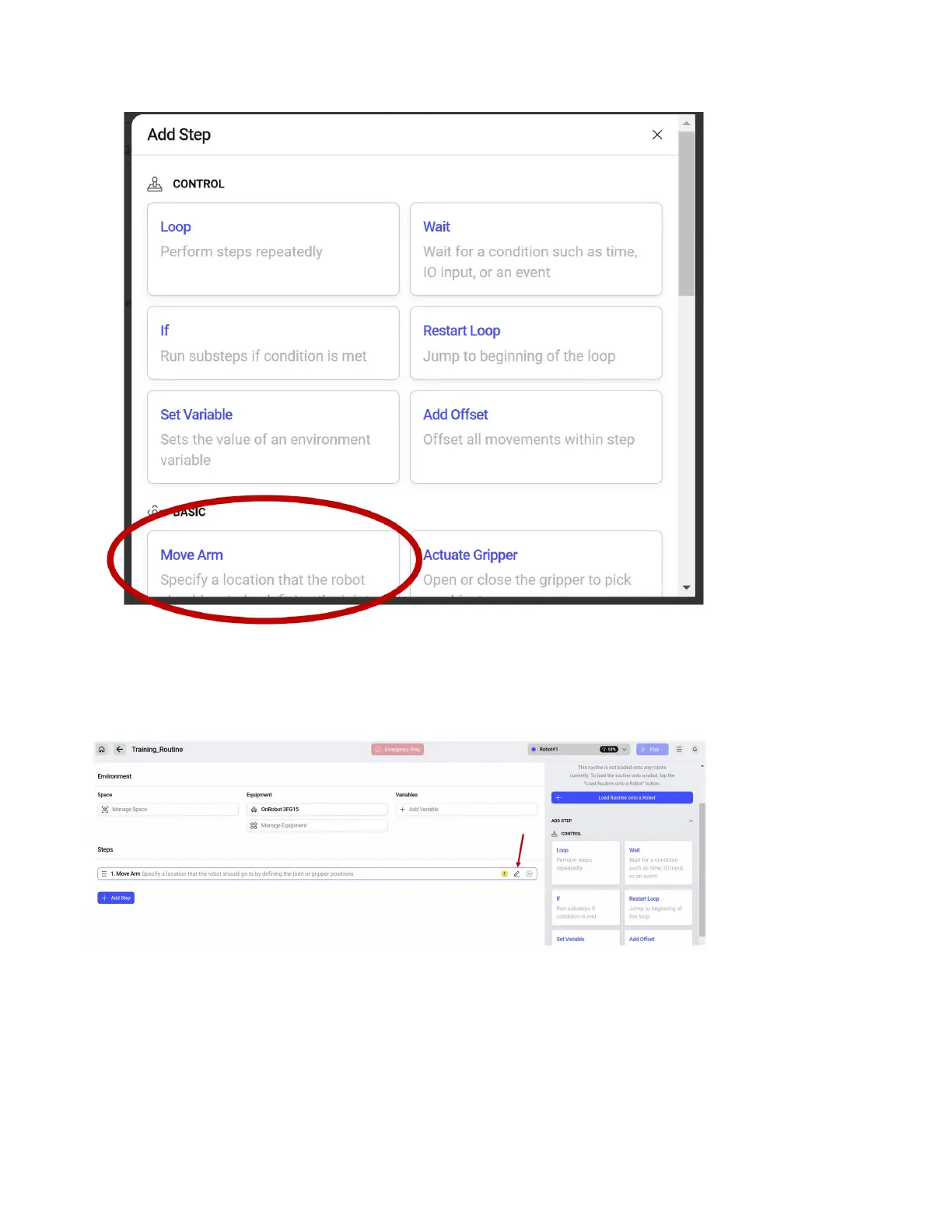
The menu will show all available step types with descriptions. For the sample routine, we will start with
a Move Arm Step. A Move Arm step is how you tell the robot to go to a position. Click the Move Arm
step to add it to the Routine.
The Move Arm step will be added to the rst line of the Routine. The yellow ! Indicates that the step
needs to be congured. Click the indicated pencil button to edit the step.
49



 To Next Page