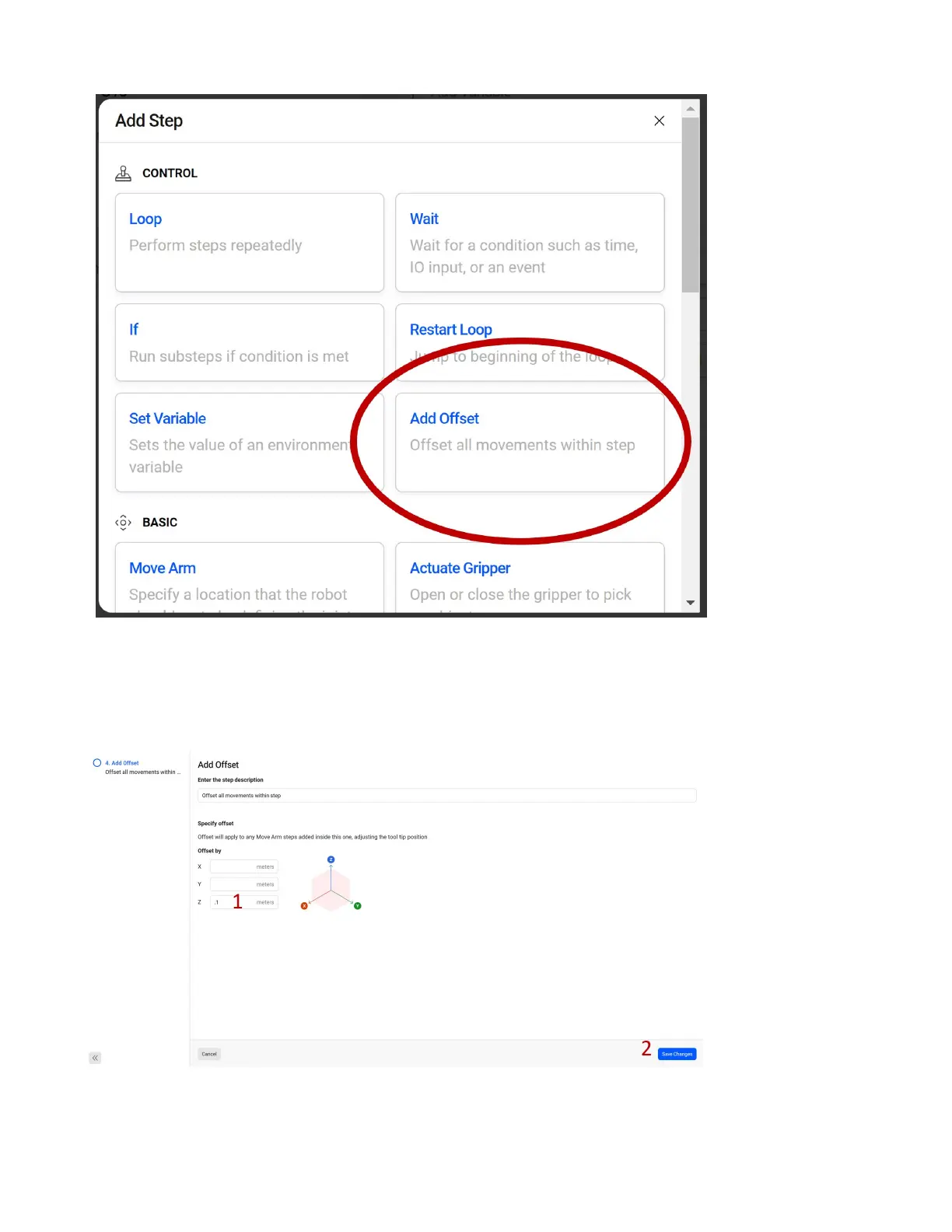
Often you want to approach a position from an oset based on the end position, for example when
picking a part. If you do not set an in between point to ensure you approach the part from the top, you
may approach it from the side and knock into it with the tool. Select Add Oset to add an oset to our
next move. Click the pen icon in the added step to edit our newly added Add Oset.
You can oset the part in X, Y or Z by a positive or negative oset.
1. We will be picking from above the part, so add a .1 meter oset in Z.
61



 To Next Page