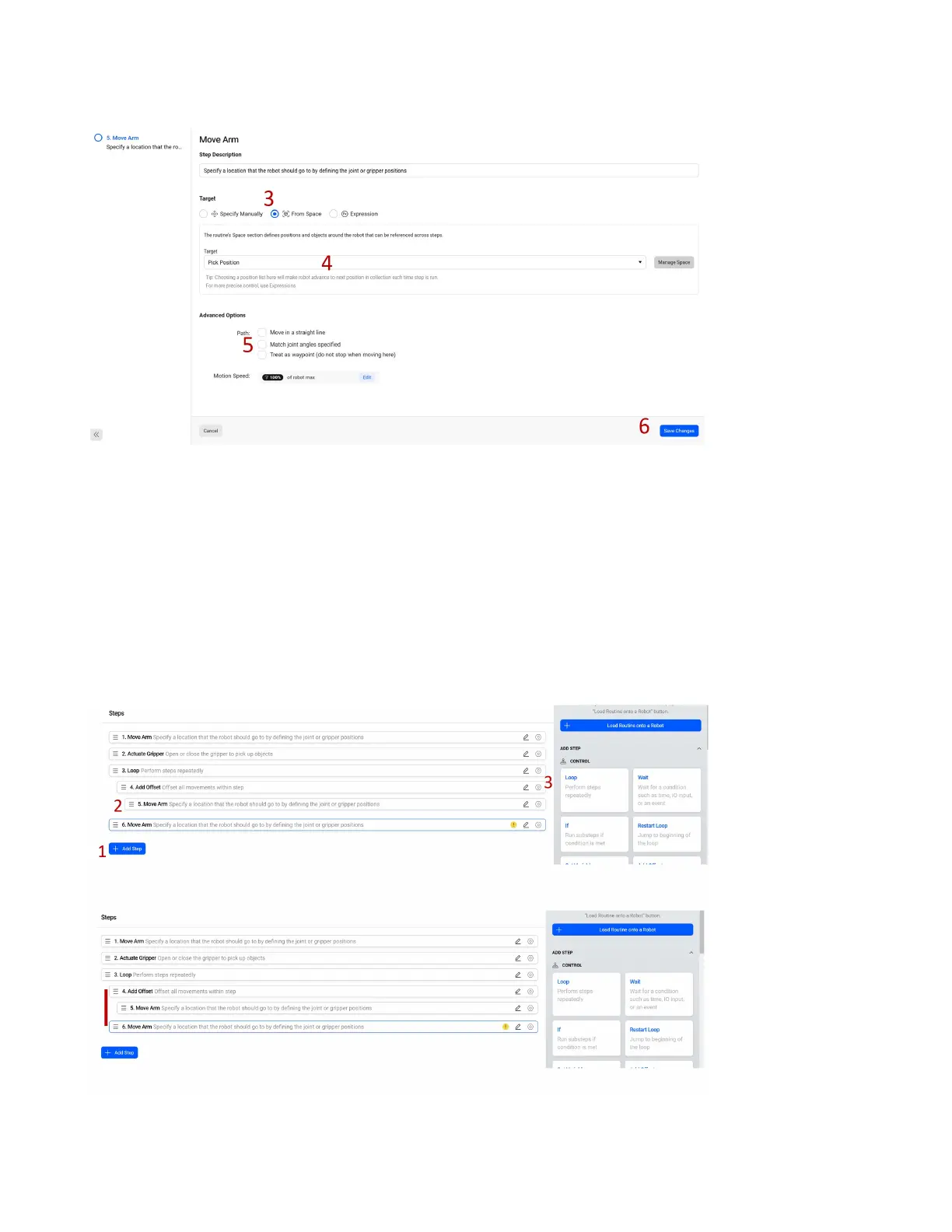
pick position and create a new Single Position as a variable named Pick Position in the space.
1. Select another Move Arm command.
2. As we did in the rst step, use the Space to move the robot to the pick position and create a new
Single Position as a variable in the space.
3. Select From Space.
4. Set the target as our new position Pick Position.
5. Ensure Match Joint Angles Specied is not checked as this is not allowed inside of an oset.
6. Select Save Changes.
1. Select the Add Step blue button to add a new step.
63



 To Next Page