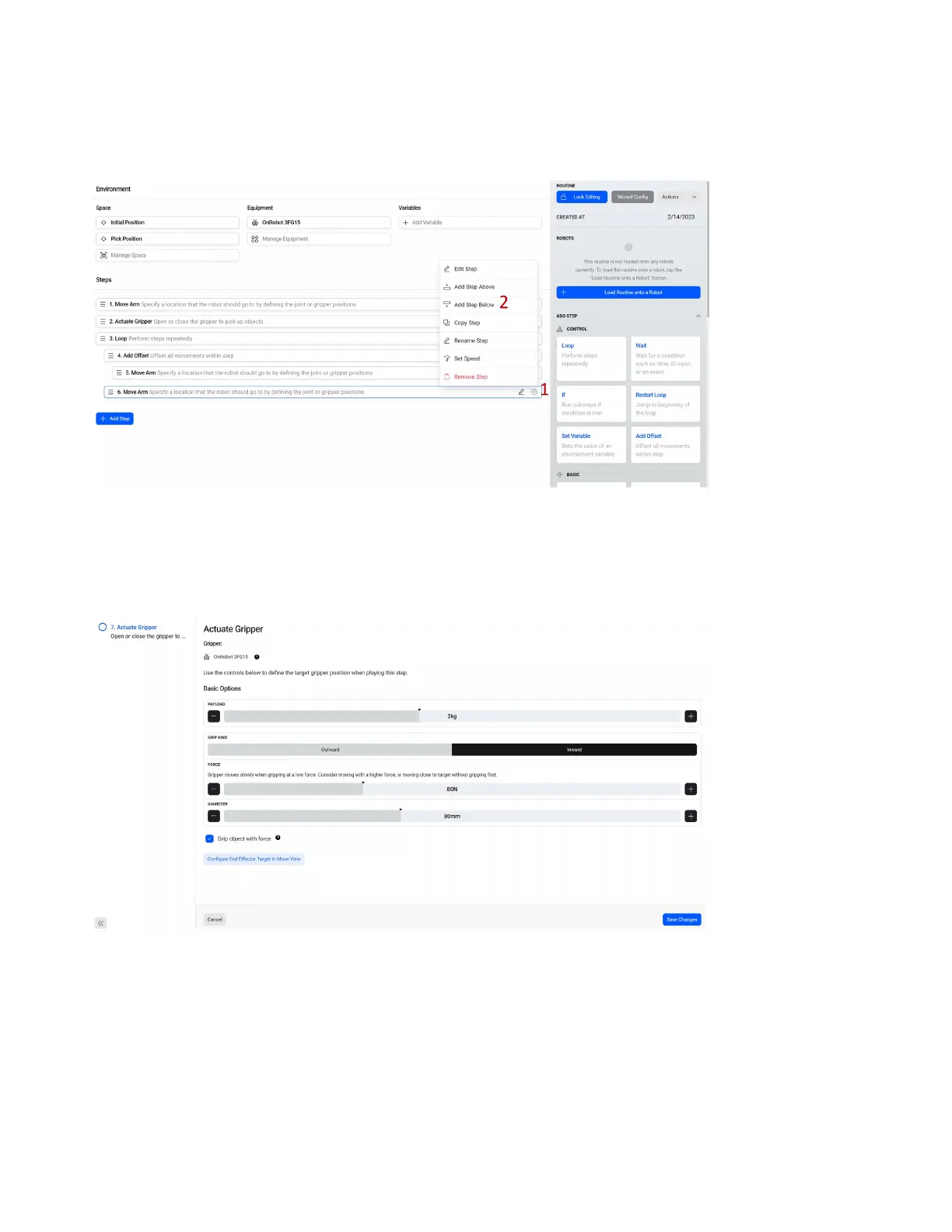
2. We want this step to be within our Loop, but not oset by our Add Oset so we must line it up with
the Add Oset step. Click and drag the step with the so it lines up with the Add Oset.
3. Alternatively, use the hexagon icon on our Add Oset step and select Add Step Below.
1. Select the hexagon icon on our new Move Arm Step.
2. Select Add Step Below.
3. Choose Actuate Gripper.
Congure the tool as shown, which will close the tool on a part with 80N of force. Select Save Changes.
64



 To Next Page