9.2.8 Operating buttons
The operating buttons have the following functions:
Button Function
SET Q jumps down by one menu level
Q changes the state of a control element (check box/radio button)
Q causes the selected numeral to blink so that it can be modified
Q answers a query dialog with Yes
Q adopts a change
ESC Q jumps up by one menu level
Q jumps to the status display (press for 1 s)
Q answers a query dialog with No
Q discards any changes
r/s Q moves the selection bar or the display content upwards/downwards
Q moves the selection 1 position to the left/right on a settings page
Q increases/reduces the setting value by 1 step
Q repeated button presses: press button for a longer time
9.3 Removing/installing the cover
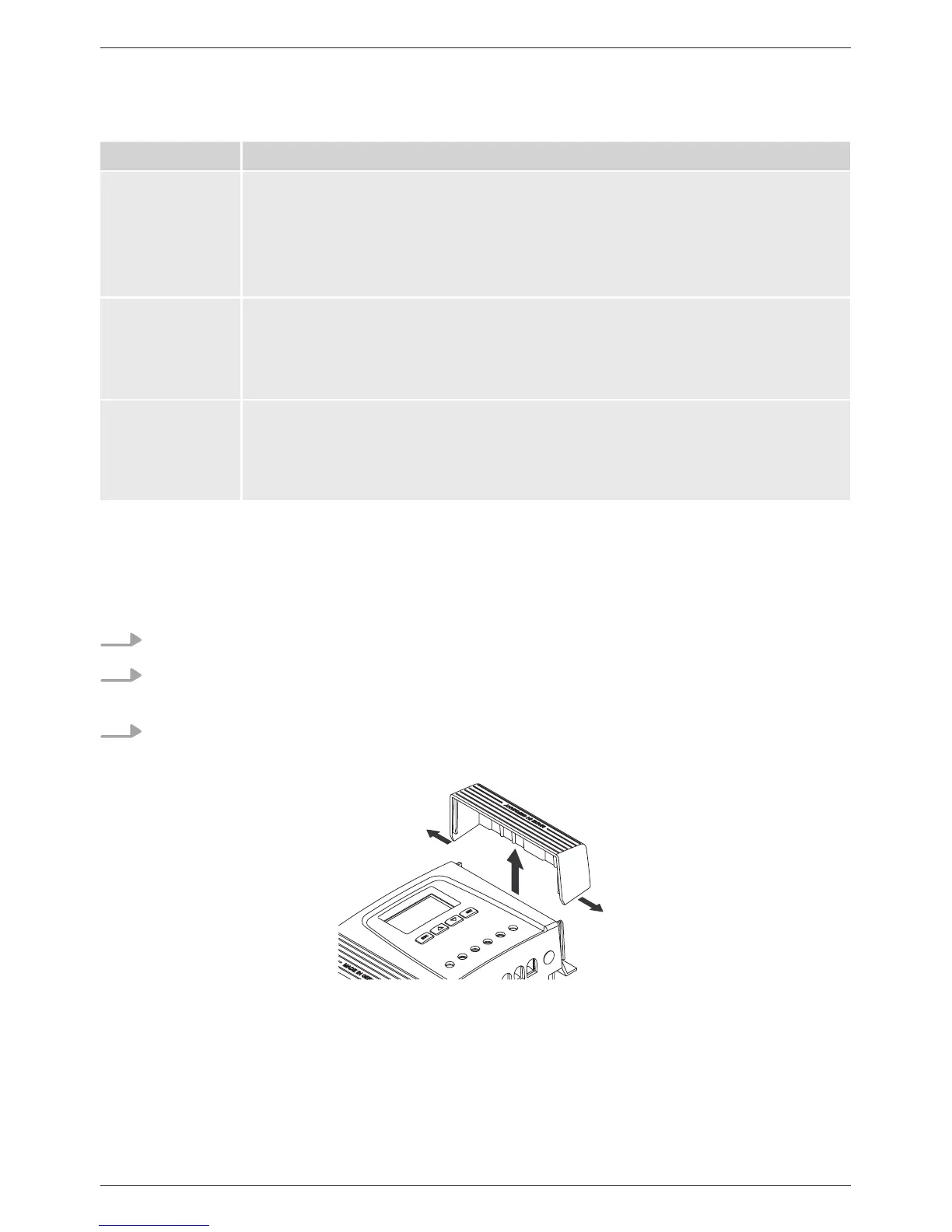
9.3.1 Removing the cover
1. Grip the cover with both hands as shown in Fig. 9.
2. Use your index fingers to pull the edges slightly outwards and then pull upwards so that the
cover is released from the end position.
3. Pull off the cover entirely by lifting it upwards.
Fig. 9 Release the cover from the end position (here the right cover)
1.
2.
1.



 To Next Page