13 Display (layout, function, operation)
13.1
Overview (menu structure)
An overview of the operating structure of the display is provided on section 8.
13.2 Status display
The status display consists of the Basic setting, the pages with the Measurements and the Informa-
tion bar.
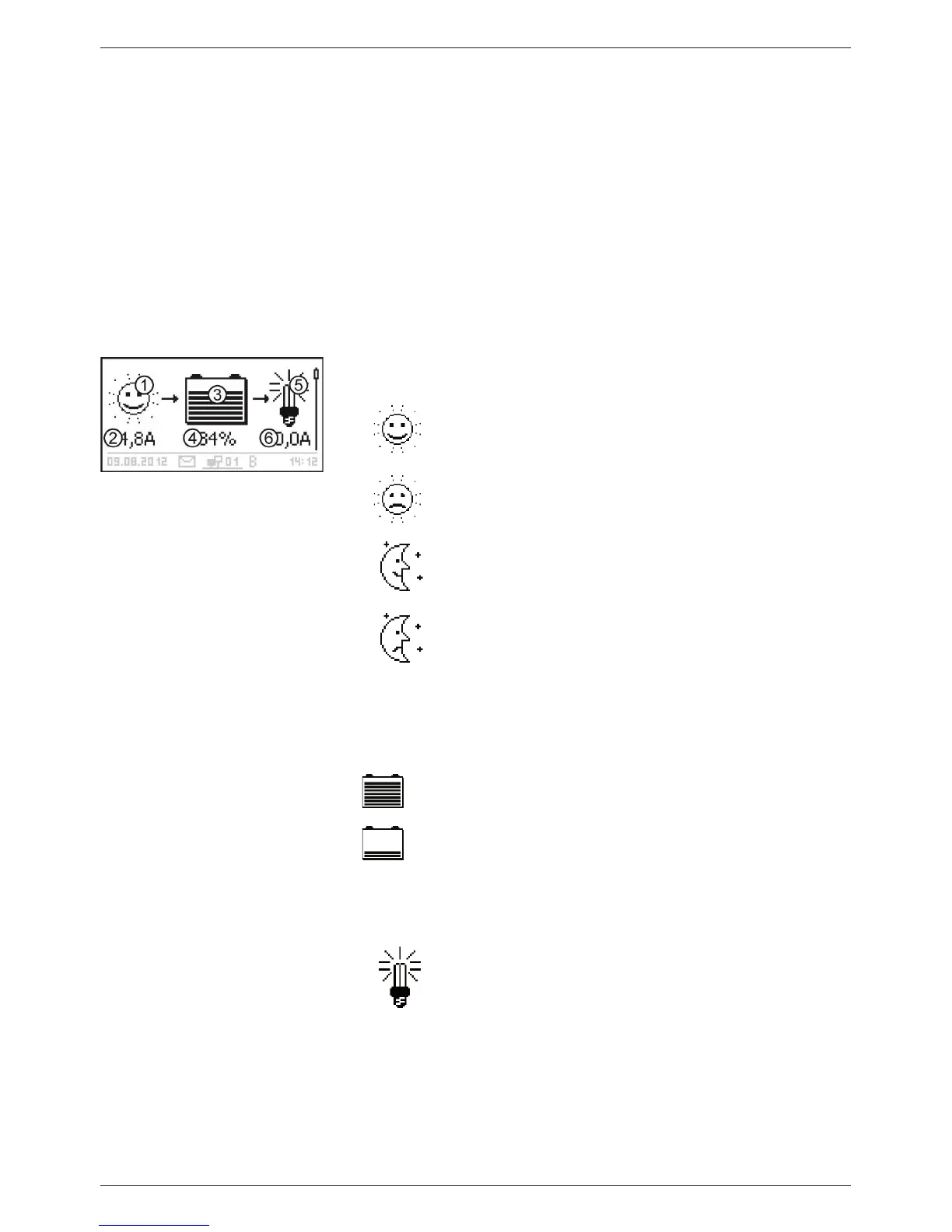
Basic setting
The Solar module/system symbol shows the status of the
solar module and the system as follows:
The solar module is illuminated and the controller has
detected the Day condition. No event message or a
message of type Information
1)
is present.
The solar module is illuminated and the controller has
detected the Day condition. An event message of
type Warning
1)
or Error
1)
is present.
The solar module is not illuminated and the controller
has detected the Night condition. No event message
or a message of type Information
1)
is present
The solar module is not illuminated and the controller
has detected the Night condition. An event message
of type Warning
1)
or Error
1)
is present.
Input current in amperes
The Battery symbol indicates charging of the battery as
follows:
Battery almost full
Battery almost empty
Charge state of the battery in % or volts.
With SOC control: Charge state in %
With voltage control: Battery voltage in volts
The Load symbol is shown when the load output is
switched on.
Load current in amperes
1)
More information on this is provided in section 15.1.



 To Next Page