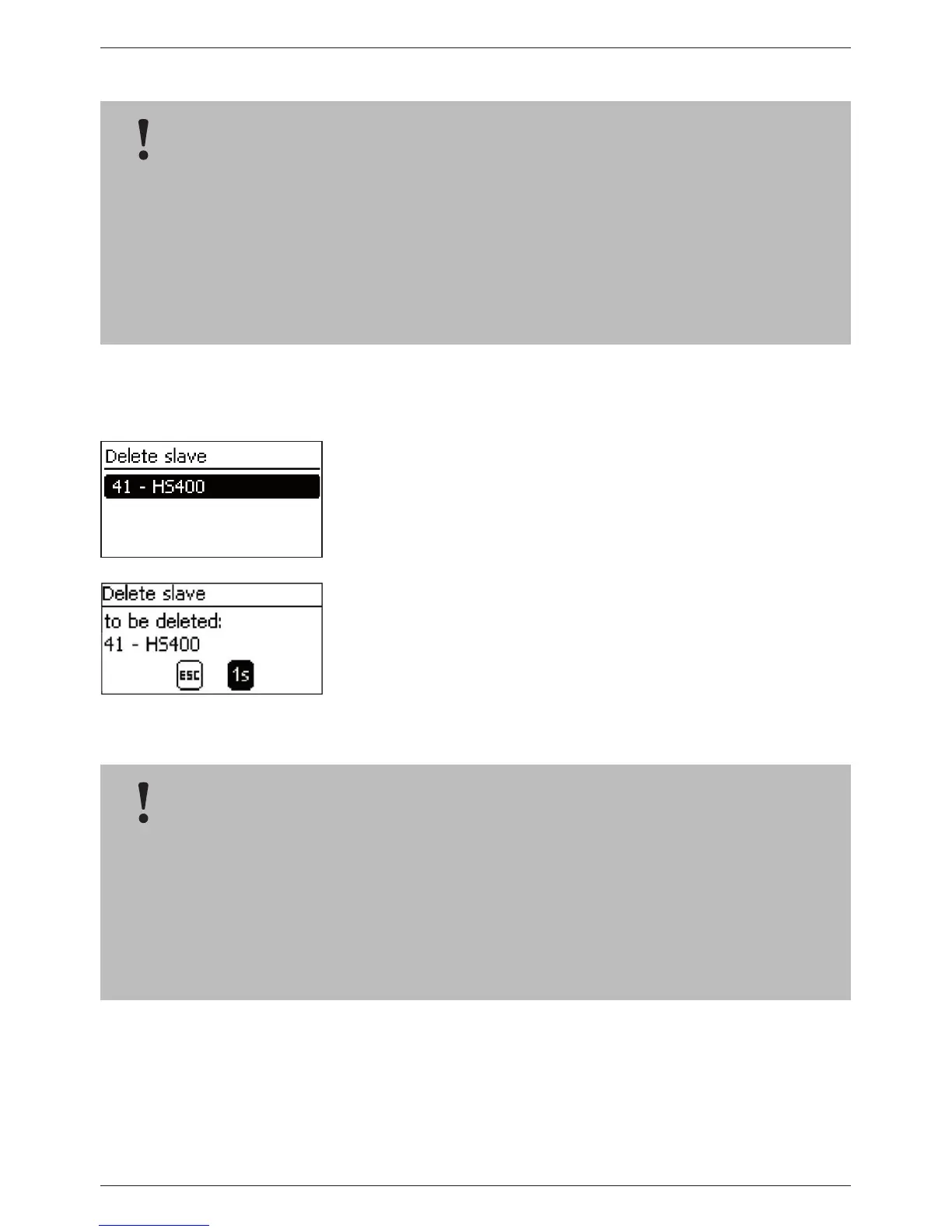
Delete slave
‘Main menu‘
‘System settings‘ ‘StecaLink master menu‘
‘Delete slave’
1. Press ‘SET‘. The ‘Delete slave‘ dialogue appears with a list of
the recognised StecaLink slave members. The list is sorted by
increasing order of the member addresses (Fig. left).
2. Press r, s to select the StecaLink slave member to be deleted.
3. Press ‘SET‘. The ‘Delete slave‘ dialogue appears (Fig. left).
4. Hold ‘SET‘ pressed for 1 s. The selected slave is deleted.
14.3.10 SD card
NOTICE!
– StecaLink slave members can be deleted to remove them from the communications net-
work.
– This is necessary when StecaLink slave members have been removed or their slave address
has been changed.
– Display and data logging data is no longer exchanged with a StecaLink slave member after
it has been deleted.
– Deleted slave members are removed from all other relevant configuration lists in the Tarom
Masters.
NOTICE
– For information on handling the SD card, see 'Commissioning the microSD card' in section
9.5.5.
– With the aid of the SD card, settings parameters of the Tarom 4545 / 4545-48 can be saved
and loaded again.
– Various different measurements, states and events can be stored on the SD card.
– When data logging is activated, the data is recorded in separate files for each Tarom master
device.



 To Next Page