15 Troubleshooting
Errors detected by the controller are indicated via event messages. With Warning and Error events
the display flashes red. Information on correcting errors is provided in section 15.1 '"List of event
messages"'.
15.1 Event messages
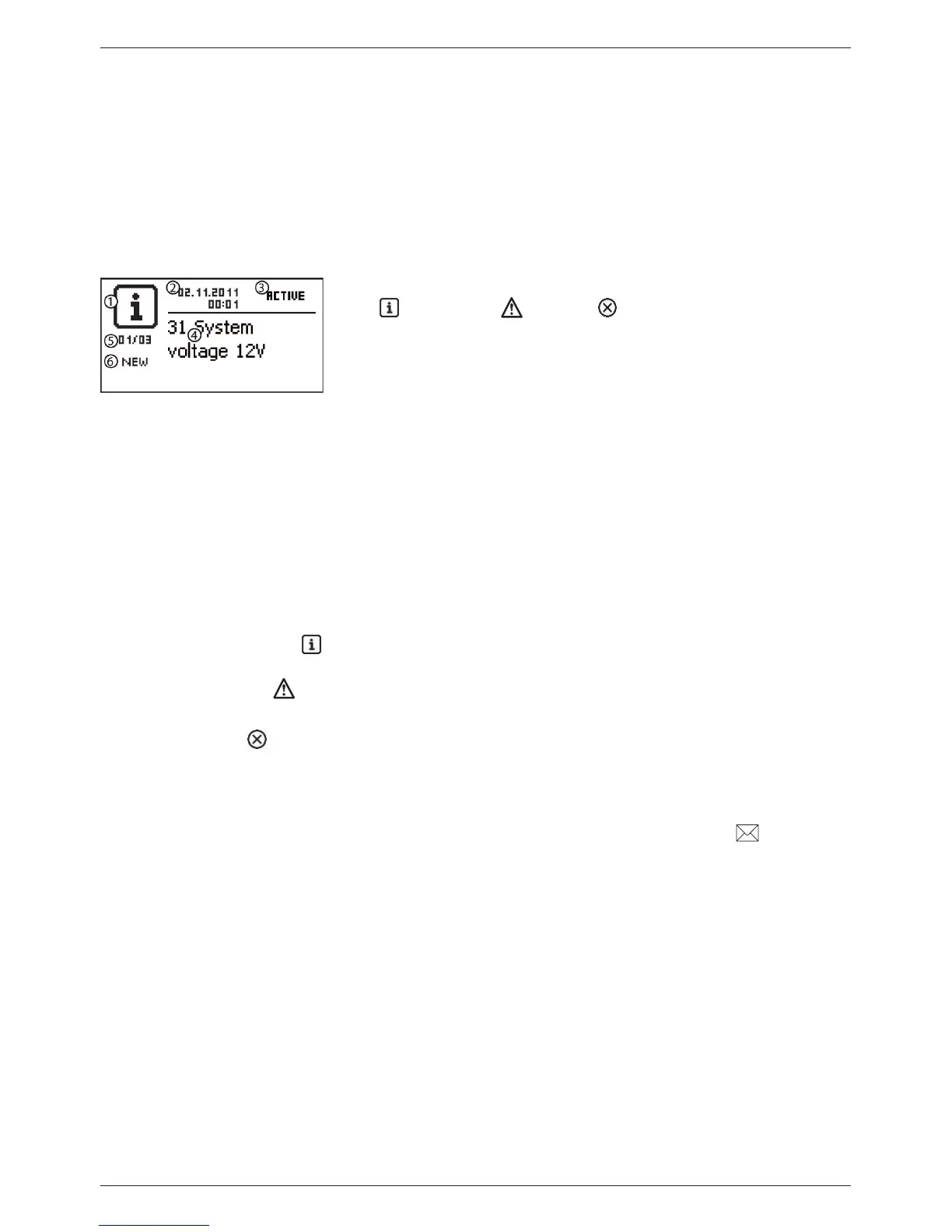
Indication on the display
Symbol for the type of event message:
Information, warning, error
Date/time at which the event occurred
Date/time at which the cause of the event message was cor-
rected or
‘ACTIVE’, when the cause of the event message is still
present.
Message text with error number
Counter: No. of the displayed event message / Total number
of event messages
Max. number of event messages = 30
‘NEW’ indicates that the event messages has not yet been
confirmed.
Function
Type Information (symbol ): A state or error exists that does not impair the functioning of the
device.
Type Warning (symbol ): An error exists that has caused the battery to be charged but the loads
are only supplied to a limited extent.
Type Error (symbol ): A serious error has occurred, due to which the correct functioning of the
device cannot be guaranteed.
New event messages are displayed immediately. The messages disappear after they have been con-
firmed or their cause(s) have been corrected.
If messages exist whose cause has been corrected but have not been confirmed then is shown in
the information bar of the status display.
If an already confirmed error recurs then it is displayed again.



 To Next Page