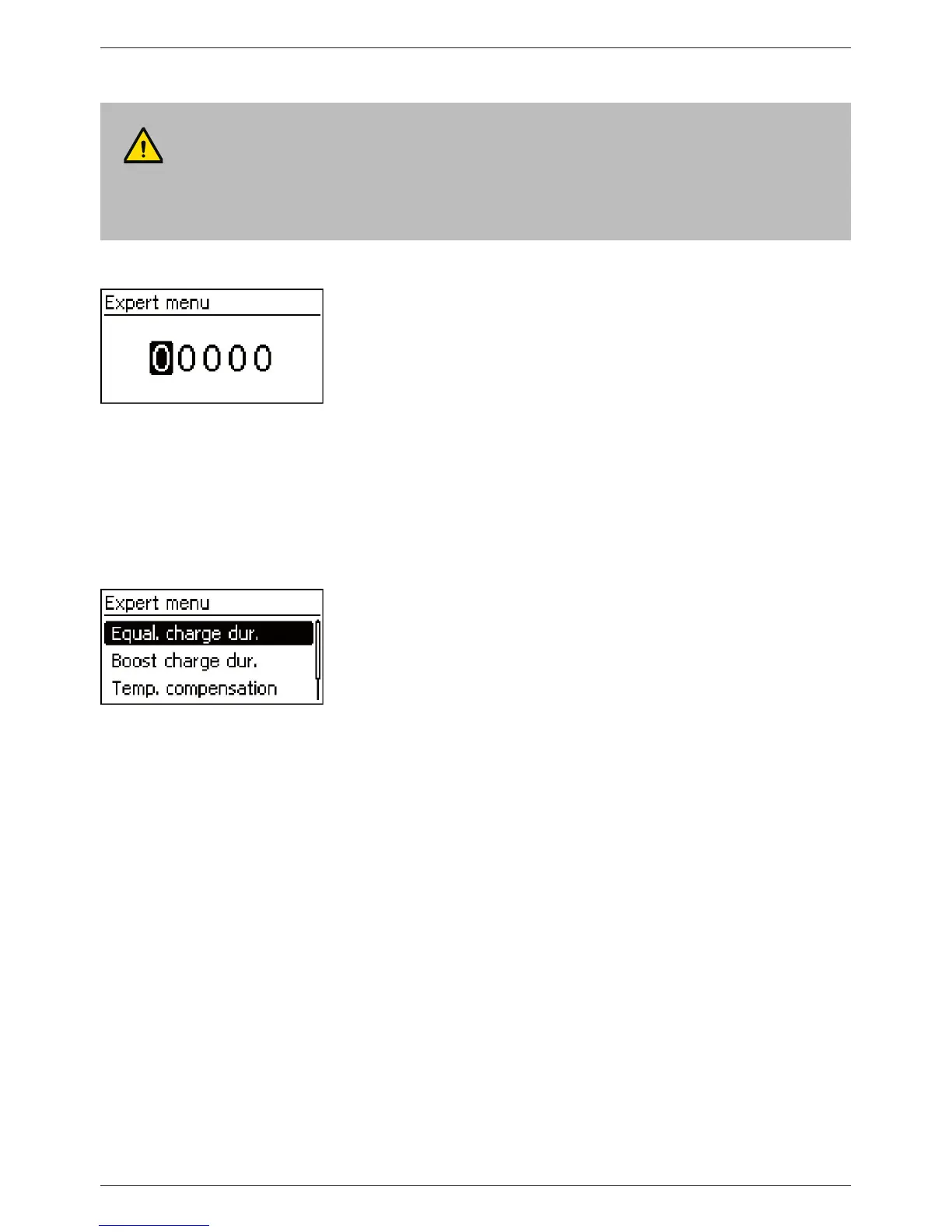
Calling up the expert menu for battery settings
ATTENTION!
Risk of damaging the system. The expert menu allows modification of settings that require spe-
cialist technical knowledge. The expert menu must therefore only be used by professional per-
sonnel who know the applicable regulations and standards.
‘Main menu’ ‘Battery settings’ ‘Expert menu’
1. Press ‘SET’. The password entry dialog is displayed and the
1st character from the left is selected (Fig. left).
Note
The password is 17038.
2. Press ‘SET’.
3. Set ‘1’ with
sr and confirm with ‘SET’.
4. Press
s to select the 2nd digit from the left.
5. Press ‘SET’.
6. Set ‘7’ with
sr and confirm with ‘SET’.
7. Repeat steps 4 to 6 for the other digits.
8. Press ‘SET’ for 1 s. The expert menu is displayed (Fig. left).
9. Press
sr to select an entry.
10. Press ‘SET’ to open the entry.



 To Next Page