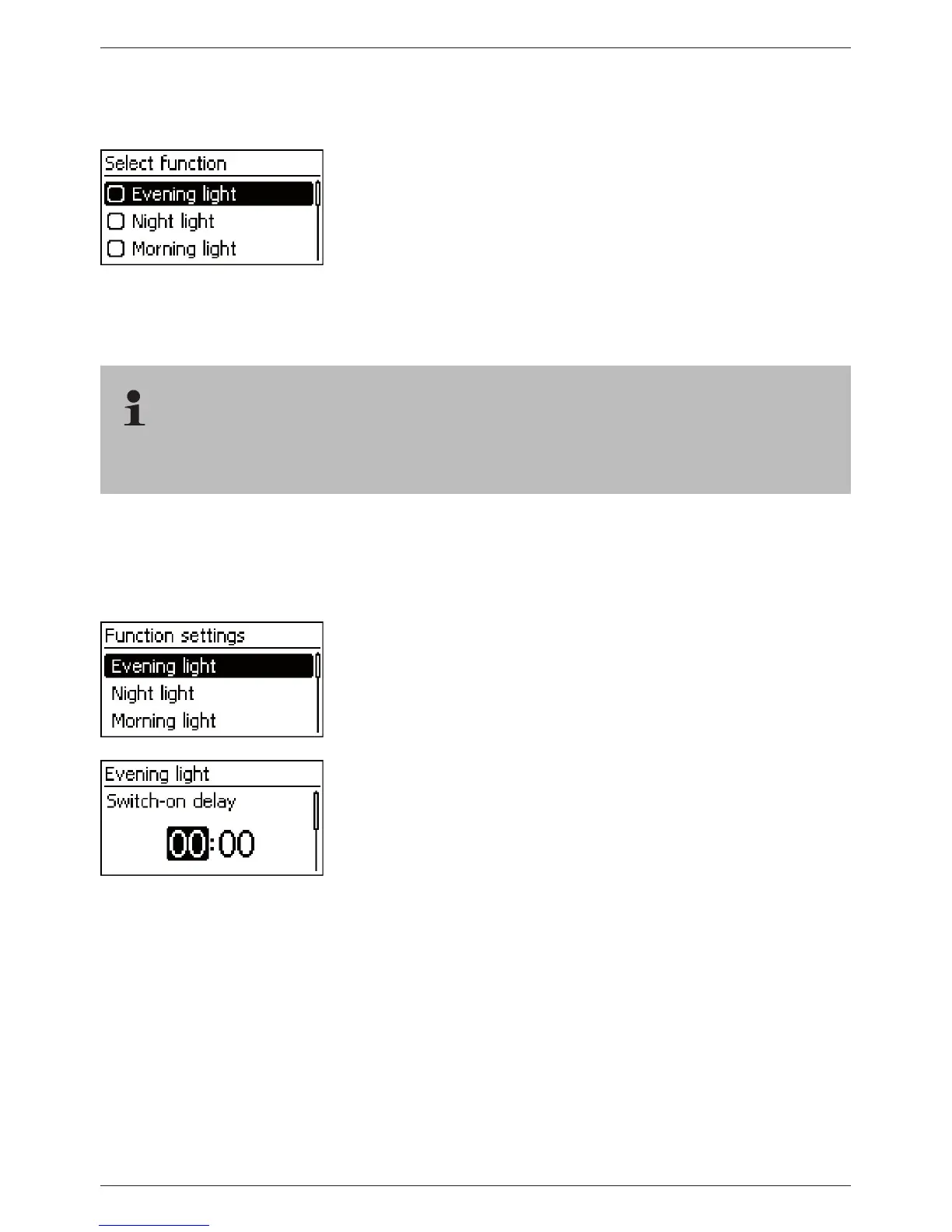
Switching control functions individually on and off
‘Main menu’
‘Output settings’ <Output> ‘Select
function’
1. Press
sr and ‘SET’ to switch the control functions on and
off (Fig. left).
Note
The switched-on control functions only take effect in the
‘Function’ operating mode.
2. Press ‘ESC’ to leave the page.
Setting control functions
Setting of the control functions is described below using Evening light and ‘Timer 1’ as exam-
ples.
Setting the evening light
‘Main menu’
‘Output settings’ <Output> ‘Function
settings’
1. Press
sr as required to select ‘Evening light’ (Fig. left).
2. Press ‘SET’. The ‘Switch-on delay’ dialog appears (Fig. left).
3. Press ‘SET’, use
sr to set the switch-on delay hours and
confirm with ‘SET’.
4. Press
s. The minutes are selected.
5. Press ‘SET’, use
sr to set the minutes and confirm with ‘SET’.
6. Press
s. The ‘Switch-on duration’ dialog appears.
7. Press ‘SET’, repeat steps 3 to 5 for the switch-on duration.
8. Press ‘SET’. The ‘Function settings’ menu appears.



 To Next Page