Only users are authorised to operate the locking function!
If the clinical condition of the resident is so critical that a particular
adjustment using the handset places him/her at risk, then the user must
lock this adjustment function immediately. The bed remains in the position
it was in at the time it was switched off.
4.3.4.1 Locking functions of the handset
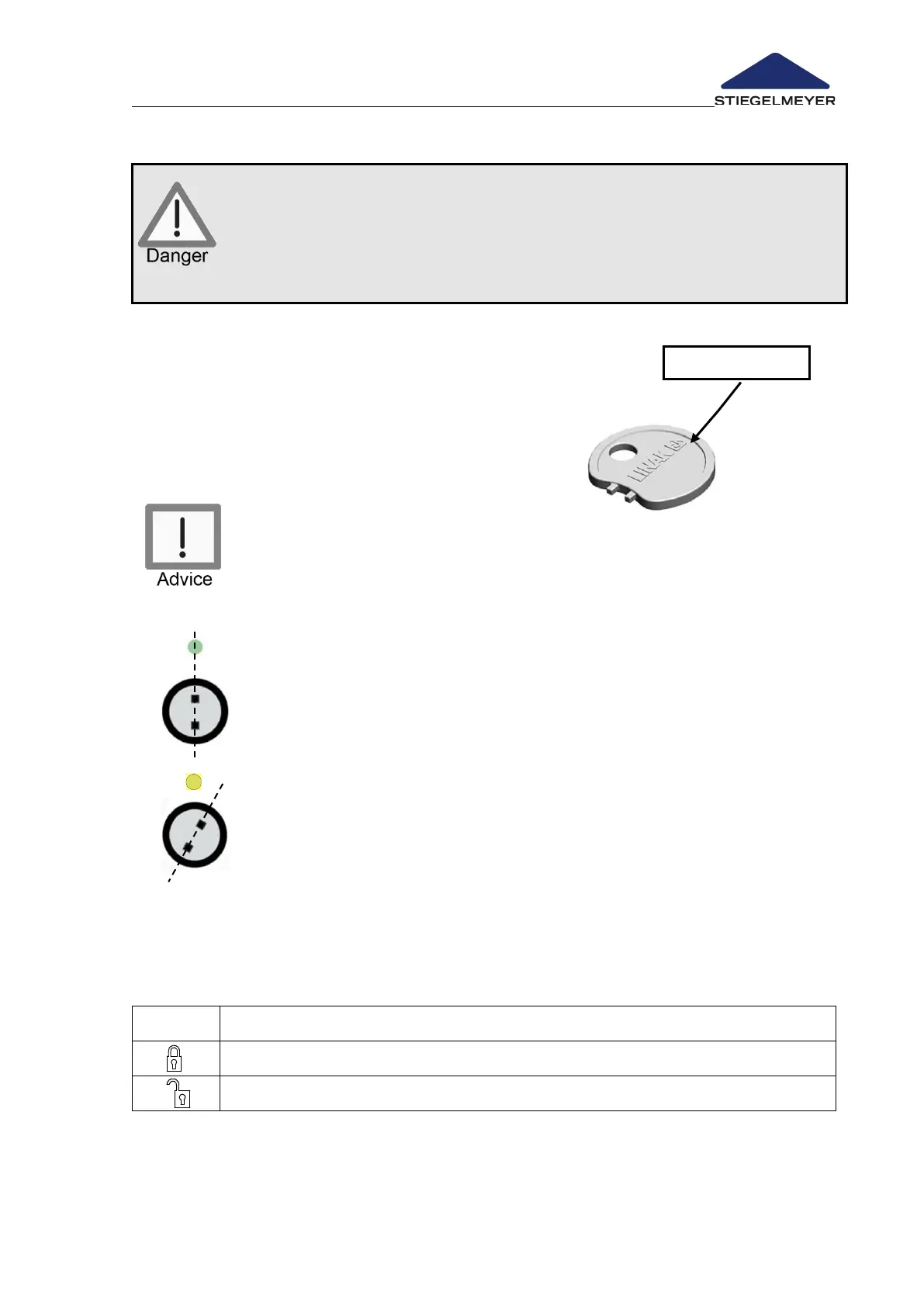
• Turn the respective lock on the handset
clockwise to the locked position using the
locking key. The colour of the respective
display changes from green to yellow.
Do not forcibly turn the locking key beyond the stop of the lock! This
could damage the lock and the handset.
Operation enabled:
Lock in vertical position
Display colour: green → buttons can be operated (“clicking sound”)
Operation locked:
Lock position turned approx. 15° clockwise
Display colour: yellow → buttons locked
4.3.4.2 Trendelenburg handset locking functions
On the Trendelenburg handset, there is a choice of 2 levels that can be set with the
locking key:


 To Next Page