EasyManua.ls Logo

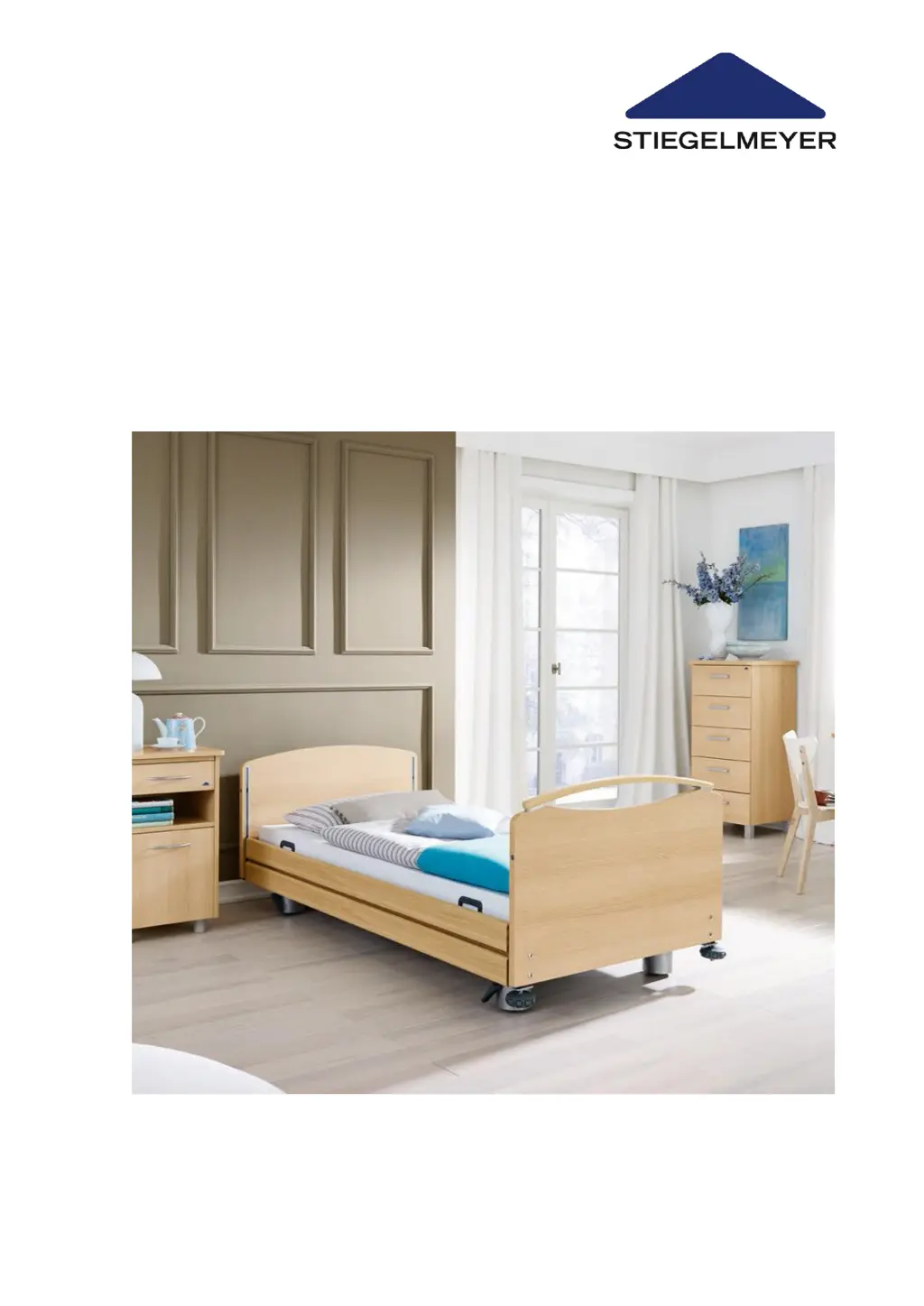
Stiegelmeyer Libra - User Manual

Stiegelmeyer Libra
124 pages
Print Icon
To Next Page IconTo Next Page
Loading...
Last updated: 09-12-2021 294236_V1
Instruction Manual
Care Bed
Libra

Table of Contents

Questions and Answers

  • K
    Kimberly MurphySep 10, 2025
    Why Stiegelmeyer Indoor Furnishing drive runs for a brief time only, then stops?
    • W
      Warren RobinsonSep 10, 2025
      If the drive of your Stiegelmeyer Indoor Furnishing runs briefly and then stops, it could be due to: * The drive being overloaded. Remove the overload from the bed and retest. * Structural obstructions hindering bed adjustment. Remove any obstructions and move the bed away from things like window sills or sloping roofs.
  • J
    justinpollardAug 23, 2025
    Why is the green LED on my Stiegelmeyer Libra Indoor Furnishing power pack not lighting up?
    • K
      Karen HerreraAug 23, 2025
      If the green LED on the Stiegelmeyer Indoor Furnishing power pack isn't lighting up and the drive isn't working, the power pack may not be properly inserted, there might be no power supply to the socket, or the power pack could be faulty. Ensure the power pack is correctly plugged in and check the socket. If it still doesn't work, replace the power pack and inform your operator to arrange for repairs.
  • S
    Steven LiAug 25, 2025
    What to do if Stiegelmeyer Libra Indoor Furnishing handset/ drive system not functioning?
    • R
      Randall BurgessAug 25, 2025
      If the Stiegelmeyer Indoor Furnishing handset or drive system isn't working, and the bed is connected to the mains, it could be due to several reasons: the power pack might not be plugged in correctly, there might be no power supply to the socket, the functions could be locked on the handset, or the handset, power pack, or control unit could be defective. Here's what you can do: * Ensure the power pack is properly inserted and the green LED on the control unit lights up. * Check the socket and fuse box. * Release any locked functions (see Chapter 4.3.5). * Inform the operator to arrange for repairs.
  • X
    xmcconnellAug 26, 2025
    Why yellow LED does not light up when pressing the button on Stiegelmeyer Indoor Furnishing handset?
    • B
      blankenshipsamanthaAug 26, 2025
      If the yellow LED doesn't light up when pressing the button on the Stiegelmeyer Indoor Furnishing handset and the drive system isn't working, it could be because the functions are locked on the handset or the handset is faulty. Try releasing the functions (see Chapter 4.3.5), or replace the handset.
  • D
    Daniel ChristianAug 27, 2025
    How to troubleshoot a non-functioning handset/drive system in Stiegelmeyer Indoor Furnishing?
    • R
      Robert SteinAug 27, 2025
      If the handset or drive system of your Stiegelmeyer Indoor Furnishing isn't working, and the bed is connected to the mains, try these steps: First, ensure the switch mode power supply is correctly plugged in and the green LED is lit. Then, check the mains socket and fuse box. You may also need to unlock the adjustment functions. If these steps don't resolve the issue, arrange for repairs or perform a RESET or replace the motor.
  • P
    patricia44Aug 29, 2025
    What to do if the green LED on my Stiegelmeyer Indoor Furnishing power supply isn't lighting up?
    • Y
      ycantuAug 29, 2025
      If your Stiegelmeyer Indoor Furnishing's external switch mode power supply's green LED isn't lit and the drive system isn't working, try plugging in the switch mode power supply and checking the mains socket. If it still doesn't work, replace the switch mode power supply.
  • F
    Frank HawkinsSep 18, 2025
    Why Stiegelmeyer Indoor Furnishing individual drives only go in one direction?
    • B
      Barbara JoyceSep 18, 2025
      If individual drives of your Stiegelmeyer Indoor Furnishing only move in one direction, it indicates a defective handset, drive unit, or control unit. Inform your operator about any necessary repairs.
  • M
    Mrs. Jenny Hughes MDSep 12, 2025
    What to do if green LED on Stiegelmeyer Indoor Furnishing transformer unit does not light up?
    • Y
      Yolanda PinedaSep 12, 2025
      If the green LED on the transformer unit of your Stiegelmeyer Indoor Furnishing doesn't light up and the drive system isn't working, check these: * Ensure the transformer unit is properly plugged in. * Verify that the socket has power. Check the socket itself. * The transformer unit may be damaged. Replace the transformer and inform your operator about necessary repairs.
  • C
    Cheryl TerrellSep 8, 2025
    What to do if Stiegelmeyer Indoor Furnishing operation is not possible despite proper power supply?
    • R
      Ronald ThomasSep 8, 2025
      If your Stiegelmeyer Indoor Furnishing isn't working even with a proper power supply, it might be due to: * The control unit shutting down from overheating. Observe the maximum duty cycle: intermittent duty 2 minutes ON/18 minutes OFF; consider replacing the control unit. * The control unit detecting a fault and locking the adjusting functions for safety. Unplug the transformer unit from the outlet, wait at least 10 seconds, and then plug it back in. * A defective control unit. Exchange the control unit and inform your operator about any necessary repairs.
  • R
    Rick BushSep 5, 2025
    Why does the drive on my Stiegelmeyer Libra run briefly and then stop?
    • M
      Megan BanksSep 5, 2025
      If the drive of your Stiegelmeyer Indoor Furnishing runs briefly then stops, it might be overloaded. Remove any overload from the bed and retest. Also, check for structural obstructions that may be hindering bed adjustment and remove them.

Summary

Foreword

General Information and Bed Overview

Definition of User Groups

Defines Operator, Users, and Residents for clarity.

Safety Information and Symbols

Explains safety symbols and provides crucial safety guidelines.

Product Description and Usage

Details bed features, intended use, contraindications, and side effects.

Putting the Bed into Service

User Inspection Checklist

A checklist for users to perform regular visual and functional checks.

Location and Setup Requirements

Specifies environmental and placement needs for safe bed operation.

Bed Operation and Adjustment

Moving and Braking the Bed

Instructions for safely moving and securing the bed using its castors and brakes.

Mechanical Adjustment Options

Details manual adjustments for components like the lower leg rest.

Manual CPR Backrest Release

Procedure for manually lowering the backrest in emergencies.

Electrical Adjustment Options

Explains how to use the handset for electrical bed adjustments.

Standard Handset Operation

Covers the functions and operation of the standard bed handset.

Optional Trendelenburg Handset

Details the functions of the optional Trendelenburg handset.

Handset Locking Functions

Explains how to lock and unlock handset functions for safety.

Accessories and Special Equipment

Information on available attachments and optional bed equipment.

Safety Sides

Details the types, installation, and safe use of safety sides.

Mattress Insertion

Proper procedure for placing the mattress on the bed base.

Cleaning and Disinfection

General Cleaning and Disinfection Information

Provides essential background and principles for bed hygiene.

Cleaning and Disinfection Plan

A detailed plan outlining cleaning procedures and frequency.

Cleaning Upholstered Components

Specific methods for cleaning fabric and faux leather upholstery.

Approved Cleaning Agents and Disinfectants

Lists recommended and approved cleaning agents and disinfectants.

Maintenance and Component Replacement

User Maintenance Checks

User's responsibility for performing routine visual and functional checks.

Operator Responsibilities for Maintenance

Details operator duties regarding regular inspections and product upkeep.

Replacing Electrical Components

Procedures for replacing key electrical parts like handset, control unit, and motors.

Replacing the Handset

Step-by-step guide for replacing the bed's handset.

Replacing the Control Unit

Instructions for removing and installing a new control unit.

Initializing the Control Unit

Procedure to initialize the control unit after replacement or faults.

Troubleshooting Common Issues

Available Accessories

Technical Data

Dimensions and Weights

Key physical dimensions and weight specifications of the bed.

Electrical Specifications

Detailed electrical data for the bed's control unit and power supply.

Ambient Conditions for Operation and Storage

Specifies required temperature, humidity, and air pressure ranges.

Electromagnetic Compatibility (EMC) Information

Information regarding the bed's compliance with EMC standards.

Disposal Instructions

Declaration of Conformity

Stiegelmeyer Libra Specifications

General IconGeneral
BrandStiegelmeyer
ModelLibra
CategoryIndoor Furnishing
LanguageEnglish