Operation
Instructions for use • AIDA C WD310 • AAB272_EN_V2.0_12-2021_IFU_CE-MDR 81
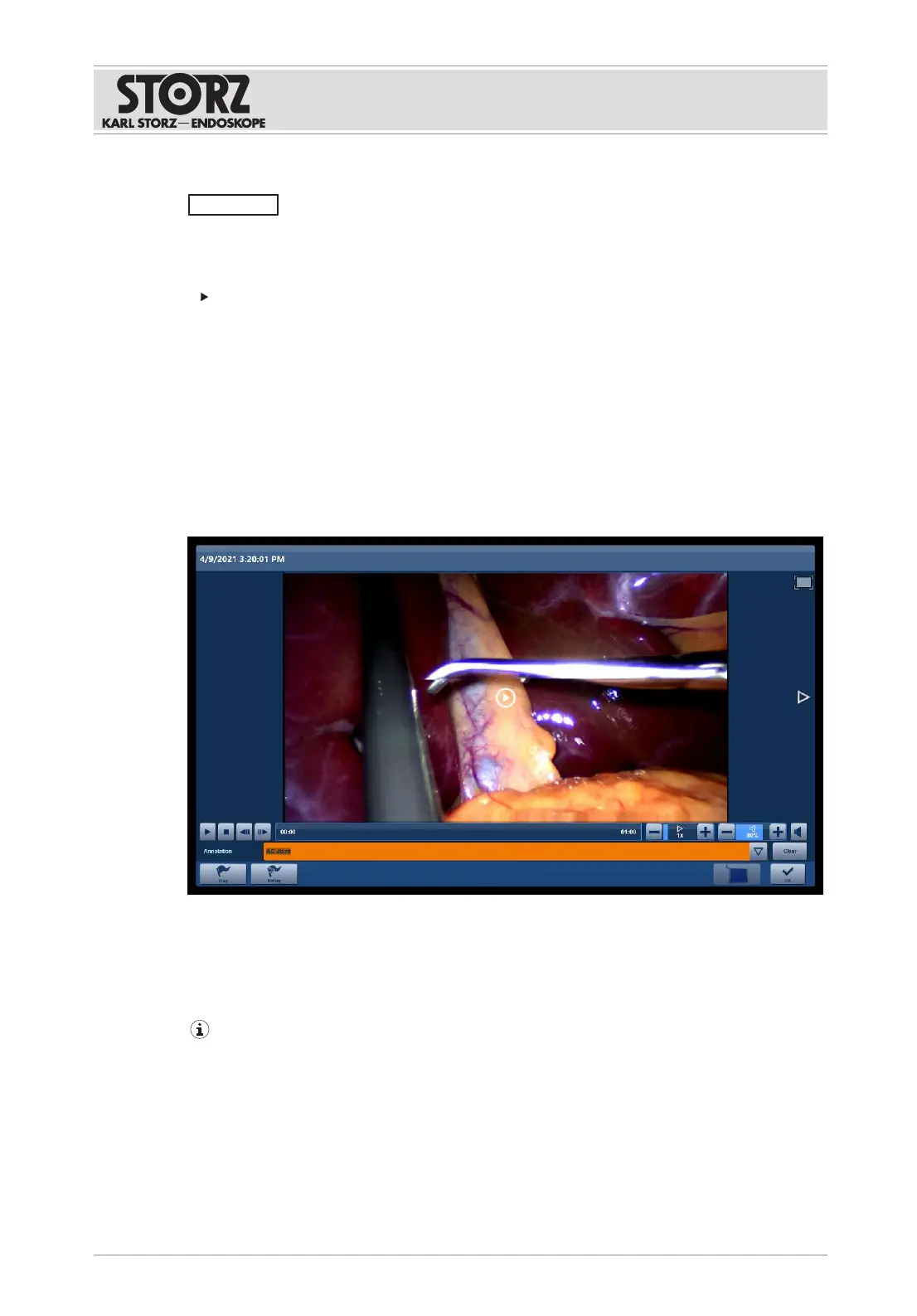
7.3.2.2 Viewing captures
NOTICE
No live images! Risk of confusion!
The captures shown are not images of live surgery. Captures can be mixed up and this can
cause treatment errors.
Note the label in the image or video.
To avoid confusion between the live image from the endoscopic camera and a video recording
or a still, video recordings are labeled with "Recorded Video Replay" and images are labeled
with "Recorded Image Replay".
1. Tap the desired capture.
ð A drop-down menu appears.
2. Tap the
View
button.
3. Tap the side arrows to view the captures one after the other.
ð The marked capture is displayed in the preview area. Videos can be played back.
4. To play back videos, tap the
Start
button or
Pause
button in the playback bar.
5. Open the
Annotation
drop-down menu and select a keyword.
ð The keyword is added as a comment.
6. Touch the
Clear
button to remove the selected keyword.
7. Adjust the playback speed and the volume using the
Plus
and
Minus
buttons.
If the volume is too high, it could startle the attending physician.













 To Next Page