Objet350 User Guide 6 Operating and Maintaining the Objet350 3DPrinter
DOC-17001 Rev.G 6-18
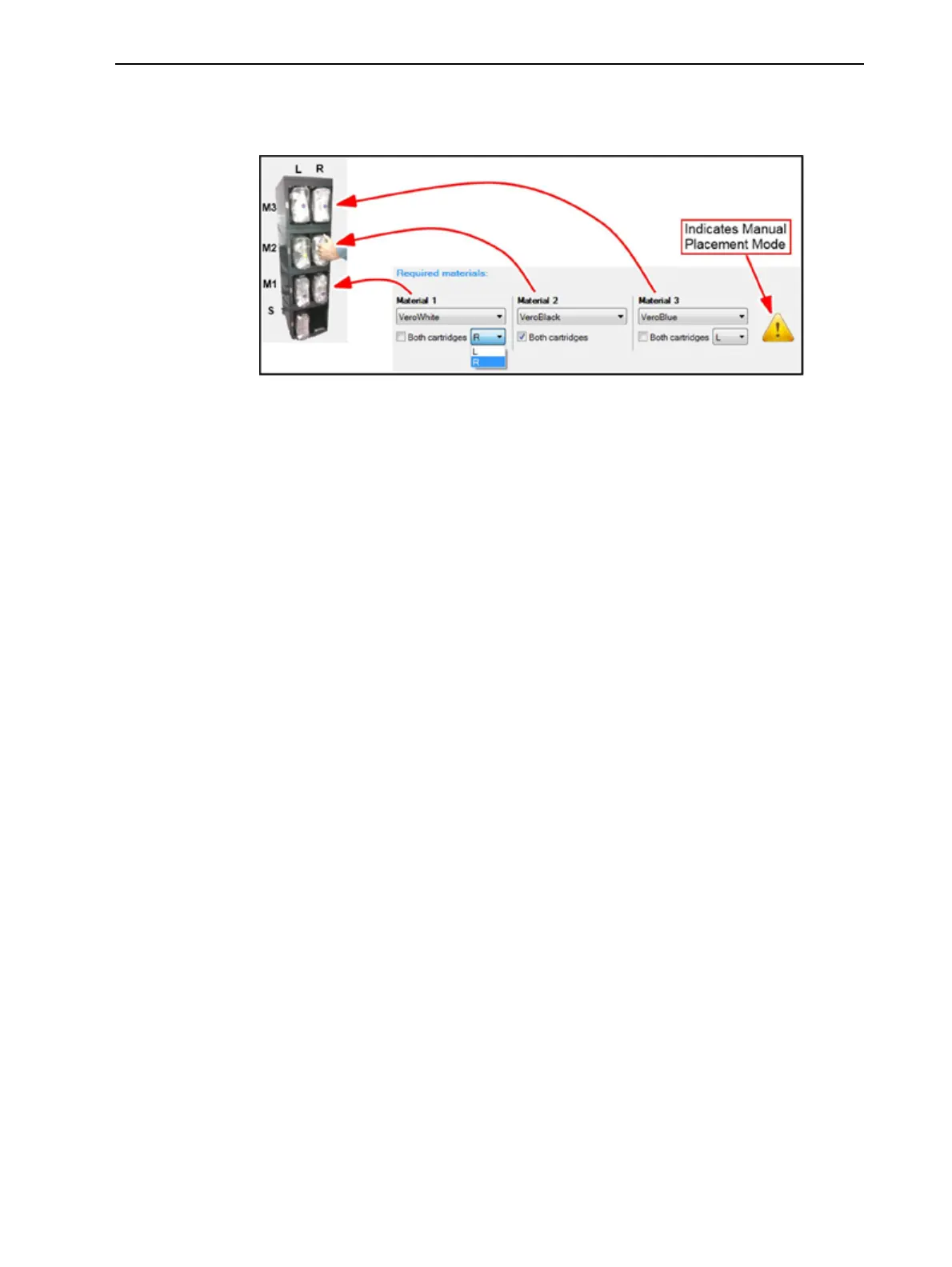
AfterclickingApply,theMaterial Replacement Optionsscreenappears,but
now,eachmaterialselectionboxcorrespondstooneofthecartridgelevelsin
thematerialcabinet.
Figure6-15Manualcartridgeplacement
Materialfor
Single Material
mode
Ifyouregularlyuseacertainmaterialforprintingmodelsinsingle material
mode,andifthismaterialiscurrentlyloadedintheprinter,youcanselectit
fromthedrop-downmenu.Thewizardwilltakethisintoaccountwhen
determiningthenewcartridgelocations.Whenpossible,theselectedmaterial
willremaininpartsofthesystem(cartridgeslots,tubes,printblock)sothatit
isavailablewhennextneedingit.Thisoptionisrecommendedifyouoften
switchbetweensingleandmultiple-materialmodesbecauseitcanreducethe
amountofmaterialflushedduringreplacement.
Additional
FlushingCycles
TheflushingcycleyouselectintheMaterial Replacement Optionsscreen
determineshowthoroughlytoflushoutmaterialcurrentlyinthesystem.
AfterselectingtheEconomycycleandcompletingthewizard,youmight
decidethatyourequireamorethoroughflushing,toensureaccuratemodel
color.Or,youmaynoticethatprintedmodelsarenotsatisfactorybecause
theycontaintracesofthepreviousmaterial.Ifso,youcanflushoutmore
material,sothatthenextmodelswillbeprintedwithpurematerial.
Toperformadditionalflushingcycles:
➢ IntheAdvanced Settingsscreen,selectEnable"flushagain"optionsand
clickApply.
TheMaterial Replacement Optionsscreenappears,whereyoucanselectthe
material(s)youneedtoflushagain.













 To Next Page