Objet350 User Guide 6 Operating and Maintaining the Objet350 3DPrinter
DOC-17001 Rev.G 6-31
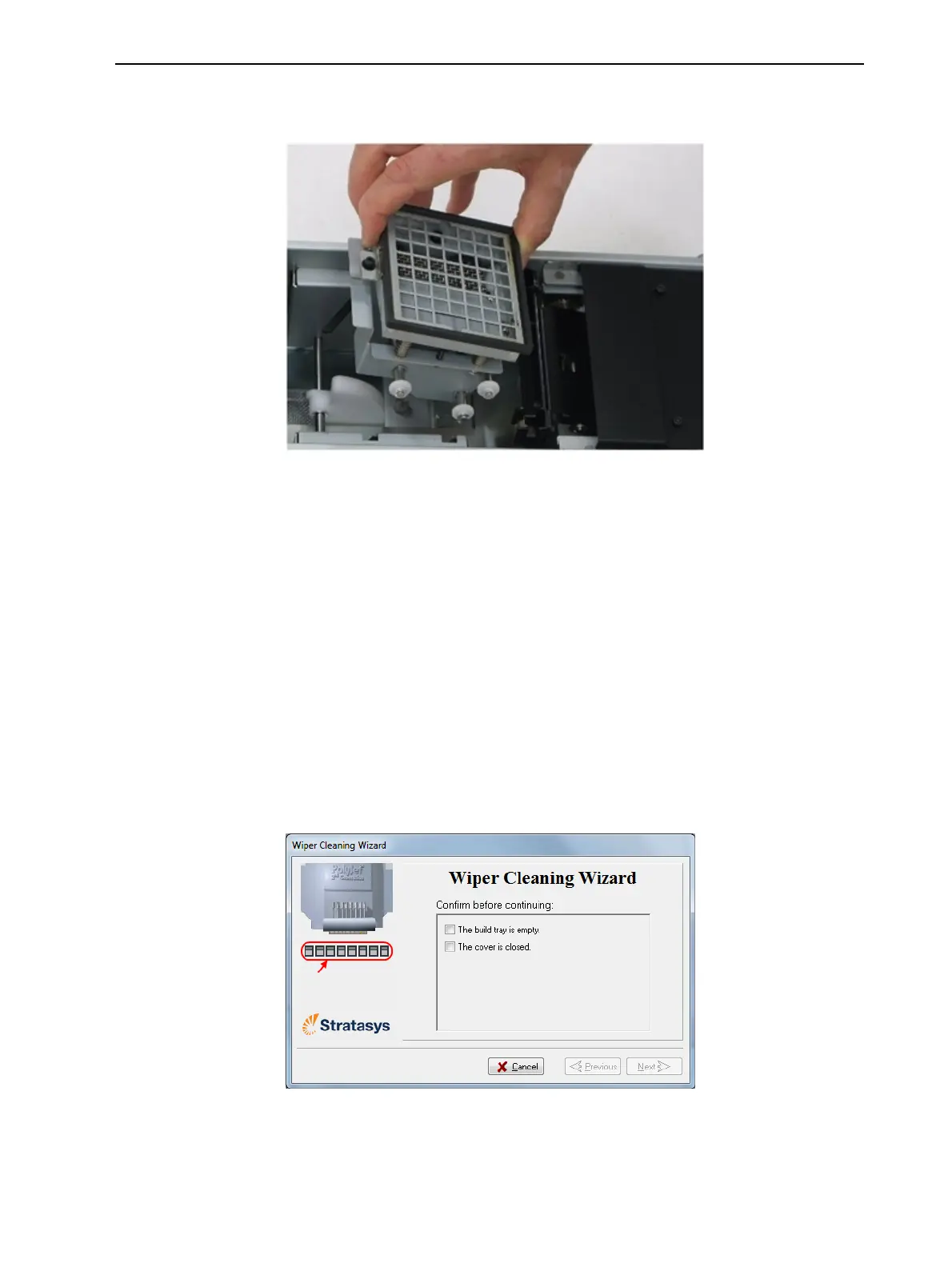
8. Removeanypiecesofwastematerialcollectedinthepurgeunit.
Ifnecessary,removethewastecollectortocleanit.Wipetherubberseal.
Figure6-31Purgeunitwastecollector
Note: Whenreturningthewastecollectortothepurgeunit,makesureto
insertitasshown.
9. Inspectthewiper.
Ifthewiperisscratched,tornorworn,orifyoucannotcleanit
completely,replaceit.
a. Graspitandpullitupandoutofitsbracket.
b. Insertthenewwiperblade,making sure that it is straight and secured
well on both sides.
10.Inthewizardscreen(seeFigure6-30),confirmthatthewiperbladeis
clean,andclickNext.
11.Removealltoolsandcleaningmaterialsfromtheprinter,andclosethe
cover.
12.Confirmthisinthewizardscreen,andclickNext.
Figure6-32Confirmationscreen
13.ClickDonetoclosethewizard.













 To Next Page