Objet350 User Guide 6 Operating and Maintaining the Objet350 3DPrinter
DOC-17001 Rev.G 6-52
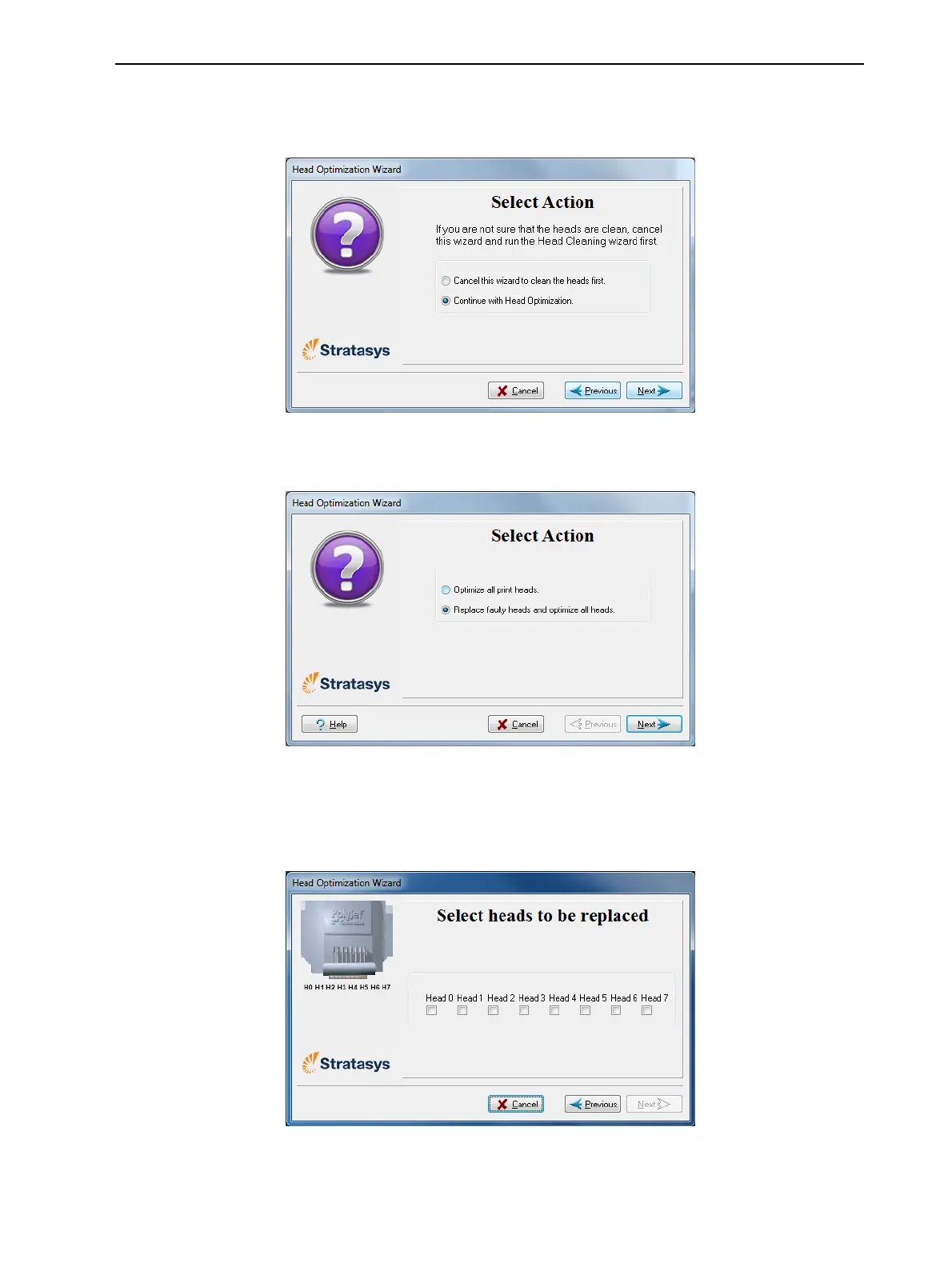
5. Inthefollowingscreen,selectContinuewithHeadoptimizationifyouhave
recentlycleanedtheprintheads.Otherwise,cancelthewizardandrunthe
HeadCleaningwizard.
Figure6-67Cleanprintheadsscreen
6. Inthefollowingscreen,selectReplacefaultyheads,andclickNext.
Figure6-68Procedureselectionscreen
PreparingthePrintBlock
7. Selecttheprinthead(s)needingreplacement,andclickNext.
Figure6-69Headselectionscreen













 To Next Page