Objet350 User Guide 4 Installing Objet Studio
DOC-17001 Rev.G 4-3
4. ToinstallObjetStudio,youmustagreetothelicenseagreement.After
readingitsterms,clickYestocontinue,orNotoclosethewizard.
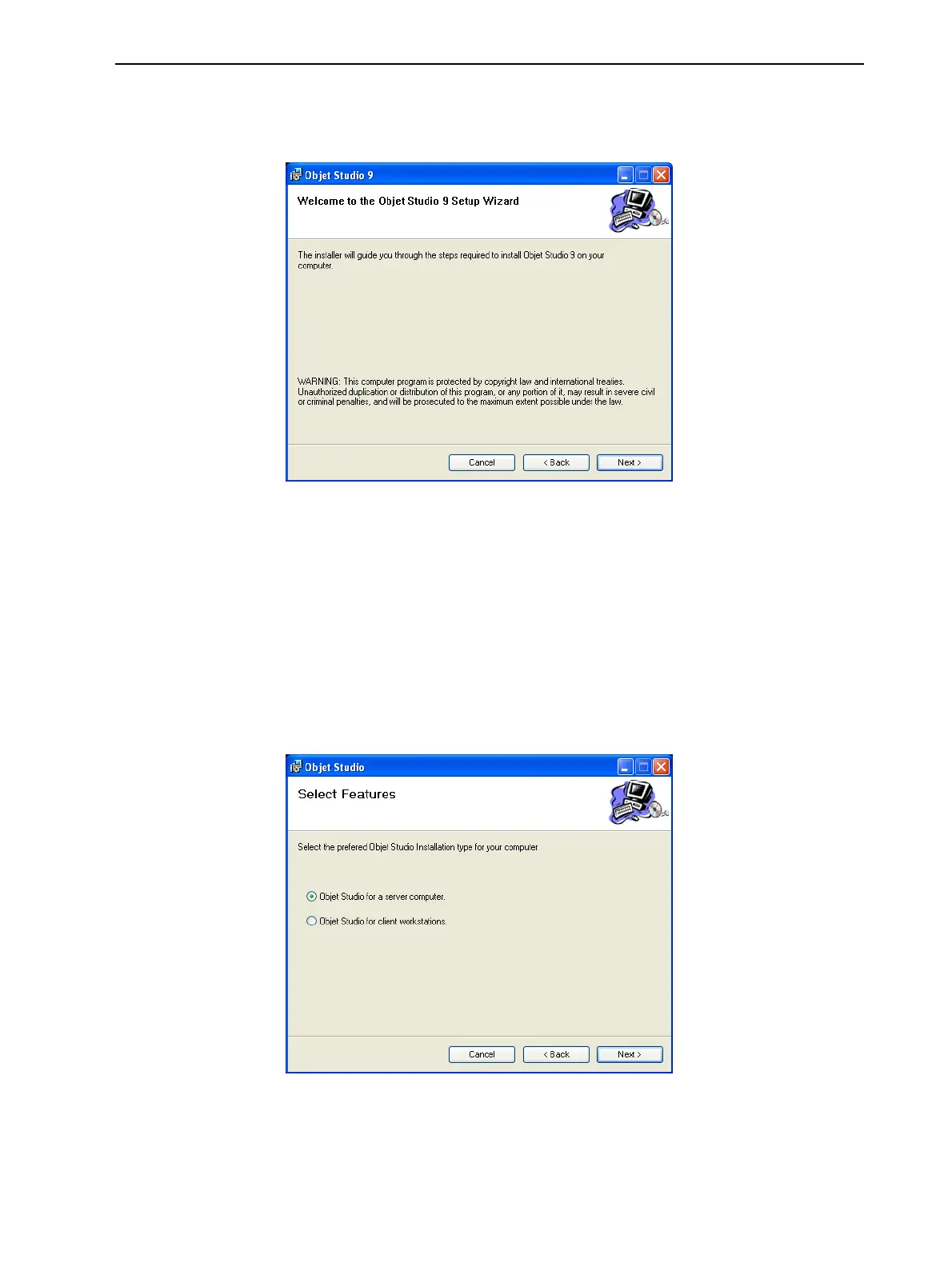
IfyouclickYes,thefollowingscreenshouldappear.
Figure4-2ObjetStudioinstallationwizard—Welcomescreen
5. ClickNexttobegininstallation.
6. IntheSelect Featuresscreen,selecttherequiredinstallationoption.
SelectObjetStudioforaservercomputer—
❒ ifyouareinstallingObjetStudioontheserver(“host”)computer—the
computerdirectlyconnectedtoanObjet350printer.
❒ ifyouareinstallingObjetStudioonastandalone(off-line)computer.
SelectObjetStudioforclientworkstationsifyouareinstallingObjetStudio
ona“client”workstation—aremotecomputerthatpreparesprintjobsand
thensendsthemtoaservercomputer.
Figure4-3ObjetStudioconfigurationselection













 To Next Page