Objet350 User Guide 5 Using Objet Studio
DOC-17001 Rev.G 5-54
Objectdisplay
options
Thedisplayformataffectshowquicklyobjectsdisplay.Forexample,ifyou
selectBoundingBox,objectsdisplayfasterthantheydowhenyouselect
EntireObject.Youcanchoosedisplayformatsforobjectswhentheyare
stationary(static view)andforwhenyouaredraggingthem(changing view).
Toselecttheobjectdisplaypreferencewhilechangingview,andinstaticview:
1. Selecttodisplayobjects:
❒ WithaBounding Box(seeFigure5-54onpage5-47)
❒ WithAdaptivePolygon Reduction (changing viewonly)
❒
WithPolygon Reduction (static viewonly)
❒
Entire Object
2. ClickOKwhendone.
Zoom Options
Whilemanipulatingobjects,youoftenneedtoviewthematdifferentzoom
levels.
Tochangethezoomlevel:
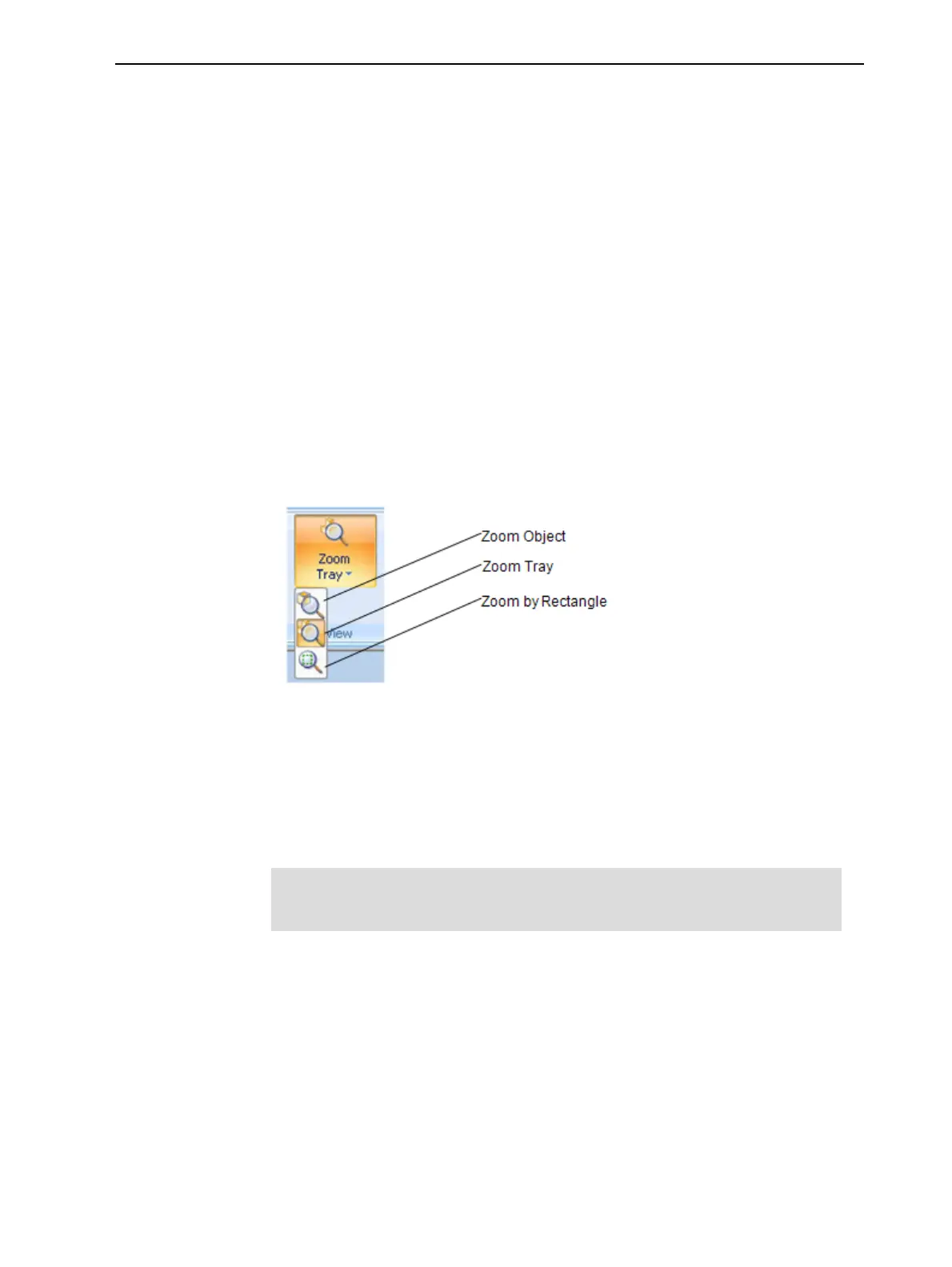
Figure5-68Zoom flyouttoolbar
❒ Zoom Objectfocusesontheselectedobject.
❒ Zoom Traydisplaysthewholetray.
❒ Zoom by Rectangleallowsyoutodisplayasectionofthetrayby
selectingitwiththemouse.
Youcanalsozoominandzoomoutwiththemousewheel.
YoucanconfigureObjetStudiotoautomaticallyzoominontheobjects
placedonthebuildtray.See"AutomaticZoom"onpage5-77.













 To Next Page