46
e. When you are satisfied with your X offset value, Select Y and repeat
steps A- D to identify and input the required Y Tip Offset adjustment.
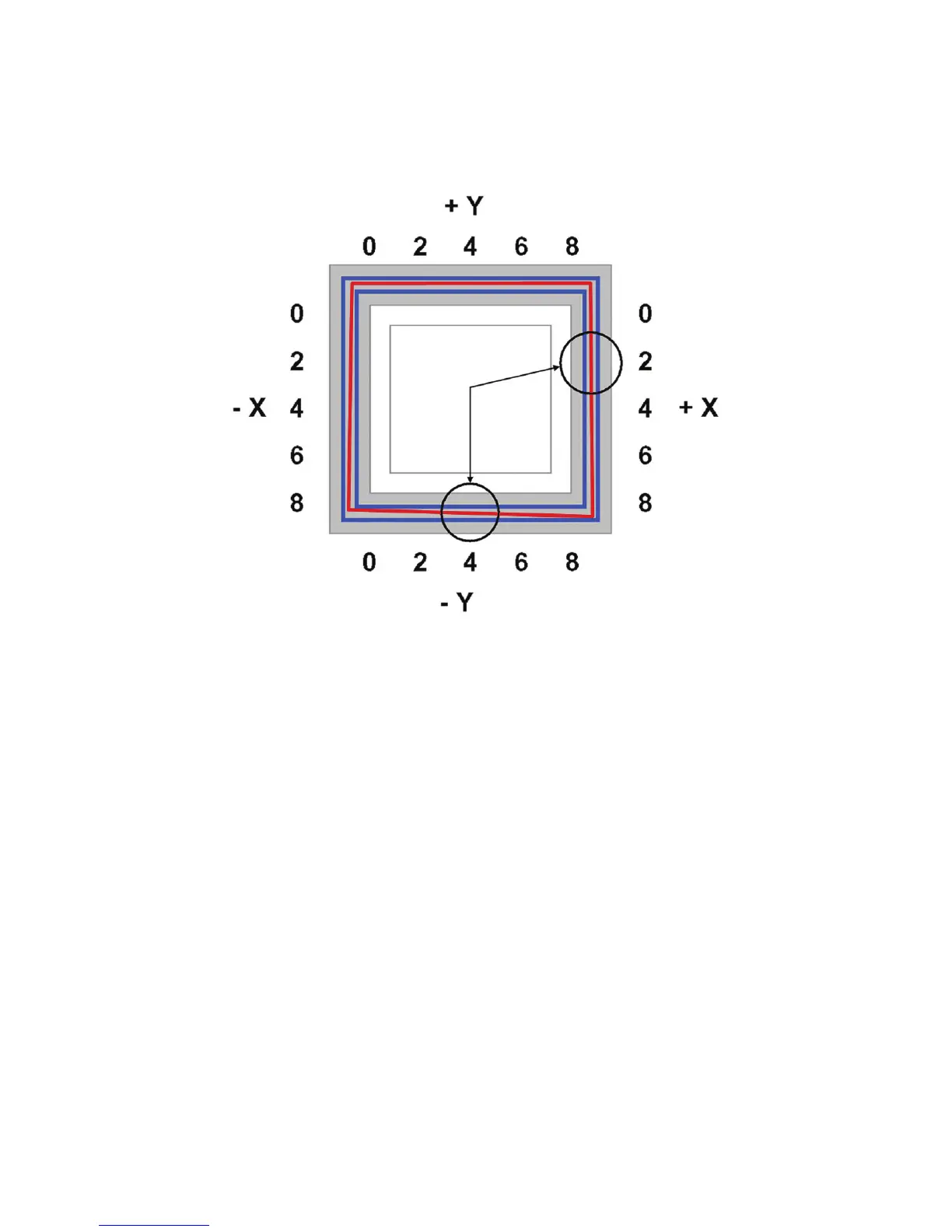
Figure 45 Example XY Tip Offset Part.
This example requires an adjustment of X = + 2, Y = - 4
5. Select Done after you have input the X and Y offsets. The printer will return to Maintenance.
Run the XY calibration a second time to be sure the values changed the offset properly.
6. When finished, press Done until back at Idle.














 To Next Page