2
Safety precautions
The following precautions ensure the proper use of the printer and prevent the printer from being
damaged. Follow these precautions at all times.
• Use the power supply voltage specified on the nameplate. Avoid overloading the printer’s
electrical outlet with multiple devices.
• Ensure the printer is well-grounded. Failure to ground the printer may result in electrical shock,
fire and susceptibility to electromagnetic interference.
• Before disassembling or repairing the printer yourself, contact your local Service
Representative. See Support section of User Guide.
• Use only the power cord supplied with the printer. Do not damage, cut or repair the power
cord. A damaged power cord has risk of fire and electric shock. Replace a damaged power
cord with an approved power cord.
• Do not allow metal or liquids to touch the internal parts of the printer. Doing so may cause
damage, fire, electric shock or other serious hazards.
• Power off the printer and disconnect the power cord from the power outlet in any of the
following cases:
• If there is smoke or an unusual smell coming from the printer.
• If the printer is making an unusual noise not heard during normal operation.
• A piece of metal or a liquid touches the internal parts of the printer.
• During an electrical (thunder/lightning) storm
• During a power failure
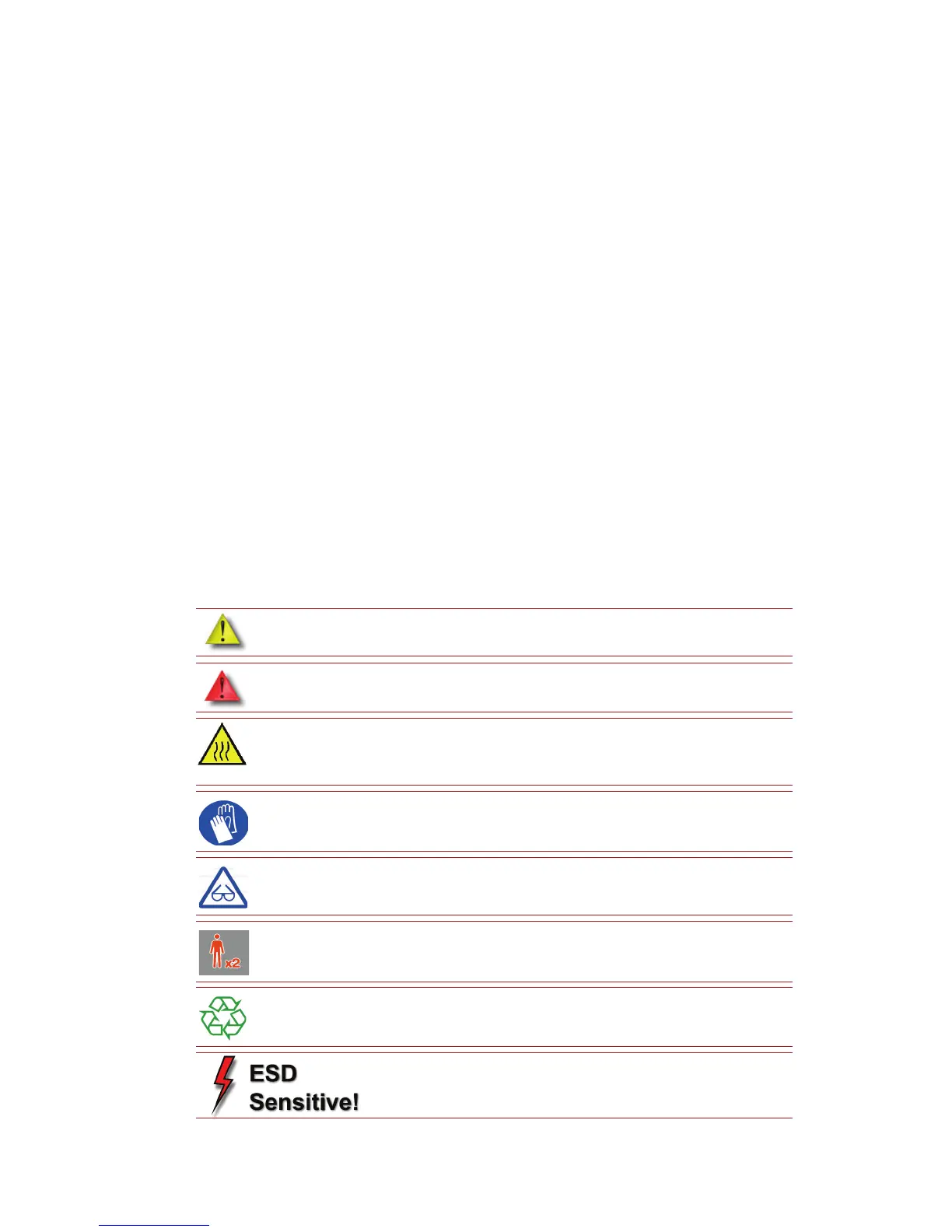
The following classifications are used throughout this guide.
CAUTION: Indicates a potentially hazardous situation which, if not avoided,
may result in minor or moderate injury.
WARNING: Indicates a potentially hazardous situation which, if not avoided,
could result in serious injury.
Hot Surface: The hot surface sign indicates the presence of devices with high
temperatures. Always use extra care, and wear safety gloves, when working
around heated components
Gloves: When performing some maintenance procedures, the machine may
be hot and gloves will be required to avoid burns.
Safety Glasses: Wear safety glasses to avoid injury to your eyes.
Lifting Hazard: Lift with two or more people to avoid serious injury.
Recycle: Use proper recycling techniques for materials and packaging.
ESD: Use standard electrostatic discharge (ESD) precautions
when working on or near electrical components.














 To Next Page