53
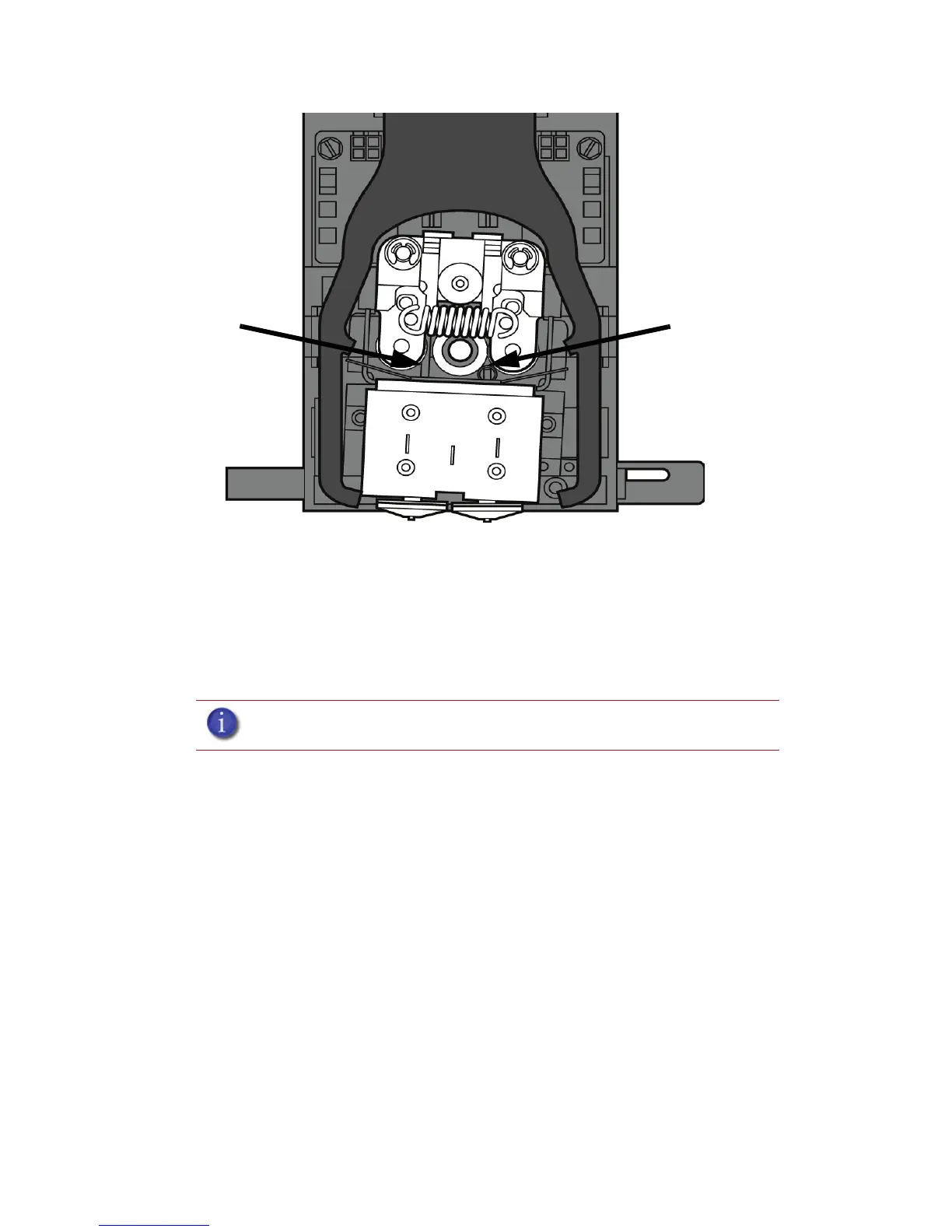
Figure 49 Tip inlet locations
7. Press Select Drive and choose the drive that may have the clogged tip.
8. Press Forward, the drive wheel will turn the selected drive forward.
9. Press Blower Off, this will turn the head cooling fan off for 10 seconds, allowing the tip to heat
up beyond operating temperature. If material starts to extrude the tip is no longer clogged. If
material does not extrude see “Recovering from loss of extrusion” on page 54. If material
extrudes, you can continue building your part.
10. Reinstall the head cover.
11. Press Done.
12. Display will ask Which Materials Loaded? Press Both.
13. Press Done until back to Pause screen.
14. Press Resume to continue building the part.
Note: If the head cover is not replaced the printer may not function properly.
Model tip inlet
Support tip inlet














 To Next Page