5.7.3 Connecting the communication cable
• Connect the communication cable from the control box of the recirculation cooling unit to the
socket on the back of the machine.
5.8 Installing the preparation disc
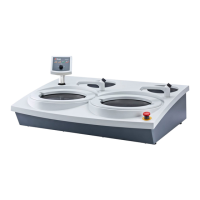
LaboPol-60 has two preparation discs. The following instructions apply to both discs.
Note
Make sure that the cavity on the underside of the preparation disc and the cone on
the machine are clean.
Make sure that the bowl liner is clean and that the drain is positioned correctly.
Procedure
1. Place the preparation disc carefully on the driving pin.
2. Rotate it slowly until it is safely engaged.
5.8.1 Preparation disc types
The machine can be used with the following disc types:
Preparation disc types Preparation surface
MD-Disc For MD consumable.
Wet grinding disc For SiC Paper.
Aluminum disc For adhesive-backed consumable.
5.9 Noise
For information on the sound pressure level value, see this section: Technical data ►92
CAUTION
Prolonged exposure to loud noises may cause permanent damage to a person’s
hearing.
Use hearing protection if the exposure to noise exceeds the levels set by local
regulations.
Handling noise during operation
Different materials have different noise characteristics.
Manual preparation To lower the noise, try to decrease the force with which the
specimen is pressed against the preparation surface. The
processing time may increase.
Semi-automatic preparation To lower the noise, decrease the rotational speed and/or the
force with which the specimens are pressed against the
preparation surface. The processing time may increase.
5 Installation
LaboPol-60 23



 To Next Page