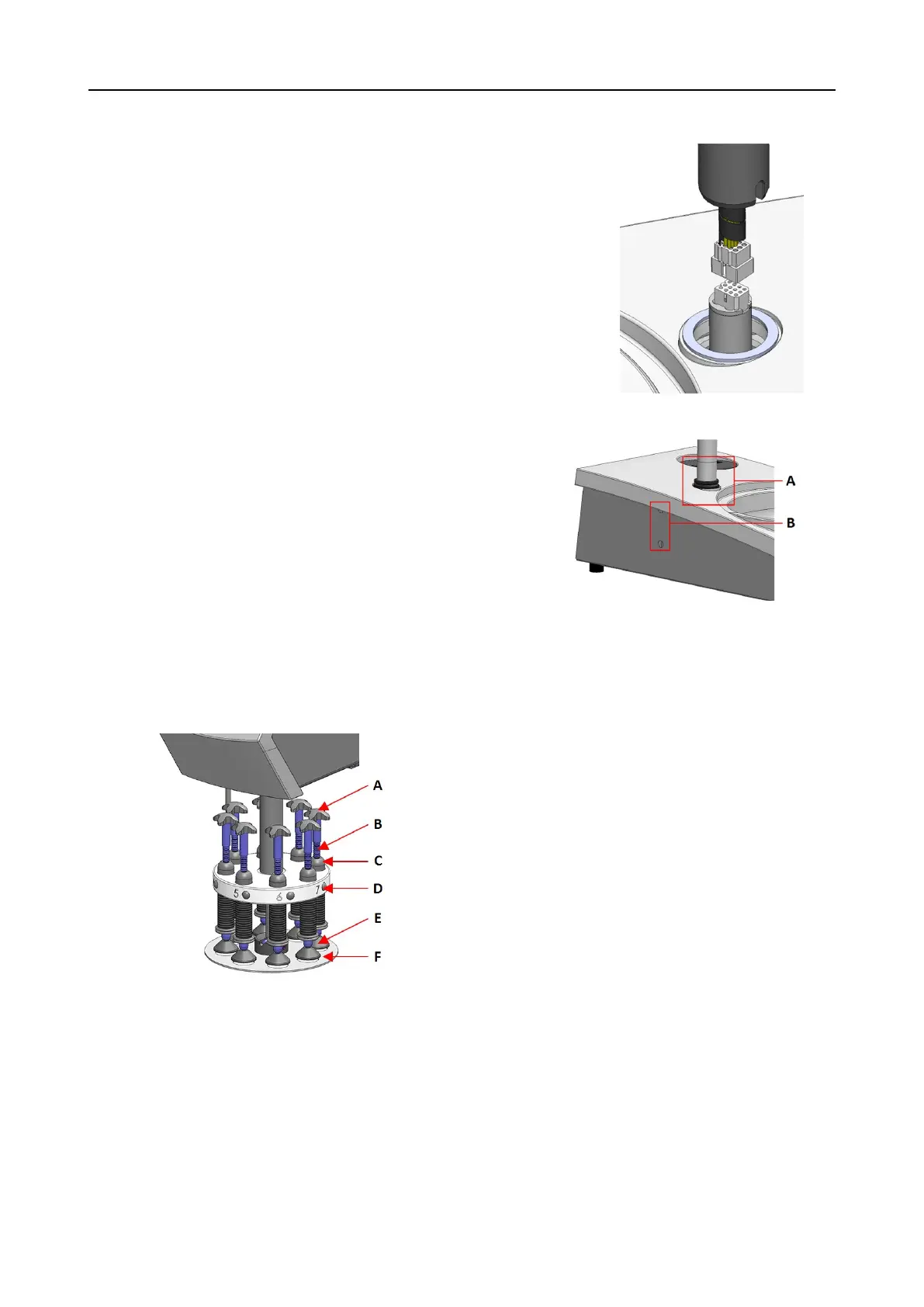
1. Remove the plastic disc protecting the communication cable.
2. Connect the communication cable on the column to the
connection port on the machine.
3. Slide the black V-ring down the column until it covers
the connection hole.
4. Use the Allen key to tighten the two fastening screws.
Do not tighten the screws completely.
A V-ring
B Fastening screws
9.1.4 The specimen mover
A Mover cross for forced rotation
B Force adjustment screw
C Force indicator
D Quick-release button
E Pressure feet
F Specimen mover plate
9 LaboForce-Mi
LaboPol-60 65











 To Next Page