• To stop the preparation completely, press the Stop button again.
Emergency stop
Note
Activating the emergency stop on the machine will stop all movable parts.
Note
Do not use the emergency stop for operational stop of the machine during normal
operation.
1. Press the emergency stop button to activate an emergency stop.
WARNING
Before you release the emergency stop, investigate the reason for activating the
emergency stop and take any necessary corrective action.
2. Turn the emergency stop button to release the emergency stop.
9 LaboForce-Mi
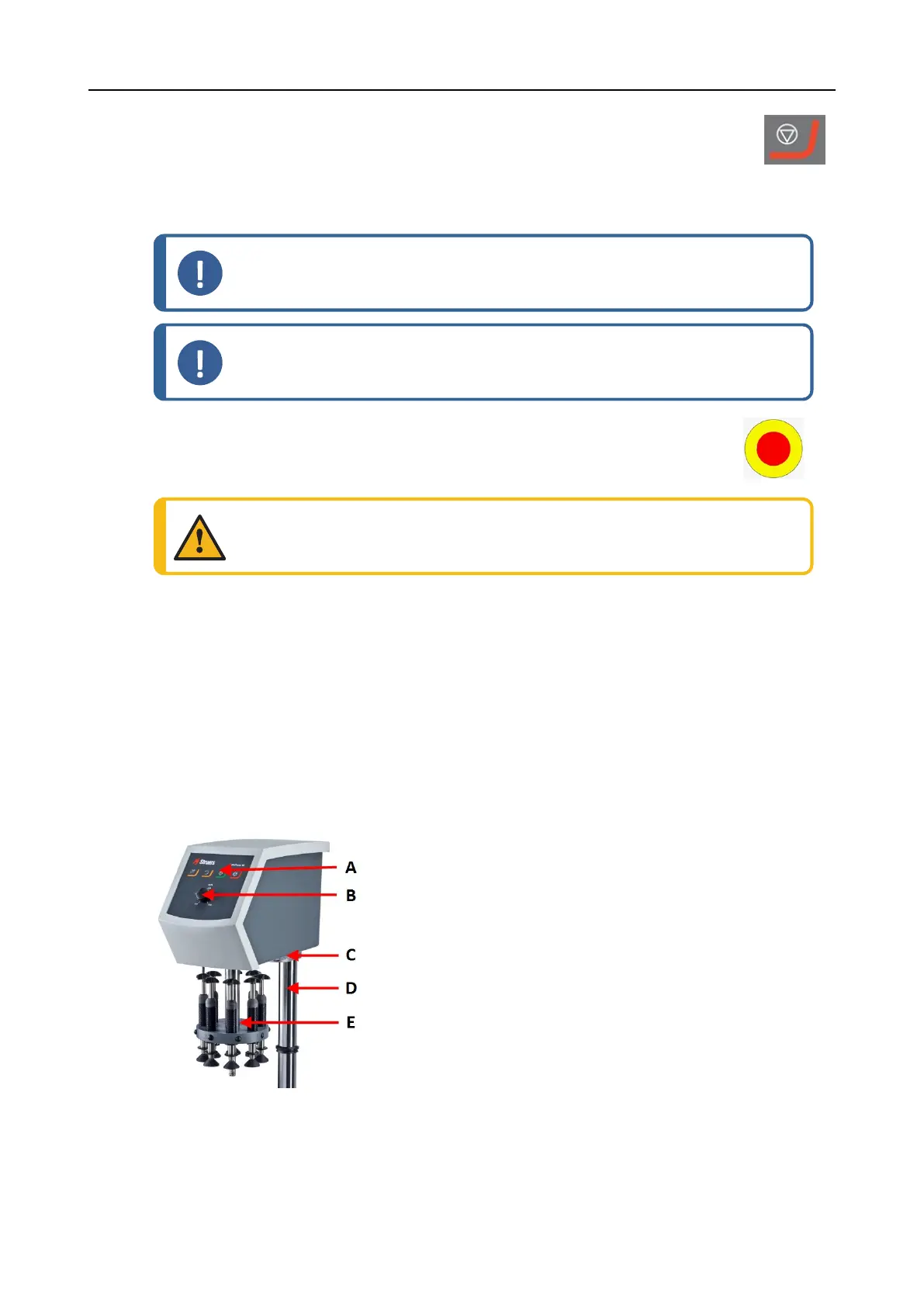
Front view
A Control panel
B Disc speed control
C LED light (not shown)
D Control panel column
E Force adjustment column
9 LaboForce-Mi
LaboPol-60 63











 To Next Page