Machine manual STYLE 350 – 510 V4.9
5 Operating the machine
5.1 Checks before operating the machine
Before turning the machine on first read and understand all safety instructions and regulations. Also the following
technical checks need to be done prior to starting up the machine.
• Be sure all parts used for transportation of the machine are removed. Check the machine for rust and
damage. Every machine is thoroughly checked before shipping for damage and flaws.
• Be sure to check the oil level from the machine lubrication. When it's below level, the control of the
machine will give a fault message.
• Be sure the chuck is mounted correctly according to instructions.
• Install and tighten all service doors and hatches.
• Close electrical cabinet and lock both locks.
• Check the oil level of the transmission by looking at the lower sight glass on the front of the transmission.
• Check the coolant level.
• Check if all electrical connectors are connected well and locked.
Under no circumstance it is allowed to use the machine for other purpose that it is designed for
and is described in this and 'Style Lathe' and 'CNC-Edit' software manuals. STYLE CNC
Machines is not responsible in any way for accidents and injuries caused by improper use of the
machine and not following instructions stated in the manuals.
5.2 Turning the machine on
After checking the safety instructions and regulations the machine can be switched on by turning the main switch
on the electrical cabinet to the 'I' or 'ON' position. The main switch is mounted on the side of the electrical cabinet.
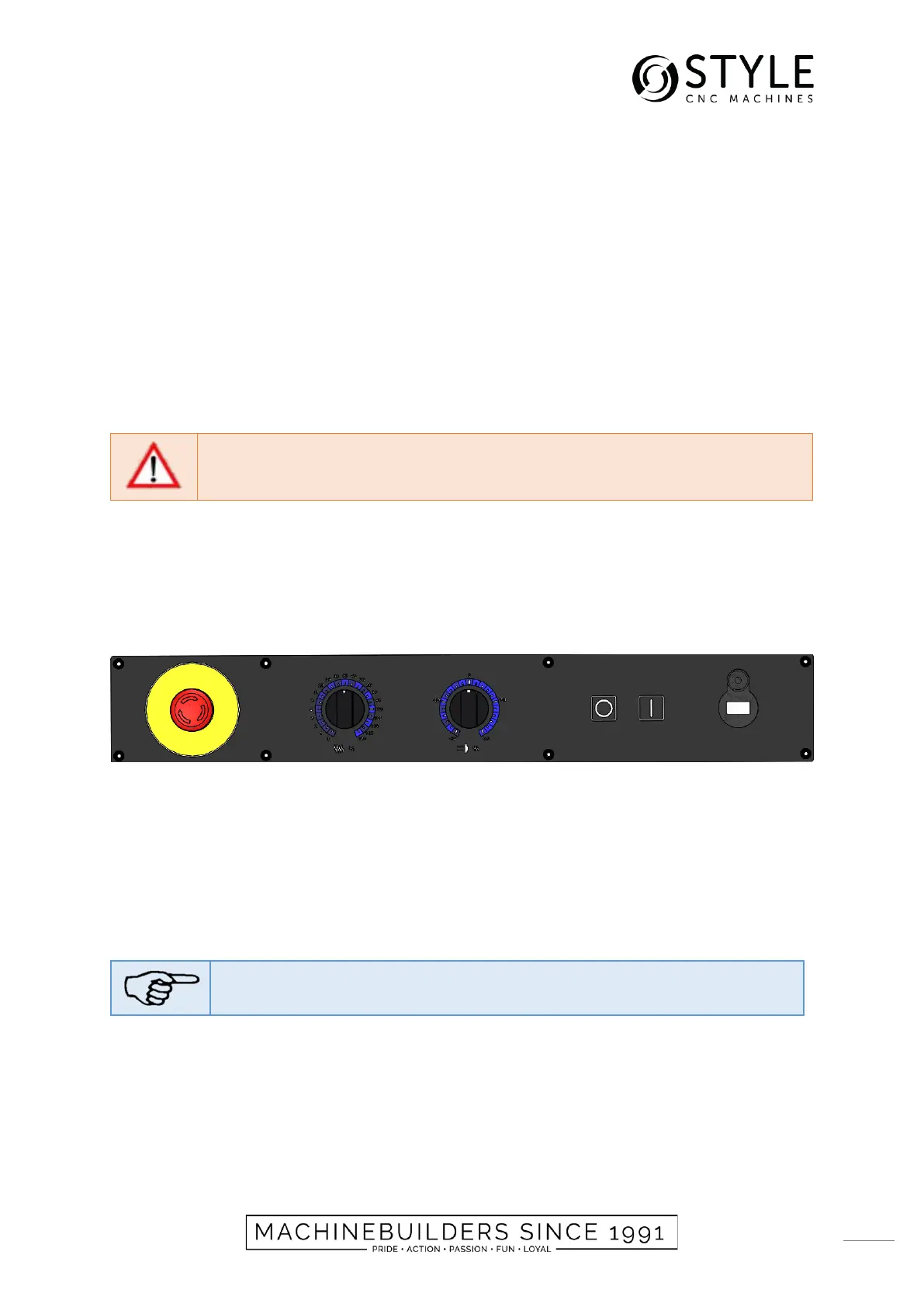
The main switch will only enable the main power supply. The machine controls and motors should be powered by
the 'I' button on the console.
When the start-up has completed, select the software icon STYLE lathe or CNC-Edit to activate the software.
5.3 Turning the machine off
Before turning the machine off, first all software programs need to be closed (see software manuals). The machine
controls can be switched off in the Win Shell screen by pressing the 'Exit' button.
After closing the software, wait about 5 seconds. Now the computer is fully shut down. Before shutting off the
console the emergency button on the left of the control panel has to be pressed in. Now the 'O' button on the control
panel can be pressed to shut down the controls. Finally, the main switch on the electrical cabinet can be switched
to the “O - OFF” position.
Before restarting the STYLE control software, await 10 seconds.


 To Next Page