EasyManua.ls Logo

Summa S ONE - Page 42

Summa S ONE
89 pages
Print Icon
To Next Page IconTo Next Page
To Previous Page IconTo Previous Page
Loading...
S One User’s Manual
Basic operation 2-8
The S One cutters include 4 user configurations, all of which consist of the same parameters.
Each configuration can have unique parameter settings. This allows the cutter to be quickly
and easily reconfigured for different types of jobs or media.
NOTE: Factory default values for the different users are all set the same.
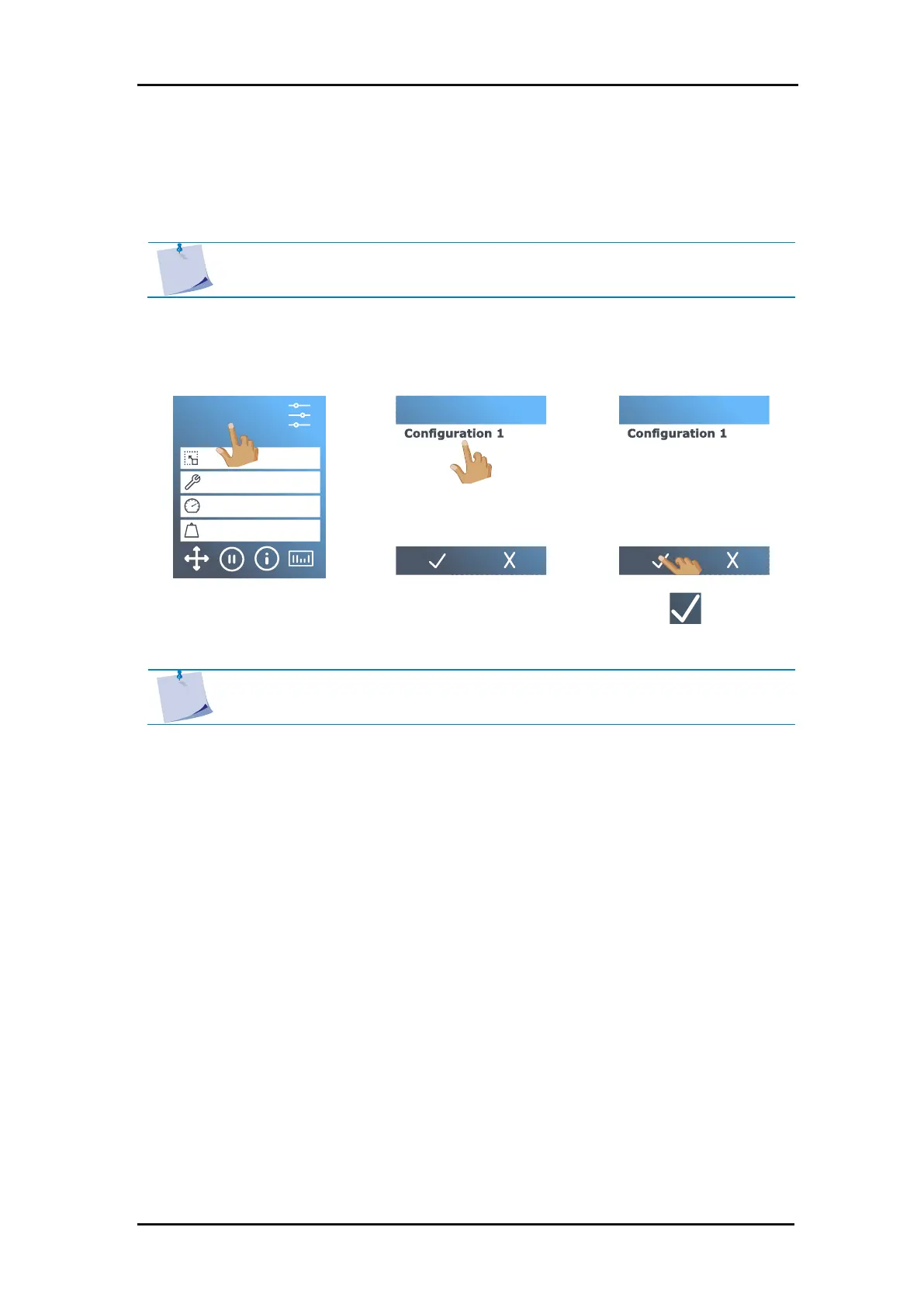
Changing the user configuration:
1. Power on the cutter and load the media.
2. Tap the current
configuration.
3. Tap the desired
configuration.
4. Tap to confirm.
NOTE: The name of the configuration can be changed with Summa Cutter
Control.
S1D160
50000 x 145 mm
Knife
700 mm/s
90 g
Configuration 1
LAN 192.168.10.2
Configuration 3
User
Configuration 4
Configuration 2
Configuration 3
User
Configuration 4
Configuration 2
2.4 How to Change the User (Quick Parameter Change)

Table of Contents

Related product manuals