4-4 Sun Fire X2100 Server User Guide • April 2007
Caution – The printed circuit boards and hard disk drives contain components that
are extremely sensitive to static electricity.
6. Before handling components, attach a wrist strap to a chassis ground (any
unpainted metal surface).
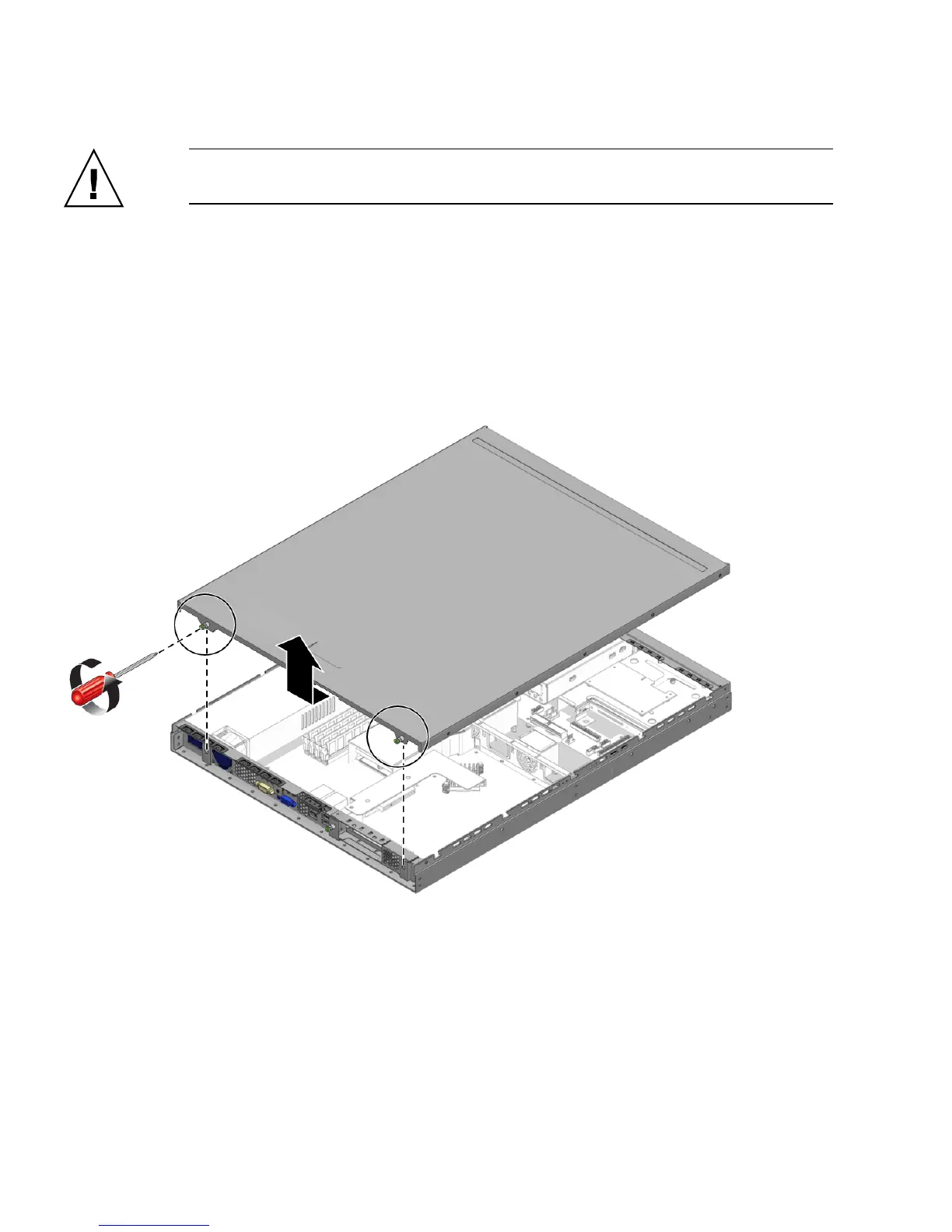
7. Loosen the two captive screws securing the cover to the chassis (see
FIGURE 4-1).
8. Pull the cover slightly toward the back of the server, and then straight up to
remove it.
9. Lift the cover and remove it.
FIGURE 4-1 Removing the Server Cover












 To Next Page